
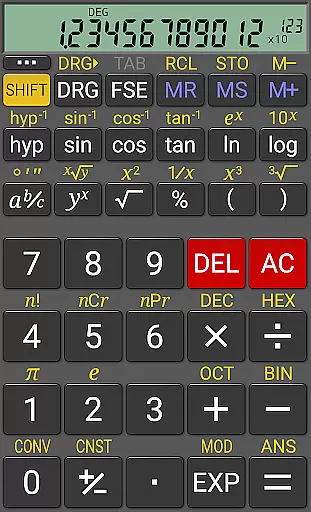
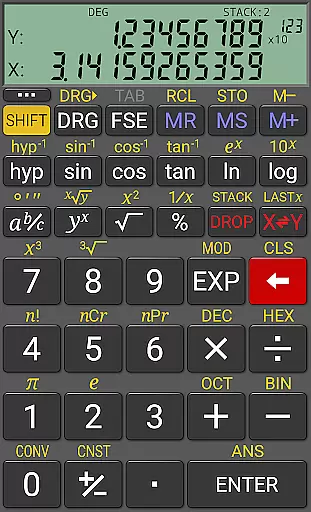
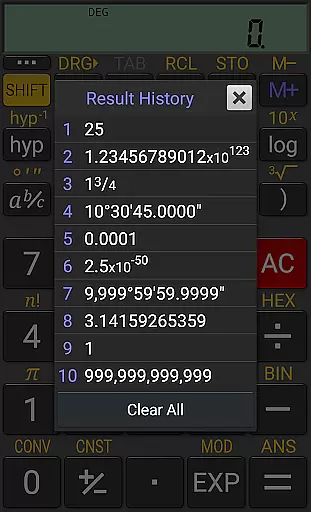
RealCalc Plus stands as the enhanced version of RealCalc, a top-tier scientific calculator on Android. It mirrors the functionality and interface of a genuine hand-held calculator, offering users an intuitive experience with advanced capabilities. The app encompasses standard scientific functions alongside specialized features such as fraction calculations, degrees/minutes/seconds conversions, and history tracking.
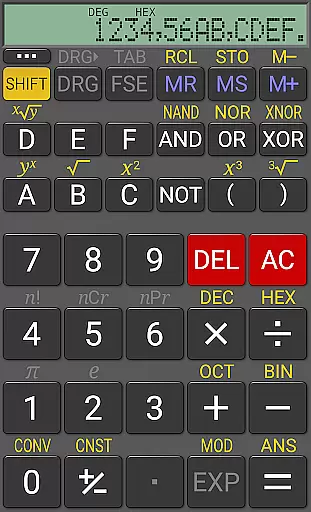
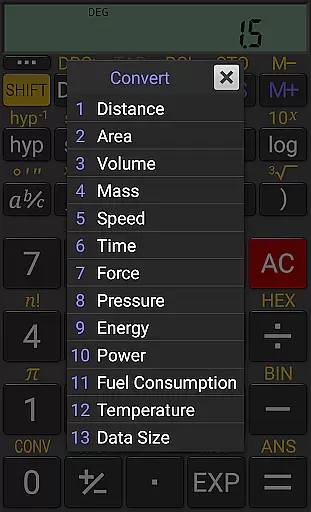
What sets RealCalc Plus apart is its customization options for unit conversions and constants, alongside support for binary, octal, and hexadecimal computations. Its optional RPN mode caters to professionals preferring Reverse Polish Notation. With multiple display styles and formats, including 7-segment and dot-matrix, it ensures clarity and precision in every calculation.
This application proves invaluable for students, engineers, and anyone requiring detailed mathematical operations on their mobile device. By delivering a seamless blend of usability and functionality, RealCalc Plus enhances productivity by providing reliable computational power at your fingertips.
RealCalc Plus boasts an array of sophisticated features designed to cater to diverse computational needs. Users can choose between traditional algebraic or RPN operation modes, facilitating both straightforward and complex calculations. The inclusion of fraction calculations, degrees/minutes/seconds conversions, and percentage functions broadens its utility across various fields.
A standout feature is the customizable unit conversions and constants, allowing personalized settings tailored to individual preferences. The calculator supports up to 12-digit displays with extended internal precision (32-digit), ensuring accuracy in results. Additionally, its multi-window support with drag & drop functionality and external keyboard compatibility enhance user interaction and efficiency.
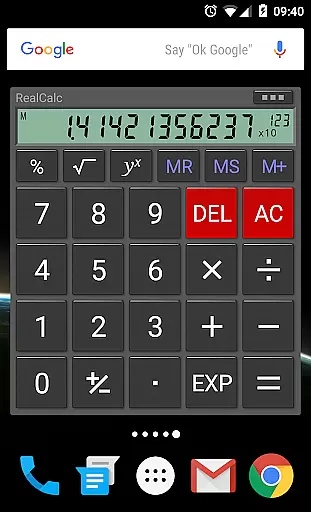
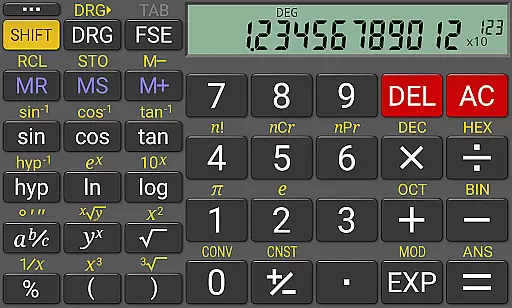
The app's landscape mode, homescreen widget with RPN support, and configurable digit grouping further augment its versatility. With full built-in help included, RealCalc Plus empowers users to harness its comprehensive toolset effectively, making it an indispensable asset for anyone needing robust computational capabilities on their Android device.
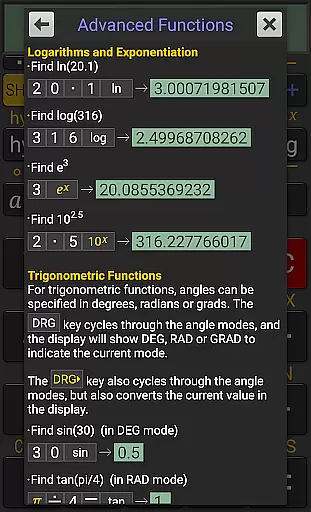
RealCalc Plus excels in core task management by offering a comprehensive suite of scientific calculation tools. This calculator app provides users with essential functions such as algebraic or RPN operation, allowing for flexible and efficient calculations. The inclusion of features like fraction calculations, degrees/minutes/seconds conversions, and trigonometric functions in different modes ensures that users can perform a wide range of mathematical operations with ease.
The app's extended internal precision of up to 32 digits and its support for binary, octal, and hexadecimal calculations make it an indispensable tool for engineers, students, and professionals who require high accuracy in their work. RealCalc Plus also offers user-customizable unit conversions and constants, empowering users to tailor the app to their specific needs and workflows. With ten memories and result history, managing complex tasks becomes more streamlined and efficient.
Moreover, the app supports multiple display modes including scientific, engineering, and fixed-point, catering to various preferences and requirements. Its multi-window support with drag & drop functionality further enhances productivity by enabling seamless multitasking. These robust task management capabilities ensure that RealCalc Plus is not just a calculator but a powerful productivity tool.
Cross-device synchronization is crucial for users who rely on consistent access to their data across multiple devices. RealCalc Plus addresses this need by providing a homescreen widget with RPN support, ensuring that your calculations are always within reach, no matter which device you're using. This feature allows for quick access and continuity, making it easier to pick up where you left off without missing a beat.
In addition to the widget, RealCalc Plus offers configurable digit grouping and decimal points, which means that users can customize the app to match their preferred numerical format across all their devices. This consistency in formatting helps prevent errors and ensures reliable data entry and computation. Furthermore, the app's external keyboard support extends its usability, allowing for efficient input whether you're on a smartphone or tablet.
While RealCalc Plus does not explicitly advertise cloud-based synchronization, its full-featured set ensures that your experience remains uniform across devices. By leveraging customizable settings and a consistent UI design, the app delivers reliable performance and accurate results regardless of the device in use. This reliability makes RealCalc Plus a trustworthy companion for anyone seeking dependable cross-device functionality.
User-friendly interface
Customizable settings
High precision calculations
Multiple operational modes
Comprehensive help documentation
Paid version only
No iOS availability
Complex for beginners
Limited graphical functions
Occasional UI glitches

Experience Reading - Night Mode for Documents
 4.40
4.40
Experience real multitasking on your Android!
4.00
Native client for Forgejo and Gitea
5.00
Customizable calendar widget for seamless event sync, planning & scheduling.
4.00
The AI assistant that thinks with you - write, code, and solve complex tasks
4.60
All document reader, all in one file viewer read PDF, DOCX, XLS, PPT, TXT files.
4.60
Code on-the-go with VScode for Android. Edit,debug and collaborate from mobile!!
3.10
A Pixel Art watchface inspired by other iconic 90s designs for Wear OS devices!
4.40
Intelligent AI Assistant
4.10
Seamlessly integrate data and reports to build your presentation to impress
4.80
QuickBooks Workforce lets teams view pay info and track time in one place.
4.70
Tally and goal counter for Wear OS & mobile
4.50
Send files, sync SMS, notifications & clipboard across devices via local network
4.40
A lightweight JSON & XML files creator, editor and viewer (Premium Version)
4.40
All in One PDF Reader: Manage, Read and Edit your Documents
4.20
Font maker keyboard with your own handwriting
4.10
Unlock AutoNotification
4.00
* block pre-roll ads, pop-up and forced redirect ads * Samsung certification app
4.00
Experience and share your SolidWorks designs on your Android® phone and tablet.
2.50


User Reviews