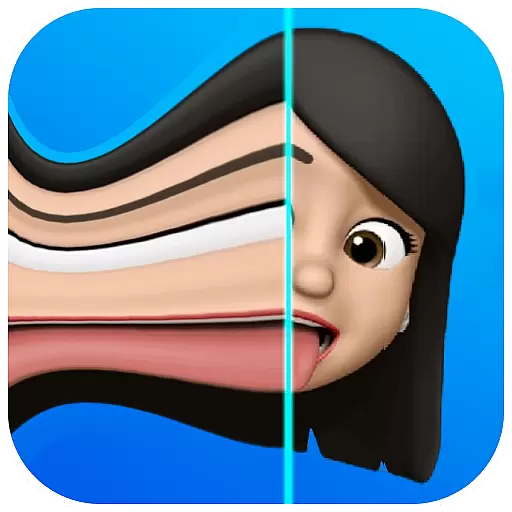
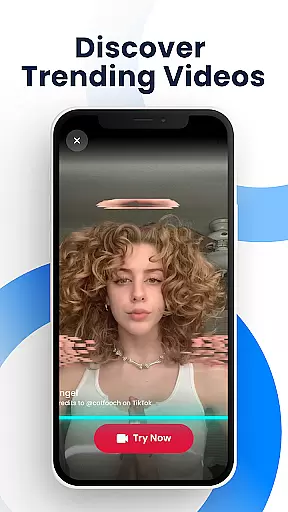
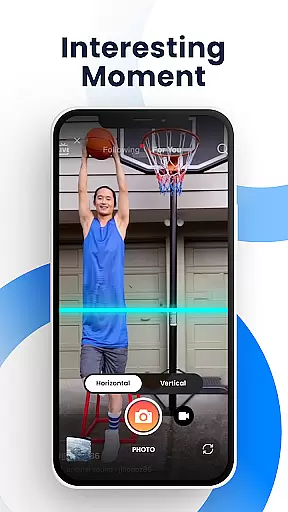
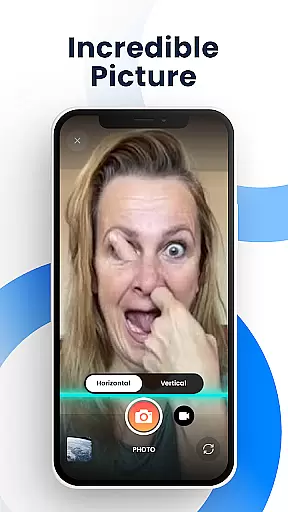
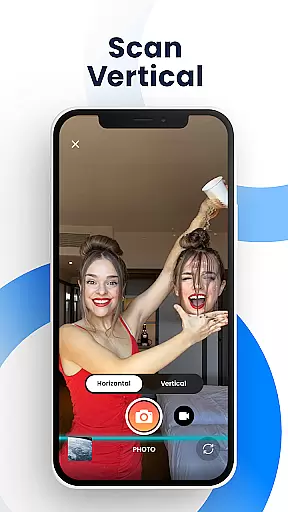
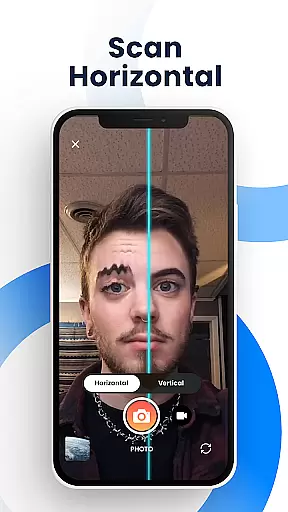
Time Warp Scan - Face Scanner is an innovative photography app that brings the popular TikTok-like time warp scan effect to your fingertips. This free application allows users to create unique, funny, and interesting photos and videos by utilizing its signature 'blue line' scanning feature. The app freezes images as the blue line passes, creating a warp effect that transforms faces and objects into amusing shapes. With adjustable scanning directions and speed controls, it offers limitless creative possibilities for modern art-style photos.
The app's core functionality lies in its ability to produce viral-worthy content that's perfect for social media sharing. Users can adjust brightness, choose between vertical or horizontal scanning, and modify the speed of the scanning line. Time Warp Scan supports both photo and video filters without watermarks, making it ideal for creating professional-looking, trendy content. Whether you want to lengthen fingers, reshape heads, or create other special effects, this app provides the tools to do so.
This application is particularly useful for social media enthusiasts, content creators, and anyone looking to add a touch of creativity to their digital presence. Its seamless integration with platforms like TikTok, Snapchat, Instagram, and Facebook makes sharing your creations easier than ever. By combining entertainment value with practical features, Time Warp Scan - Face Scanner has become a go-to tool for those seeking to participate in viral challenges and impress their followers with unique visual content.
Time Warp Scan - Face Scanner stands out with its comprehensive set of features designed to maximize user creativity. The app's primary feature is its time warp scan effect, which works on both photos and videos. This effect allows users to transform faces and objects as the scanning line moves across the frame. The adjustable 'blue line' can be set to run vertically or horizontally, giving users complete control over their creative process. Additionally, the app lets users modify the scanning speed to best fit their needs, ensuring optimal results every time.
Beyond its core functionality, the app offers several supporting features that enhance the user experience. These include brightness adjustment options, no watermark policy on exported content, and various slit-scan effects. The app also enables users to save their creations directly to their device's gallery, maintaining high-quality output. Furthermore, the face transformation feature allows for dramatic changes in appearance, from reshaping heads to altering finger lengths, all through simple movements during the scanning process.
What truly sets Time Warp Scan apart is its seamless social media integration and sharing capabilities. Users can instantly share their creations across multiple platforms including TikTok, Snapchat, Facebook, Instagram, WhatsApp, and more. The app's user-friendly interface makes it easy to operate, requiring only two simple steps: choosing the scan direction and saving the final product. This combination of powerful editing tools, creative freedom, and easy sharing options positions Time Warp Scan - Face Scanner as a must-have application for anyone interested in creating engaging, viral-worthy content.
Real-time capture and preview functionality is essential for photography apps as it allows users to see exactly what the camera is capturing before taking a shot. This ensures that users can make necessary adjustments to achieve the desired outcome.
Time Warp Scan - Face Scanner offers an innovative real-time capture experience with its unique time warp effect. The app provides a live preview of the warp scan effect, allowing users to visualize how their image will transform as the blue line passes over the frame.
The ability to adjust the direction and speed of the blue line in real-time adds another layer of creativity. Users can experiment with different settings and instantly see the results, which enhances the overall user experience and encourages creative expression.
This immediate feedback loop not only improves the quality of the photos taken but also makes the process more engaging and fun. By offering real-time previews, Time Warp Scan ensures that users can consistently produce content that meets their expectations.
AI beauty and enhancement features are increasingly popular in photography apps, providing tools to enhance images naturally without making them look overly processed. These features are crucial for maintaining the authenticity of the original image while still improving its aesthetic appeal.
Time Warp Scan - Face Scanner incorporates AI-driven enhancements that allow users to subtly alter their appearance. The app's slit-scan effects and face transformation capabilities use advanced algorithms to ensure that changes appear natural and seamless.
Users can manipulate various aspects of their images, such as adjusting facial features or altering object shapes, all while retaining a realistic look. This balance between enhancement and naturalness helps preserve the integrity of the original photo, offering a more genuine and appealing result.
By focusing on natural-looking enhancements, Time Warp Scan caters to users who want to elevate their photos creatively without sacrificing authenticity. This approach not only boosts user satisfaction but also encourages sharing high-quality, visually appealing content across social platforms.
User-friendly interface
Versatile scanning options
High-quality output
Free to use
Wide social media integration
Limited advanced editing
Basic filter selection
No professional tools
Occasional glitches
Ads present

Create funny photos and videos with the popular Time Warp Scan filter.
 4.90
4.90
Application for remote controlling DSLR
3.00
Edit like a pro with Hypic. Apply filters, AI effects, & magic touch.
4.40
Superimpose one photo on top of another using the original Superimpose app!
3.20
Easily create custom gifts, cards, photo books & more on the Shutterfly app!
4.60
Transform Photos: Edit, Beautify and Craft Memories & Make Collages!
4.10
PhotoSync Bundle Add-On License. Enables all features and services in PhotoSync.
4.60
Try an anime version, cartoon yourself, and generate AI hug or aging videos!
3.70
Edit photos with the picture generator: PS2 & AI Clay filters, cartoon effects.
4.50
Your personal guide to the sun and moon. Plan ahead, visualize and predict!
4.70
Easily view, share, delete photos with Gallery.
4.70
Viewfinder, Light meter, Reciprocity failure time, DOF & Bellows Extension
4.60
Take videos and pictures with the popular TikTok TIME WARP SCAN filter.
4.60
Create AI photos & videos with Enhancer; restore, fix, beautify, enhance photos
4.50
Effortlessly organize, view and share your photos & videos with Gallery app!
4.40
[3DSteroid Pro] is a stereoscopic application for Android.
4.30
All-in-One Editor & AI Photo Enhancer, Collage, Cartoonify, Funny Stickers & BGS
4.10
Turn photos into cartoons & avatars! - Photo Editor, Cartoon Face!
3.90
Remote control the phone camera shutter from your smartwatch and take a picture
1.60


User Reviews