
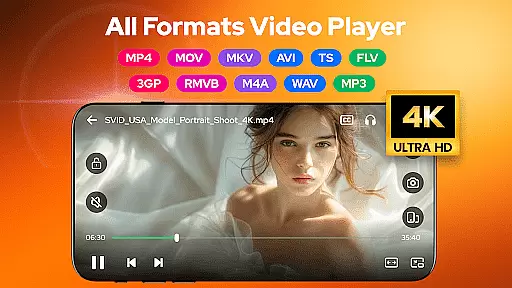
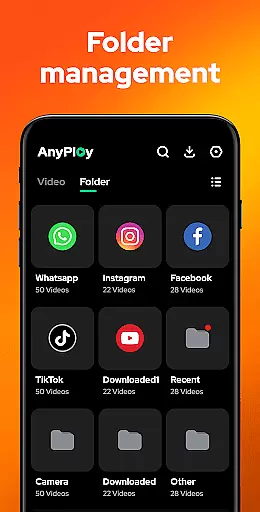
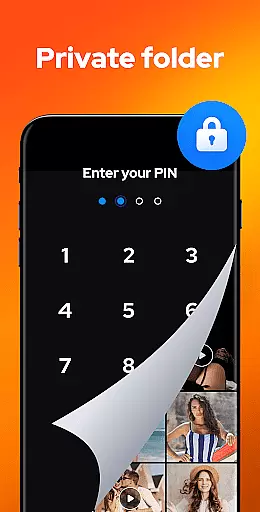

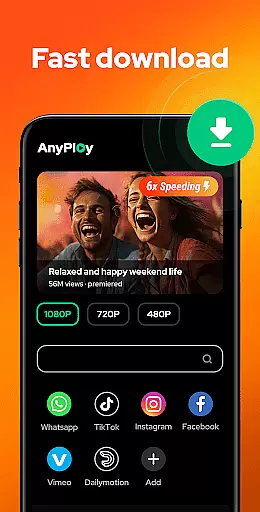
Video Player - AnyPlay is a versatile all-in-one media solution for Android users, combining a powerful video player, file manager, and video downloader. It supports videos in all formats, ensuring seamless playback with features like customizable subtitles, gesture control, and pop-up playback. The app also excels in file management by automatically detecting and organizing media files on your device and SD card, while offering privacy protection through its private folder feature.
Designed for both casual viewers and tech-savvy users, AnyPlay provides an exceptional HD video experience with advanced playback options such as background play and HW/SW decoder support. Its built-in browser allows direct downloading of HD videos from websites and social media platforms, making it a complete tool for media consumption. Whether you're managing files, watching videos, or listening to music, this app streamlines all your media needs into one intuitive platform.
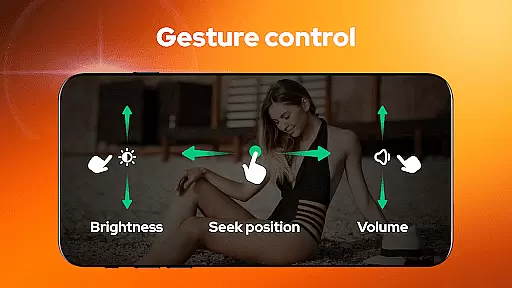
AnyPlay stands out with its comprehensive feature set tailored for media enthusiasts. The app's HD video player supports all formats and includes advanced functionalities like subtitle customization, smart gesture controls, and background play. Users can adjust playback settings effortlessly using gestures, while the pop-up mode enables multitasking by playing videos in a floating window during other activities.
The integrated file manager auto-detects and organizes media files across phone storage and SD cards, presenting them in clear lists or playlists. Privacy-conscious users can hide sensitive videos in a private folder. Additionally, the built-in HD video downloader simplifies acquiring content from websites and social media, with resolution options ranging from 360P to 1080P. These robust features make AnyPlay an indispensable tool for managing and enjoying digital media.
Video Player - AnyPlay stands out with its exceptional video format compatibility, ensuring users can enjoy HD video playback of all formats. Whether it's MKV, MP4, AVI, or more, this versatile player supports them all.
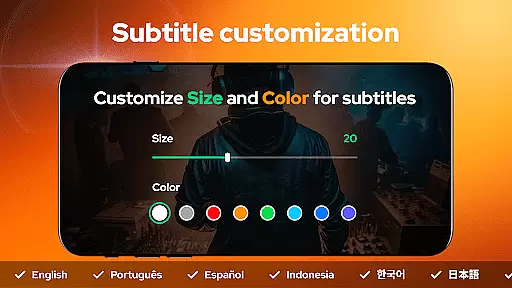
The app goes beyond basic playback by offering customizable subtitles. Users can import local subtitles or download online ones, adjusting the color and size to their preference. This feature enhances the viewing experience, making it accessible to a wider audience.
With both hardware and software decoders supported, the player delivers smooth performance regardless of file type. The inclusion of a built-in equalizer and reverb effects further enriches the audiovisual experience, providing users with the best possible video playback quality.
Beyond its role as a video player, AnyPlay incorporates AI-powered editing features that add significant value for users seeking to manage and optimize their media files. The app automatically detects and organizes all media files on your phone and SD card, presenting them in clear lists for easy access.
One of the standout features is the ability to hide videos in a private folder with a single click, effectively protecting user privacy. Additionally, the smart sorting options allow you to arrange videos by date, name, length, or size, streamlining media management.
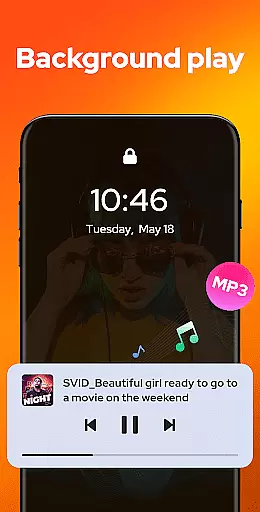
For those who appreciate multitasking, the pop-up play feature lets you watch videos in a floating window while using other apps. Meanwhile, background play enables you to listen to videos when the screen is off, maximizing convenience and flexibility in media consumption.
User-friendly interface
Comprehensive format support
Advanced playback options
Efficient file management
HD video downloading
May drain battery faster
Occasional slow loading
Limited customer support
Ads in free version
Complex for beginners

?100% FREE! Download & save videos? safely in this app. All formats supported.
 4.60
4.60
KineMaster, Your Ultimate Video Editor!
4.40
VLC Remote lets you control your VLC Media Player on Mac, PC or Linux.
4.60
Capture images & record videos for USB Camera, Webcam, Microscopes, Endoscopes
3.80
AirMirror is Receiver for Screen Mirroring and Casting from Apple Devices.
3.60
Download videos easily & play them all in one smart, powerful video manager.
3.40
Browser for Fire TV to stream webvideos, online movies, livestreams in HD
4.40
Fast & Private HD Video Downloader with Built-in Proxy Browser and Video Player.
4.50
Fast private browser with secure, seamless access & supported video downloads!
4.00
A Simple app to download Video & Music from the Internet.
4.70
Browser + Remote for Roku to stream webvideos, online movies and livestreams
4.60
Watch a large amount of high-definition short drama content
4.60
Auto video maker with music & exclusive filters. Video editing made simple.
4.50
HD video maker with no watermark, no ads & vlog maker with music, PIP, text
4.50
Your media, on your terms.
4.10
1)AirPlay/DLNA Mirroring/Streaming, up to 4 connections; 2)Samba/NAS/DMS Player.
4.00
Online Videos Player
3.90
HD video & music player - All format support with floating & PIP mode!
3.80
Manage your IPTV live channels and VOD playlists (no playlist included)
3.80


User Reviews