
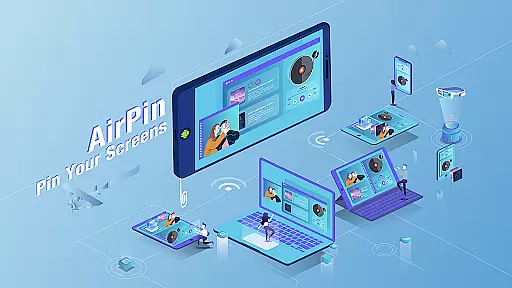




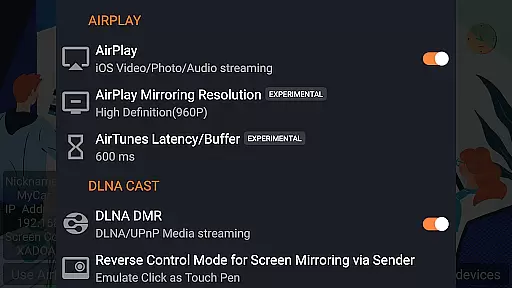

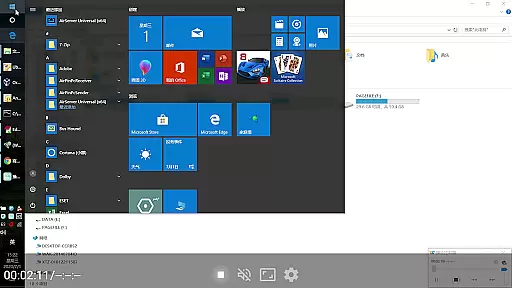

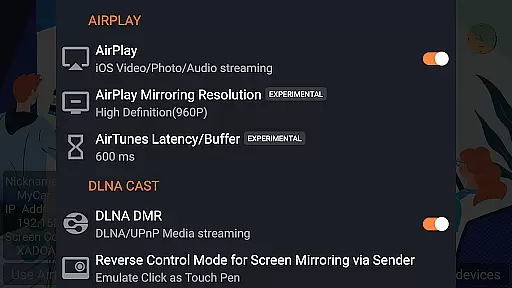

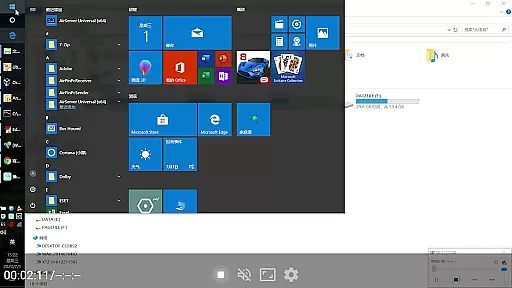

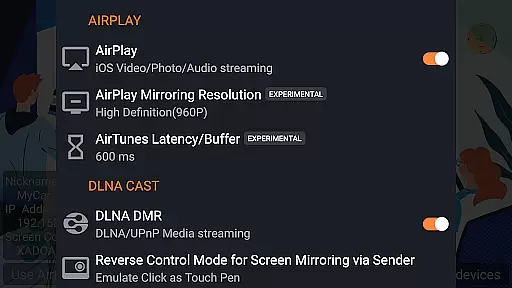
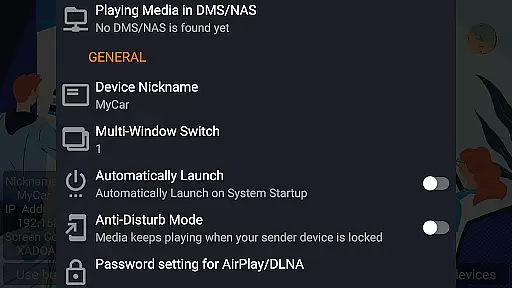
AirPin PRO is a cutting-edge screen mirroring and media streaming receiver app designed for Android phones, tablets, TVs, set-top boxes, and projectors. As the first Android application to support both AirPlay and DLNA since its initial release in July 2012, it enables users to share media and screens from Apple, Windows, and Android devices onto larger displays.
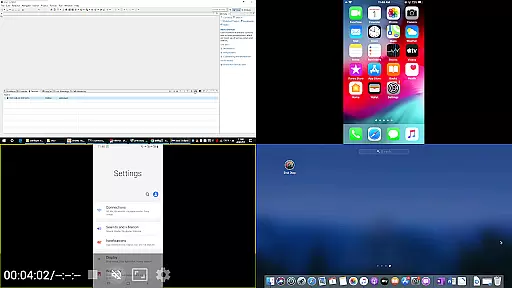
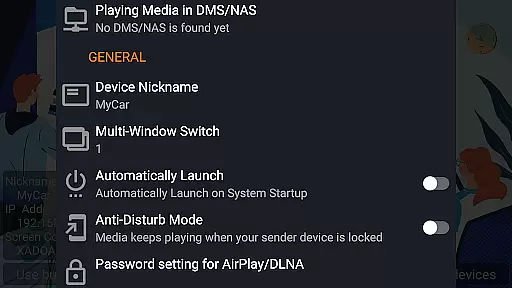
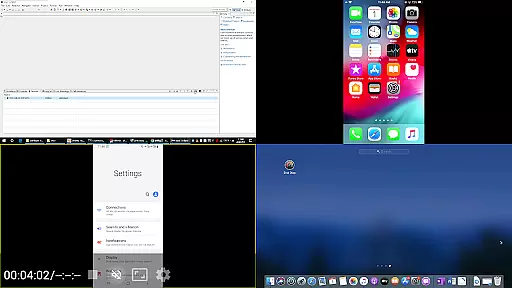
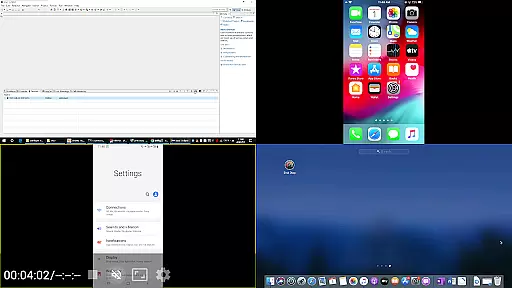
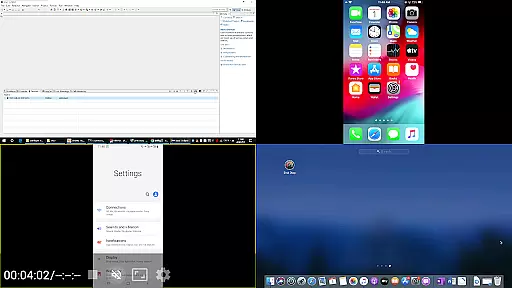
With the PRO version, you can simultaneously display up to four device screens, enhancing collaborative experiences. The app supports a wide range of functionalities including AirPlay video/music streaming, screen mirroring on all iOS/MacOS versions, and even the latest YouTube AirPlay streaming. Additionally, it offers unique features such as slideshow support for AirPlay photo streaming and password protection for added security.
This versatile tool is ideal for both personal and professional settings, allowing seamless integration across various platforms and devices. Whether you're conducting a business presentation or enjoying multimedia content at home, AirPin PRO delivers an exceptional user experience with high-quality streaming capabilities.
AirPin PRO stands out with its comprehensive feature set tailored for diverse user needs. One of its key highlights is the ability to display multiple device screens simultaneously, accommodating up to four connections. This makes it perfect for collaborative environments where several participants need to share their screens concurrently.
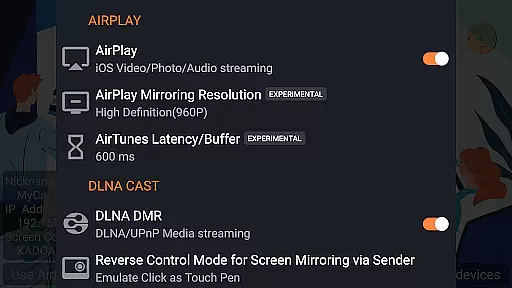
The app excels in supporting both AirPlay and DLNA protocols, ensuring compatibility with a broad spectrum of devices. It is the first app to facilitate the latest YouTube AirPlay streaming and offers exclusive features like slideshow functionality for AirPlay photo streaming and password protection. Furthermore, it serves as the only app that functions as both a Renderer and Player for Android-based TVs.
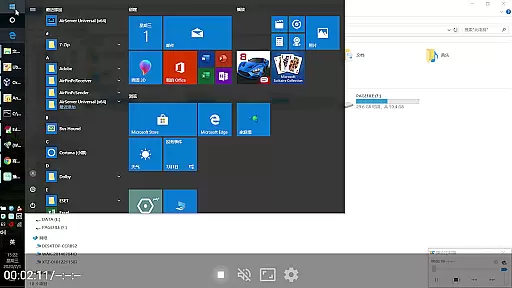
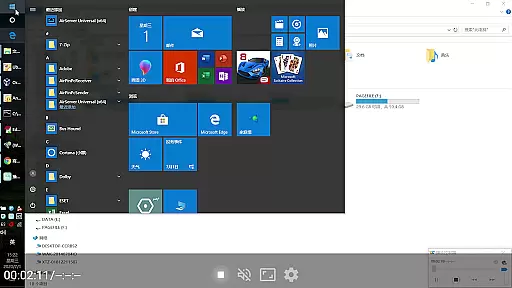
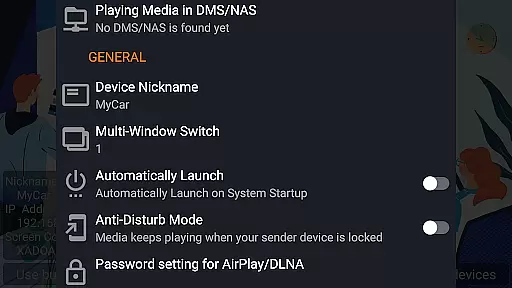
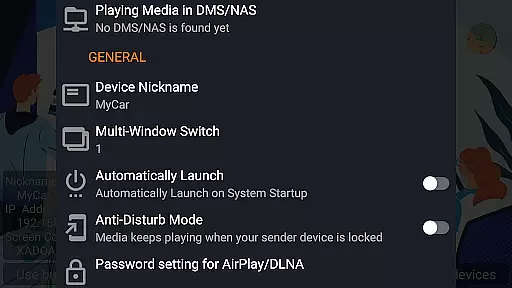
Additional notable features include direct media pulling from DLNA/NAS/Samba servers, Windows streaming and mirroring via AirPinPcSender.exe, and Android mirroring/streaming through AirPinCast. Users also benefit from configurable automatic startup and service shutdown, background audio streaming without delay, anti-disturb mode, and the ability to continue playing from the last pause point. These robust capabilities ensure a smooth and uninterrupted user experience.
One of the key strengths of AirPin PRO lies in its extensive video format compatibility. This feature ensures that users can stream and mirror a wide range of media files without worrying about format restrictions.
The application supports both AirPlay and DLNA protocols, making it versatile for different operating systems. Whether you are using an iOS device, Android phone, or Windows PC, AirPin PRO facilitates seamless screen mirroring and media streaming.
With this compatibility, users can enjoy high-quality video playback directly from their preferred devices to a larger screen. The app's ability to handle various formats means uninterrupted entertainment and efficient sharing of multimedia content across platforms.
AirPin PRO incorporates AI-powered editing features that enhance user experience during media streaming. These intelligent tools automatically optimize video and audio settings for the best possible output quality.
The AI technology works behind the scenes to ensure smooth transitions between different media types and resolutions. By analyzing incoming data streams, it adjusts parameters such as bitrate and resolution in real-time, providing a consistently high-quality viewing experience.
These smart editing capabilities not only improve visual fidelity but also reduce manual adjustments needed by users. As a result, individuals can focus more on enjoying their content rather than troubleshooting technical issues, making AirPin PRO an ideal choice for effortless media sharing.
Supports multiple device screens
First app with AirPlay & DLNA
Latest YouTube AirPlay streaming
Exclusive slideshow feature
Configurable automatic startup
Requires additional software
Limited free version
Occasional connectivity issues
Device compatibility concerns
Subscription fees apply

Cast to Chromecast, Xbox, Fire Stick, Roku, DLNA, Smart TV & No Feature Limited!
 4.50
4.50
Support 1000+ Video Format, Subtitle Download, mp3 & Background Play, Cast On TV
4.60
Seamlessly connect and control your smart devices, anytime, anywhere with ease.
4.60
Powerful Video Editor & Photo Editing App —— Quick Edits & Stunning Effects!
4.30
AI Video Editor:AI Music, Text to Video,Text to Speech,Auto Caption,Video Effect
4.00
All in one multi protocols stream receiver for AirPlay, Cast and DLNA.
3.60
This app is an emulator of some specific IPTV boxes
3.50
#1 Torrent App on Android ** No Ads Ever + Battery Saver **
4.80
Make videos you’re proud to share with Edits, a video editor for creators.
4.70
Play ALL formats in 4K & HD. Video downloader, MP3 player, Chromecast & more.
4.80
Find, download, and play torrents with the official BitTorrent® Pro app
4.70
Screen recorder with audio to take live videos & Screenshot in high quality!
4.70
Fast, private downloading, video saving, social media
4.50
Download website videos fast&privacy
4.40
Stream Web Videos to Chromecast, Samsung, LG, Sony, Roku, Fire TV, DLNA + more
4.00
Fast private browser with secure, seamless access & supported video downloads!
4.00
Kodi media center, a free and open source cross-platform entertainment hub
3.60
The smartest M3U IPTV Player your playlists have ever seen.
4.0
Play and download HD videos from all sources — fast, simple, and all-in-one.
4.2


User Reviews