
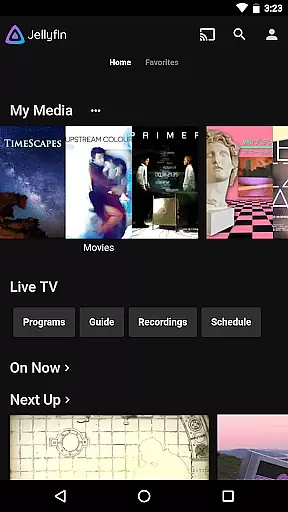
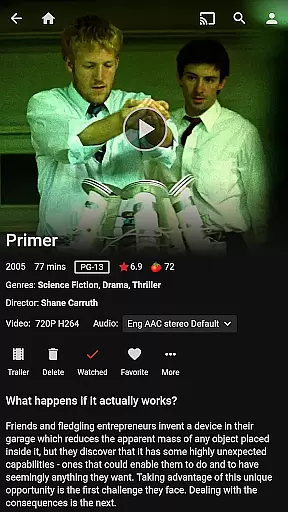
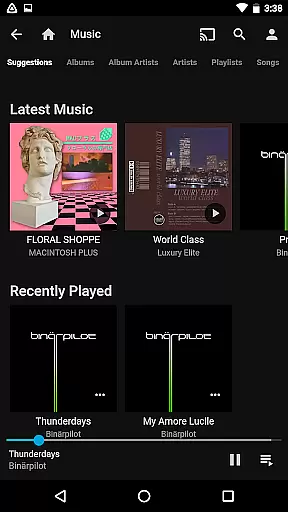



Jellyfin is an open-source media server and player that gives you complete control over your personal media library. This Android app serves as the official companion to Jellyfin, allowing users to stream their personal audio, video, and photo collections from their Jellyfin server directly to their mobile device. With no fees or tracking, Jellyfin offers a privacy-focused solution for enjoying media on the go.
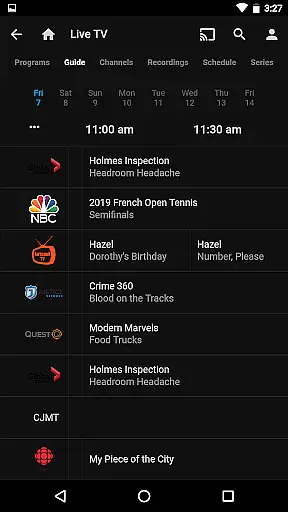
The app supports features like Live TV streaming, Chromecast integration, and Android Auto support for music playback. Whether you're looking to watch recorded shows or listen to your music collection, Jellyfin provides a seamless experience across devices. Its intuitive interface makes managing and viewing your media library simple and enjoyable.
Jellyfin stands out with its robust feature set tailored for media enthusiasts. The app allows streaming of various media formats without requiring transcoding in many cases, ensuring high-quality playback. Integration with Chromecast enables users to cast content to compatible devices on the same network, while Android Auto support lets users enjoy music safely while driving.
For those who enjoy live television, Jellyfin supports streaming live TV broadcasts when paired with compatible hardware or services. The app also includes a user-friendly interface for browsing large media libraries, complete with metadata fetching for enhanced organization. These features make Jellyfin a versatile tool for anyone seeking a customizable and private media streaming solution.
Video format compatibility is a crucial feature for any video player, ensuring that users can enjoy their media without worrying about technical limitations. Jellyfin excels in this area by supporting a wide range of video formats, from common ones like MP4 and AVI to more specialized codecs such as MKV and OGG.
The app's robust decoding capabilities allow seamless playback of videos stored on your Jellyfin server. Whether you're streaming high-definition movies or home videos, the platform ensures smooth performance across devices. This versatility makes it an ideal choice for users with diverse media libraries.
By removing format restrictions, Jellyfin empowers users to focus on their content rather than compatibility issues. The application automatically detects and adjusts settings for optimal viewing, providing a hassle-free experience. This feature particularly benefits those who manage extensive collections of different file types.
Moreover, Jellyfin's commitment to open standards means that new formats can be added through updates, keeping pace with evolving technology. Users can rest assured knowing their media investment remains future-proof, maintaining accessibility regardless of industry changes.
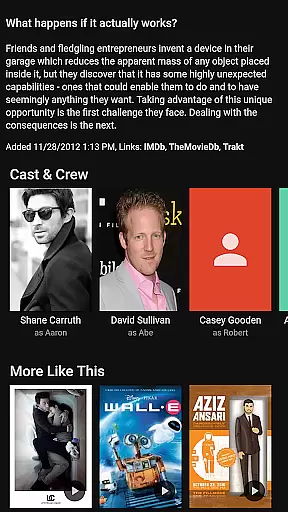
While primarily a media server and player, Jellyfin incorporates AI-powered editing features that enhance the user experience beyond simple playback. These intelligent tools help organize and optimize media libraries through automated metadata fetching and image recognition technologies.
The platform's AI algorithms scan your content to generate accurate descriptions, cover art, and categorization tags. This automation saves significant time compared to manual organization, especially for large collections. Users benefit from consistently formatted and easily searchable libraries without extensive personal effort.
Jellyfin's smart features extend to playback optimization, where the system learns user preferences to suggest content and adjust streaming quality. Although not a traditional video editor, these AI capabilities provide valuable assistance in managing media assets efficiently.
Looking forward, Jellyfin's open-source nature enables continuous improvement of these AI functions. The community-driven development model ensures that innovative editing and management features can be implemented as technology advances, keeping the platform at the forefront of media management solutions.
User-friendly interface
Free and open-source
Strong privacy protections
Chromecast integration
Live TV support
Requires separate server setup
Limited offline functionality
No built-in media store
Dependent on network quality
Advanced features need extra hardware

Watch a large amount of high-definition short drama content
 4.60
4.60
Snaptubè Video Downloader app allows to download videos and music in Snaptube. .
4.60
Search & download videos from net with all video downloader, auto-detect & safe.
4.60
Powerful Video Editor & Photo Editing App —— Quick Edits & Stunning Effects!
4.30
Make your own Animations, Video and Photo Edits, Visual Effects, and more!
4.00
Browser for Samsung TV to stream webvideos, online movies and livestreams in HD
4.10
Powerful video player with advanced hardware acceleration and subtitle supports
4.20
Create, Publish & Maximize
4.70
Photo editor & video maker with music and slideshows.
4.10
Download videos and play them offline
4.70
A Simple app to download Video & Music from the Internet.
4.70
Fast & Private Video Downloader App. Save all videos easily from the Internet.
4.40
Download website videos fast&privacy
4.40
Video player, file manager for all formats, 4K/HD media player supports subtitle
4.30
Movie maker & video editing app with AI effects and green screen
4.30
Turn your phone into a wireless camera!
4.20
Web Browser for LG TV to stream webvideos, online movies and livestreams in HD
4.20
Explore the largest library of free GIFs, Stickers & Memes - or create your own!
3.90
Client application for NextPVR software
3.00


User Reviews