
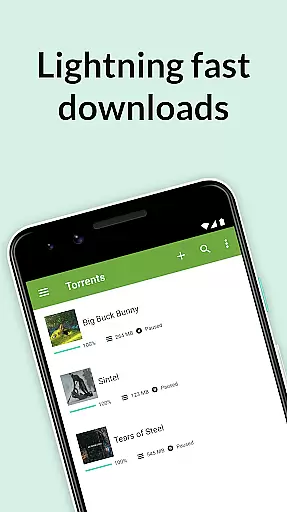
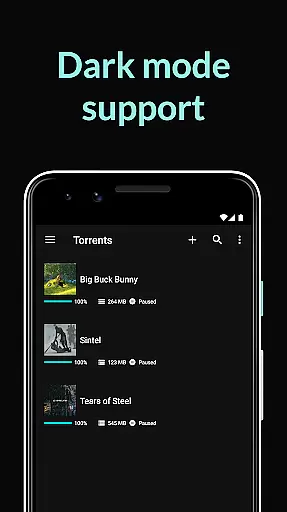
uTorrent Pro is a premier torrent client for Android devices, offering users the ability to find and download torrents directly to their phones or tablets. As the official uTorrent Pro app, it provides an AD-FREE experience with advanced features such as battery saving and auto-shutdown capabilities. This application is designed for those who wish to manage their torrent downloads on the go without being tethered to a desktop.
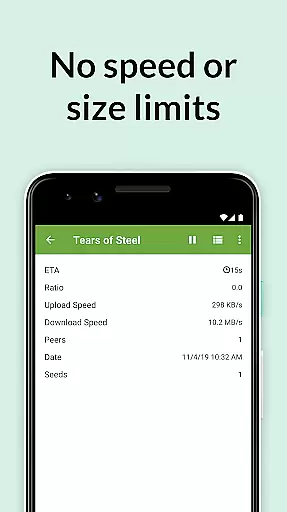
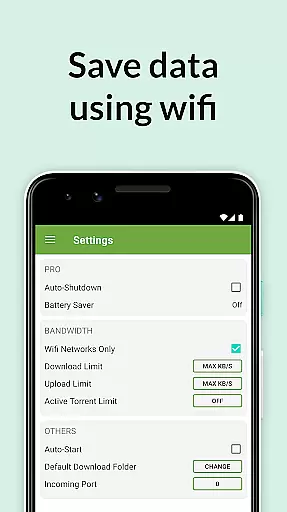
The app includes a host of premium features like no banner ads, a Battery Saver that suspends torrents when the battery level is low, and an Auto-shutdown feature to conserve battery and data by shutting down torrenting when downloads are complete and the app is running in the background. Additionally, users can enjoy a beautifully light and clean design, Wi-Fi only mode, unlimited speed and size limits, and integrated music and video libraries for easy media access.
With its innovative technology and user-centric design, uTorrent Pro enhances the mobile torrenting experience by providing seamless integration with the device's media players and optimizing download performance. Whether you're downloading licensed content from uTorrent’s partners or managing your storage footprint by selecting specific files within a torrent, this app ensures a superior and efficient torrenting experience on your Android device.
uTorrent Pro stands out with its comprehensive set of features tailored for avid media consumers. The app boasts a clean and intuitive interface, ensuring ease of use while managing torrent downloads. One of its key features is the ability to download torrents and magnet links without any speed or size restrictions, allowing users to access their media swiftly and without limitations.
Another significant aspect is the integrated music and video players, which provide an enhanced listening and viewing experience. Users can also create playlists from multiple music files downloaded within a single torrent. Moreover, the app offers advanced functionalities such as Canonical Peer Priority, which optimizes the connection with peers in the swarm, and faster handling of magnet link data, thus improving overall download performance and stability.
Additional features include the option to choose file download locations, translations in multiple languages, and the latest core torrenting technology continuously updated by dedicated engineers. These elements combine to offer a robust, flexible, and high-performing torrent client that caters to both casual and power users seeking an uninterrupted media consumption experience on their mobile devices.
One of the key features of u00b5Torrent Pro is its extensive video format compatibility, ensuring that users can download and play a wide variety of video files without any hassle. This capability is crucial for a seamless media experience, as it eliminates the need for additional conversion software or plugins.
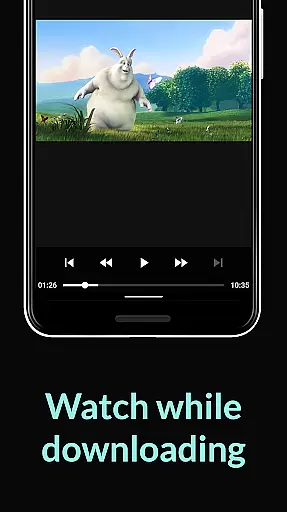
The app supports all popular video formats, including MP4, AVI, MKV, and more. This ensures that regardless of the source of the torrent, users can be confident that their video files will play smoothly on their Android devices. The integrated video player further enhances this experience by providing a user-friendly interface with standard playback controls.
For users who frequently download multimedia content, this feature significantly improves convenience. Instead of worrying about format compatibility, they can focus on enjoying their favorite movies, TV shows, or other video content directly after downloading.
By offering such comprehensive video format support, u00b5Torrent Pro not only meets but exceeds user expectations, making it a top choice for those seeking a versatile and reliable torrent client on Android.
While u00b5Torrent Pro focuses primarily on torrent downloading, it also offers some innovative AI-powered features that enhance the overall user experience. Although not a traditional video editor, the app incorporates intelligent tools that assist in managing and optimizing downloaded media content.
The app's AI capabilities are most evident in its automatic file management system. It intelligently categorizes downloaded files into music and video libraries, making it easier for users to locate and access their media. The system also helps in minimizing storage footprint by allowing users to select specific files within a torrent for download, based on their preferences and available device space.
Another AI-driven feature is the performance optimization during downloads. The app employs advanced algorithms to improve download speeds and stability, including Canonical Peer Priority, which reduces the hop length between peers in the torrent swarm. This results in faster and more efficient downloads, particularly beneficial for large video files.
These AI-powered enhancements demonstrate u00b5Torrent Pro's commitment to providing not just a torrent client but a comprehensive media management solution, setting it apart from basic torrent downloaders available in the market.
AD-FREE experience
Battery Saver feature
Auto-shutdown functionality
Unlimited speed and size
Integrated media players
Paid subscription required
Limited free content
No built-in search engine
Occasional connectivity issues
Advanced settings may overwhelm beginners

Photo and Music Video Creator into Stunning Videos—Effortlessly
 4.40
4.40
This app was created to edit the metadata of music files.
4.20
Download website videos fast&privacy
4.40
All in one HD video downloader & player for multiple formats with full privacy
4.70
Play and download HD videos from all sources — fast, simple, and all-in-one.
4.1
Mix with Virtual DJ directly from your phone or tablet !
3.10
Browser for Sony TV to stream web videos, online movies and live tv
3.20
All in one multi protocols stream receiver for AirPlay, Cast and DLNA.
3.60
Browser for Fire TV to stream webvideos, online movies, livestreams in HD
4.40
An easy-to-use and all-round screen recorder with audio
4.80
Download Hub, easy and private way to download and enjoy your videos offline
4.80
A Quick and Pro Video Editor
4.70
Watch IPTV on your Android device
4.60
Fast video downloader & private browser. Save HD clips to watch offline.
4.40
Powerful, professional, versatile teleprompter. Developed by an active film crew
4.00
Capture images & record videos for USB Camera, Webcam, Microscopes, Endoscopes
3.80
Live TV, anywhere in your home
3.80
Connect EasyCap or UVC devices for recording and broadcast video/audio stream
3.60
A full editing room to accompany your Insta360 cameras and handheld gimbals.
3.30


User Reviews