
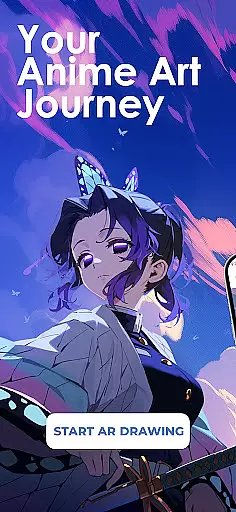
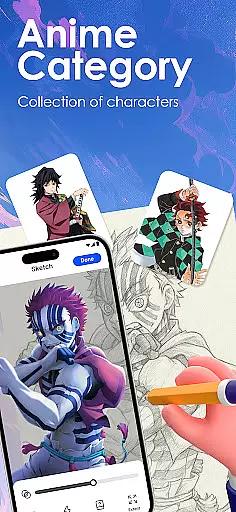
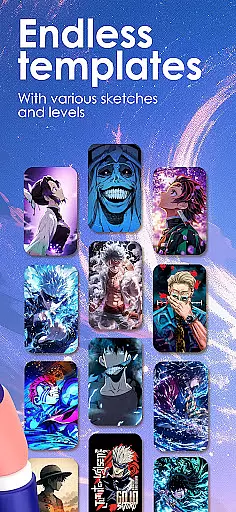
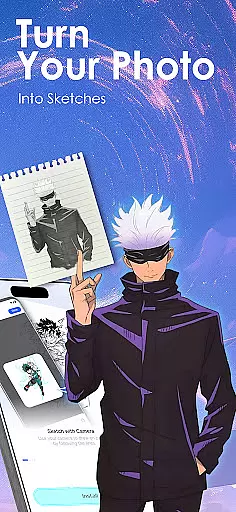
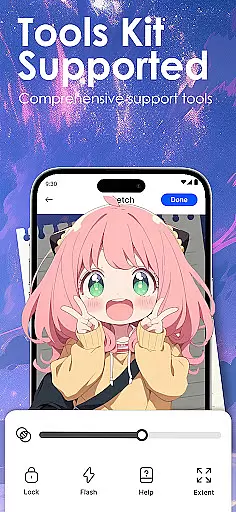
Draw Anime: AR Sketch & Trace is a revolutionary drawing application designed specifically for anime enthusiasts and artists. This app combines cutting-edge Augmented Reality (AR) technology with traditional sketching techniques, enabling users to create stunning anime artwork with ease. Whether you're a beginner or a professional artist, this tool provides everything you need to bring your anime ideas to life.
The app's core functionality revolves around its AR Guidance feature, which allows users to trace anything through their phone's camera. From anime characters to real-life objects, the app projects clear outlines onto paper, giving artists the confidence to sketch complex designs. Additionally, it offers an extensive library of anime, manga, and chibi templates, along with video tutorials that cater to different skill levels.
One of the most valuable use cases for Draw Anime is its ability to help users improve their anatomy, proportions, and overall art techniques. By providing step-by-step guidance and adjustable drawing parameters, the app serves as a personal art coach in your pocket. The ability to import custom images and convert them into traceable outlines makes this app suitable for both casual doodlers and serious artists looking to refine their craft.
Draw Anime: AR Sketch & Trace stands out with its comprehensive set of features tailored for anime artists. The app's most notable capability is its AR-powered tracing system, which uses advanced algorithms to project precise outlines onto physical drawing surfaces. This innovative approach bridges the gap between digital convenience and traditional art methods, making it easier than ever to create professional-quality sketches.
Beyond basic tracing, the app offers a structured learning path for aspiring anime artists. Users can progress through beginner, intermediate, and expert-level tutorials while practicing with various anime styles. The app's content library includes specialized lessons on anatomy, character design, and popular anime genres, ensuring a well-rounded artistic development. Additional features like adjustable opacity control, zoom functionality, and drawing process recording provide users with complete creative control.
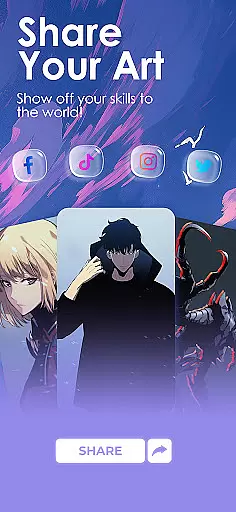
What truly sets Draw Anime apart is its community-focused features. Artists can save and share their progress videos, participate in challenges, and receive feedback from fellow creators. The app also tracks individual growth and recommends personalized lessons based on user preferences and performance. These social and educational elements create a supportive environment where artists can thrive and develop their unique style.
In the realm of digital artistry, having a comprehensive set of creative tools is paramount. Draw Anime: AR Sketch & Trace offers an extensive suite designed to cater to anime enthusiasts and artists alike. This app provides functionalities ranging from AR-guided drawing to importing personal photos for tracing, ensuring that creators have everything they need at their fingertips.
Users can access a growing library filled with anime, manga, and chibi templates, allowing them to practice and perfect their craft. The inclusion of adjustable opacity and zoom features gives artists precise control over their work, while video recording of the drawing process enables reflection and sharing of techniques.
The true value lies in how these tools empower users to improve their skills. With options suitable for beginners through to professionals, the app supports learning and mastery of anatomy, proportions, and distinct anime art styles. By delivering a complete package, Draw Anime: AR Sketch & Trace ensures that artists can focus on bringing their visions to life without being hindered by a lack of resources.
Flexibility in canvas and format options is crucial for artists seeking to express their creativity without constraints. Draw Anime: AR Sketch & Trace addresses this need by offering versatile solutions tailored to the modern artist's workflow. Whether itu2019s adjusting the opacity of sketches or converting complex images into traceable outlines, the app provides the adaptability required for diverse projects.
Artists can import their own photos and instantly transform them into traceable line art, which opens up endless possibilities for personalized creations. The ability to zoom in and out allows for detailed work on different sections of a piece, catering to both expansive scenes and intricate details.
This level of flexibility not only enhances the drawing experience but also encourages experimentation and innovation. Users can explore various anime genres and styles, secure in the knowledge that the app will support their artistic journey regardless of direction. By prioritizing canvas and format versatility, Draw Anime: AR Sketch & Trace empowers creators to push boundaries and redefine what's possible in the world of anime art.
User-friendly interface
Extensive template library
Advanced AR features
Comprehensive tutorials
Active artist community
Requires stable internet
Premium content costs
Steep learning curve
Limited offline features
Device compatibility issues

Sketch, trace and master AR drawing with awesome anime art!
 3.30
3.30
Create stylish invitation cards using templates for weddings, birthdays & RSVP.
4.20
Trace, draw, and create art with AR - from memes to masterpieces!
4.30
Photo blender app to create overlay photos & double exposure.
4.40
Turn your drawings into flipbook-style animations with simple creative tools
4.60
Retouch photos. Create or edit images. Endless capabilities.
2.70
Just trace a projected picture on paper and color! Draw & Paint with AR drawing
4.40
How to draw anime step by step for beginner easily by AR drawing sketch & paint.
3.60
AI-powered photo & video creation—fast, fun, and effortless with Quick Actions
4.60
Draw anime & manga drawing, art with templates to create stunning picture!
4.50
Digital illustration drawing & painting pad app to paint Anime and Manga art
4.50
Everything you need to create hand drawn animation, anywhere you go!
4.40
Unleash the artist in you with our AR drawing and tracing tool for photo drawing
4.10
Turning simple sketches into captivating tales filled with life and motion
3.90
Create cute cat emojis & PFPs! Fun, custom avatars for cat lovers.
3.70
AI Assistant, powered by ChatGPT GPT-4 & GPT-4o. Your intelligent companion.
3.50
Create sweet, cool and unique couple avatars easily, in just a few steps!
3.40
Create trending AI photos & videos with powerful effects and 3D styles.
3.20
Art of Combination Wear OS Watch faces
4.4


User Reviews