


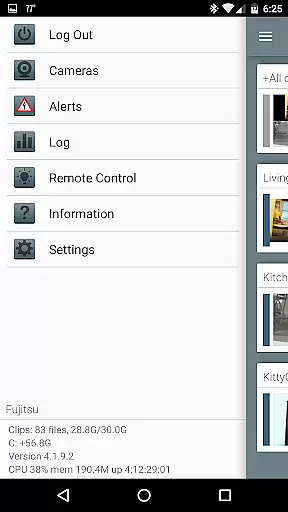
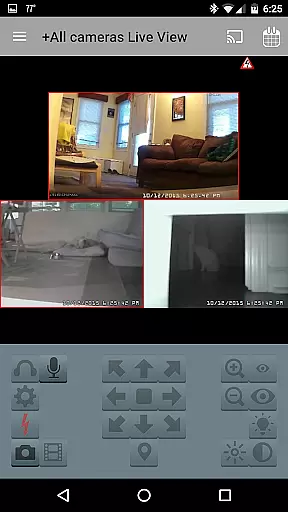

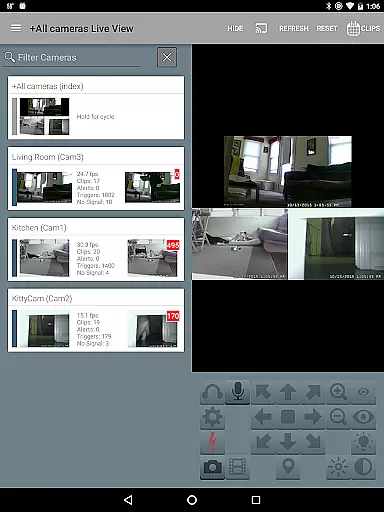
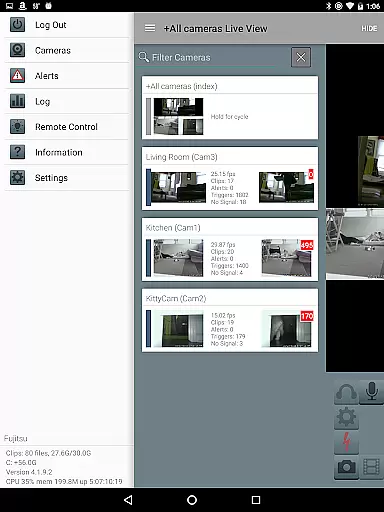
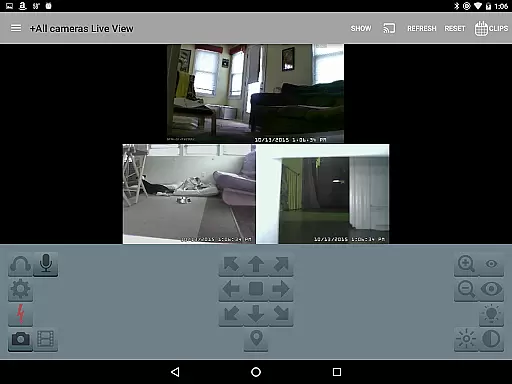
Blue Iris is a specialized client application designed to work in tandem with the Blue Iris Windows PC software, enabling users to remotely manage their home camera network. This app serves as a secure gateway to your surveillance system, eliminating the need to expose individual cameras directly to the Internet. By connecting through a session-based protocol, it ensures that no sensitive information like passwords is transmitted in plain text.
With Blue Iris, you can control multiple installations of the software, manage traffic signals, schedules, and profiles, and receive instant Android push alerts for triggered cameras or critical status updates. The app also supports advanced features such as H.264 streaming, PTZ (pan-tilt-zoom) control, two-way audio communication, and fast playback of recordings stored on the Blue Iris PC. These capabilities make it an essential tool for both personal security needs and professional surveillance setups.
Blue Iris offers a comprehensive suite of features tailored for efficient remote management of surveillance systems. One of its standout capabilities is the ability to manage multiple Blue Iris installations from a single interface, allowing users to switch between different locations seamlessly. The app provides complete control over key functionalities such as adjusting traffic signal icons, selecting operational profiles, and managing schedules directly from your mobile device.
In addition to remote management, Blue Iris excels in real-time monitoring and interaction. Users can stream live footage using fast H.264 encoding, control PTZ functions, and even toggle IR settings for supported cameras. Two-way audio functionality lets you listen and speak through compatible devices. Furthermore, reviewing recorded footage is made easy with playback speeds of up to 64x, along with options to delete unnecessary files remotely. These robust features ensure that users have full command over their surveillance ecosystem without compromising on security or performance.
Video format compatibility is a crucial aspect of any video player or editor, ensuring that users can work with a wide range of video files without the need for conversion. Blue Iris stands out in this area by supporting various formats, making it versatile for different user needs.
This app provides seamless integration with multiple video formats, allowing users to manage and control their security camera footage efficiently. The support for H.264 streaming ensures high-quality video playback while maintaining lower bandwidth usage, which is essential for remote monitoring.
Users benefit from the ability to review recordings stored on the Blue Iris PC at speeds up to 64x, enhancing the efficiency of scanning through footage. This feature is particularly useful when reviewing long periods of recorded video, saving time and effort.
The comprehensive format support extends to audio as well, enabling features such as listening to live audio feeds from cameras and even communicating through them if supported by the connected devices. This flexibility ensures that users have a robust toolset for managing their home camera network securely and effectively.
AI-powered editing features are transforming how users interact with video content, offering advanced capabilities that simplify complex tasks. Blue Iris incorporates intelligent functionalities that enhance the user experience significantly.
One notable AI feature is the ability to receive Android push alerts when specific events occur, such as a camera being triggered or critical status messages. This proactive notification system helps users stay informed about important activities within their monitored environments.
Additionally, Blue Iris offers sophisticated control over PTZ (pan-tilt-zoom), IR (infrared), and other camera functionalities directly from the app interface. These controls leverage AI algorithms to ensure smooth operation and precise adjustments, providing an intuitive way to manage camera settings remotely.
Moreover, selective deletion of recordings from the Blue Iris PC adds another layer of convenience powered by smart algorithms. Users can efficiently manage storage space by removing unnecessary footage while retaining important clips, streamlining the overall management process of their surveillance system.
User-friendly interface
Secure connection protocol
Multi-installation support
Real-time alerts
Advanced PTZ controls
Requires Windows PC
No standalone functionality
Limited to Blue Iris software
Dependent on network stability
Premium feature set may overwhelm casual users

Video player, file manager for all formats, 4K/HD media player supports subtitle
 4.30
4.30
Connect 2 UVC devices for recording and broadcast video/audio stream
3.90
Powerful, professional, versatile teleprompter. Developed by an active film crew
4.00
Your media, on your terms.
4.10
Search & download videos from net with all video downloader, auto-detect & safe.
4.60
Video player with powerful streaming playback and various convenient features.
2.10
GENRAL PRO - General Pro is the best video player that fully supports all formats.
4.70
Find, download, and play torrents with the official BitTorrent® Pro app
4.70
Fast & Private HD Video Downloader with Built-in Proxy Browser and Video Player.
4.50
Pro video editor app for Instagram, edit video with song, AI, effect & slowmo.
4.80
HD Video player all format, HD Videos, Cast & Subtitle. No annoying ads.
4.60
Watch IPTV on your Android device
4.60
Cast to Chromecast, Xbox, Fire Stick, Roku, DLNA, Smart TV & No Feature Limited!
4.50
VLC for Android is the best open source video and music player, fast and easy!
4.10
Cast to Smart TV, Fire TV. Cast video, photo - Fast & Stable!
3.90
Capture images & record videos for USB Camera, Webcam, Microscopes, Endoscopes
3.80
Client application for NextPVR software
3.00
You can play SWF format file!
2.50
Powerful HD video player with support for all formats & subtitles.
4.2


User Reviews