
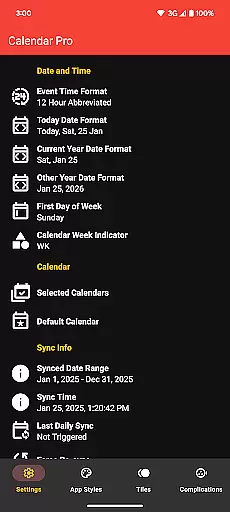
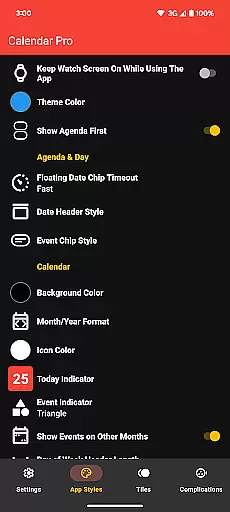
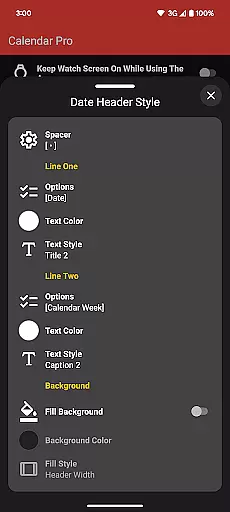
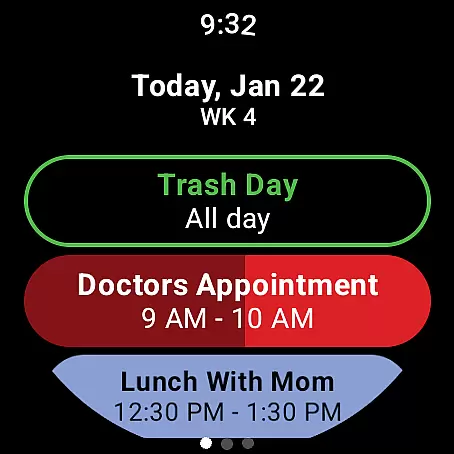
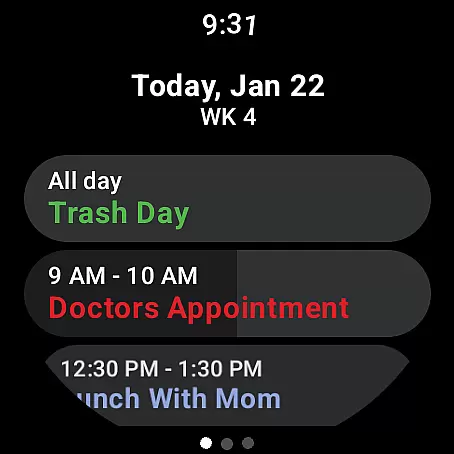
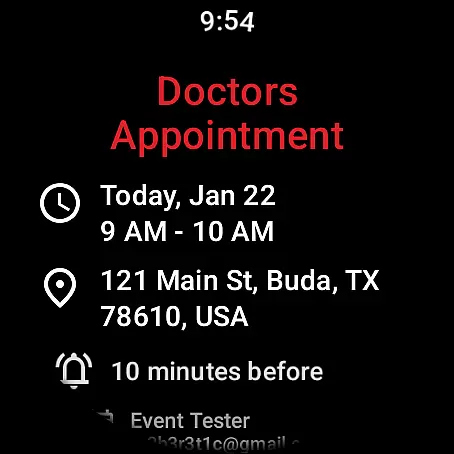
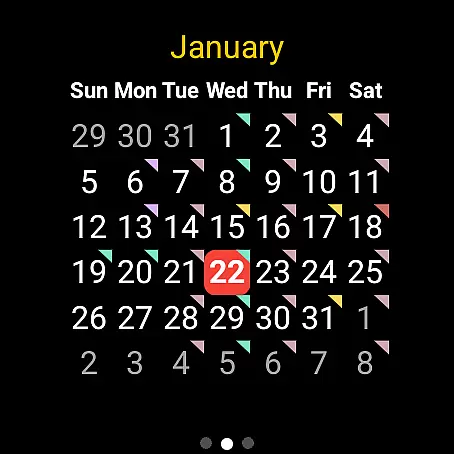
Calendar Pro for Wear OS is a comprehensive calendar solution that seamlessly syncs all your phone calendars to your Wear OS smartwatch. This productivity app allows users to manage their schedules directly from their wrist, offering functionalities like adding, editing, and deleting events. With support for multiple calendar services including Google Calendar, Outlook, and Samsung Calendar, it ensures cross-platform compatibility.
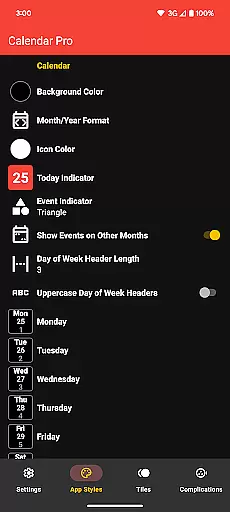
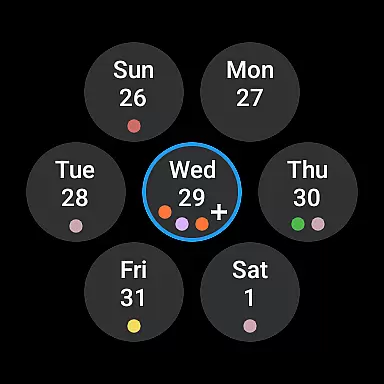
The app stands out with its extensive customization options for both the month view and agenda, allowing users to tailor the appearance to their preferences. Whether it's adjusting color themes or customizing event indicators, Calendar Pro provides complete control over how information is displayed. This makes it an ideal tool for busy professionals who need instant access to their schedules while on the go.
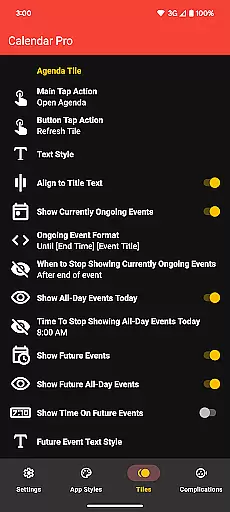
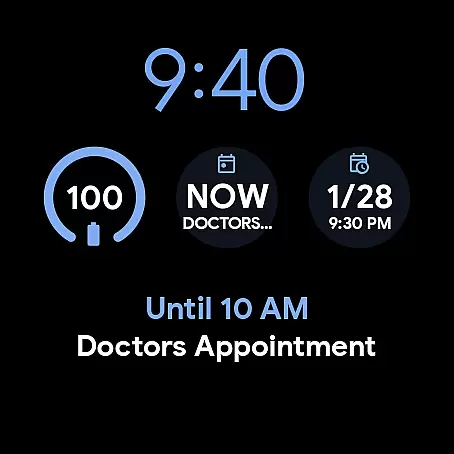
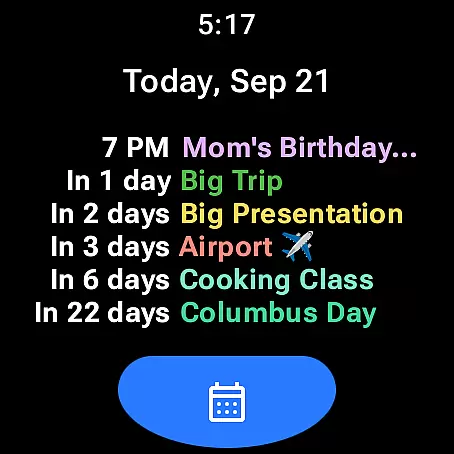
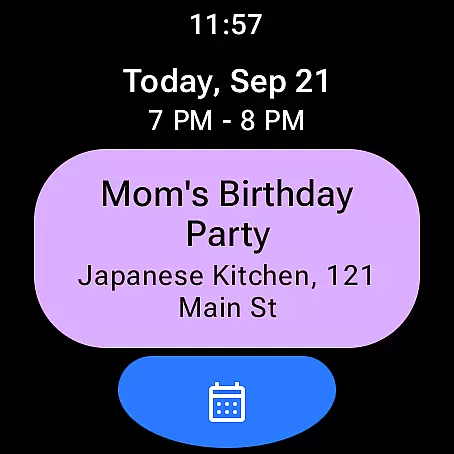
One of Calendar Pro's key strengths is its rich feature set designed specifically for Wear OS devices. The app syncs the next 12 months of events and offers multiple watch faces including Month Calendar, Agenda, Week View, and Next Event tiles. Each of these interfaces can be customized extensively - from background colors to event indicator shapes, giving users unparalleled flexibility in how they view their schedules.
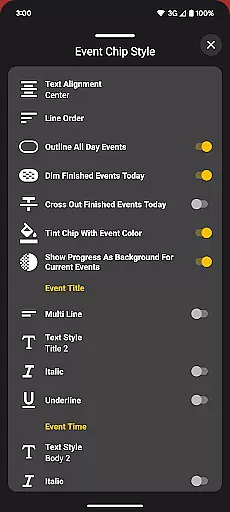
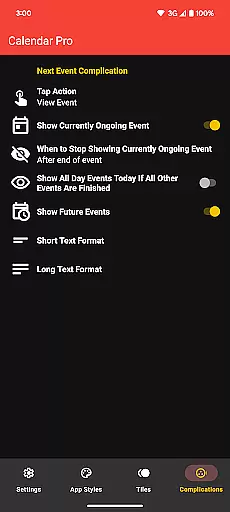
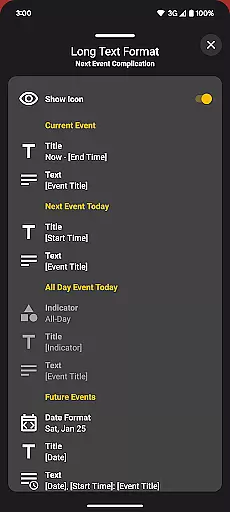
The Next Event complication is particularly useful, providing at-a-glance information about upcoming commitments directly on the watch face. Users can configure what information is displayed and which calendars are shown. Additionally, the app supports various theme colors and offers specialized features like dimming finished events and outlining all-day events in the Agenda view. These thoughtful design elements help users maintain better awareness of their time management throughout the day.
Calendar Pro for Wear OS excels in core task management by offering users the ability to add, edit, and delete events directly from their Wear OS watch. This seamless interaction ensures that managing your schedule is not just confined to your phone or computer.
The app syncs the next 12 months of events to your watch, providing a comprehensive overview of your commitments. With customizable month calendars and agenda views, users can tailor the interface to suit their preferences, ensuring they never miss an important date or meeting.
Furthermore, Calendar Pro supports a wide range of calendar services including Google Calendar, Outlook, and Samsung Calendar. This versatility allows users to consolidate all their scheduling needs into one powerful application, streamlining their productivity workflow.
Cross-device synchronization is a critical feature of Calendar Pro for Wear OS, ensuring that any changes made on your watch are reliably reflected across all linked devices. This synchronization extends to various calendar services such as Google Calendar, Outlook, and Samsung Calendar, enhancing its utility.
Users benefit from real-time updates, meaning that whether you add an event on your phone or make a change on your watch, the information is immediately updated everywhere. This reliability fosters confidence in using Calendar Pro as your primary scheduling tool.
In addition to syncing capabilities, Calendar Pro offers multiple customization options for tiles and complications on your Wear OS device. These include theme colors, event indicators, and scaling options, allowing for a personalized yet consistent experience across devices.
User-friendly interface
Extensive customization
Cross-platform sync
No subscription model
Multiple calendar support
Requires phone app
Limited free features
Complex setup process
Battery intensive
Wear OS specific

Ads Free App! Editor, Hide File, Copy, Move, Delete and Rename.. all facility av
 1.70
1.70
Device's storage information in a simple and clear graphical form (infographics)
4.10
IP Camera Viewer - Android TV : RTSP Surveillance camera viewer for Android TV
4.4
Make apps & sites with natural language prompts
4.10
PDF scanner & converter for files, photos, lottery, QR codes. One swipe away!
4.50
ID.me Authenticator is a simple and free Two Factor Authentication solution
3.50
Docker, Kubernetes management over Portainer Mobile
4.40
Ultimate Virtual AI Character for immersive Roleplay Chat. Perfect Companion
3.90
Intelligent AI Assistant
4.10
Great calculator for Android named one of USA TODAY's "25 Essential Apps".
4.90
The long-awaited modern gallery app for your Nextcloud server
4.70
Scan paperwork into PDF/JPG, generate your own e-signature and send fax or email
4.70
Client for Nextcloud Deck
4.60
To do list widget with a notebook organizer, checklist, simple shopping list
4.60
Tally and goal counter for Wear OS & mobile
4.50
A Pixel Art watchface inspired by other iconic 90s designs for Wear OS devices!
4.40
Easily read and manage all your PDF files
4.10
Simple and reliable communication between inmates, friends and family
3.20
A comprehensive suite of tools designed specifically for Lactation Consultants
4.1


User Reviews