![Disk & Storage Analyzer [PRO]](https://cdn.linksharehub.com/ocp/?u=https%3A%2F%2Fl2.fancapitalize.com%2Fimages%2F2025%2F12%2Fe6da4367704733d389803d59b763e052.jpg&t=webp)
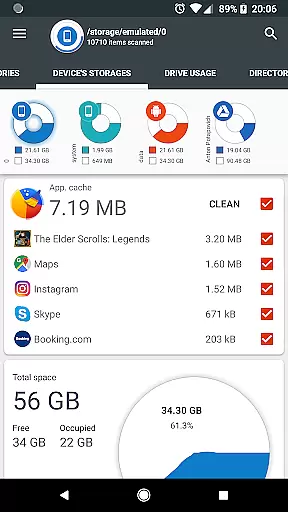
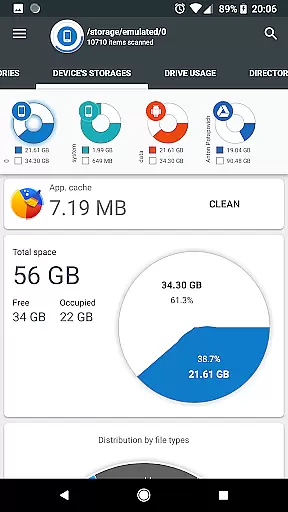
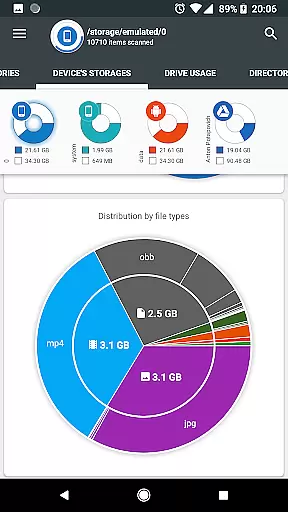
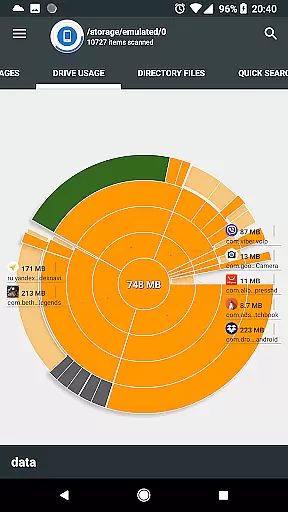
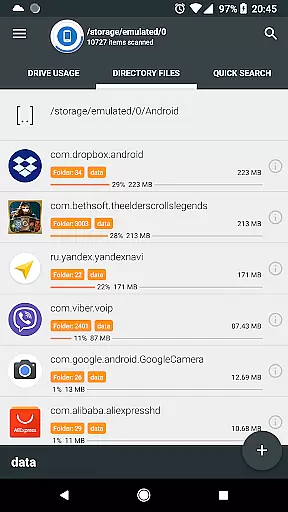
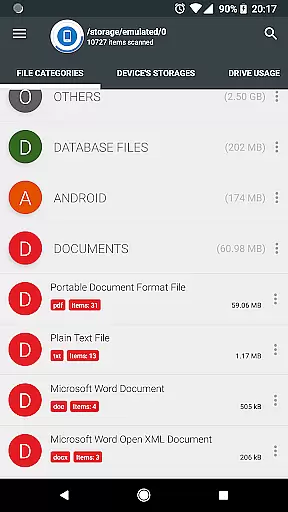
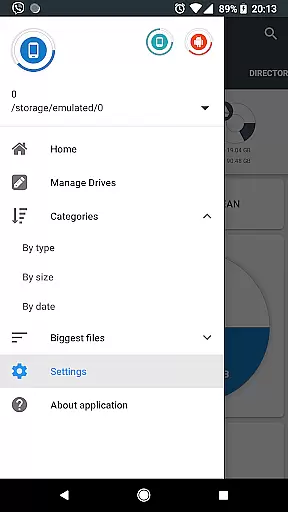
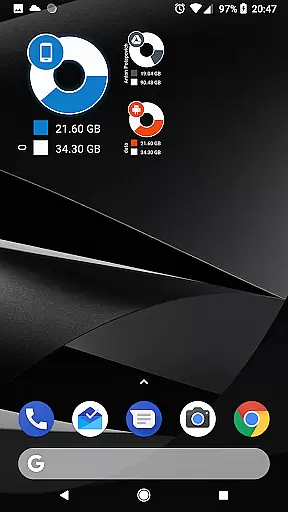
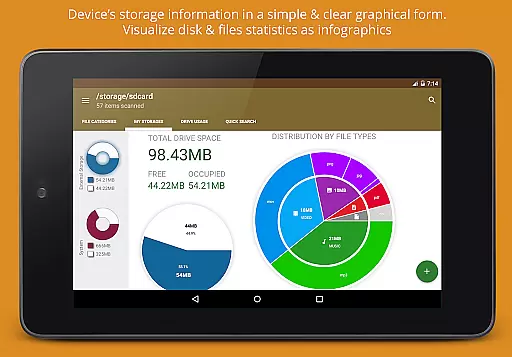
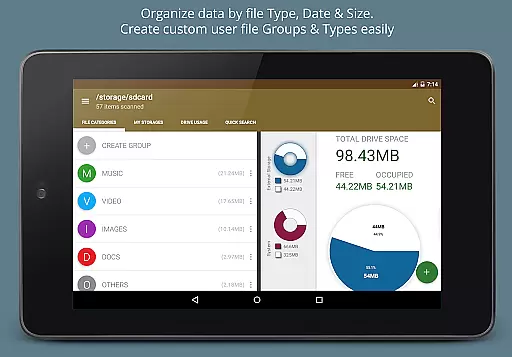
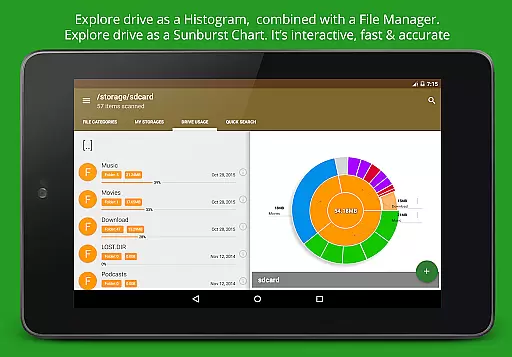
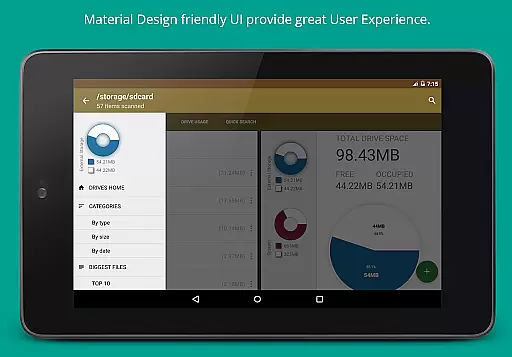
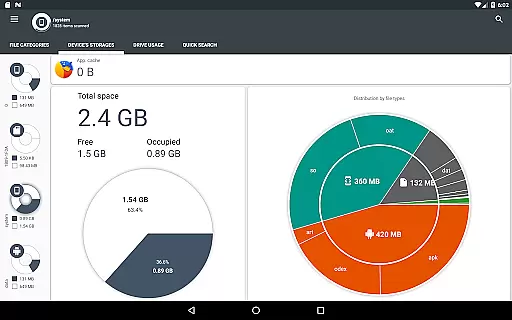
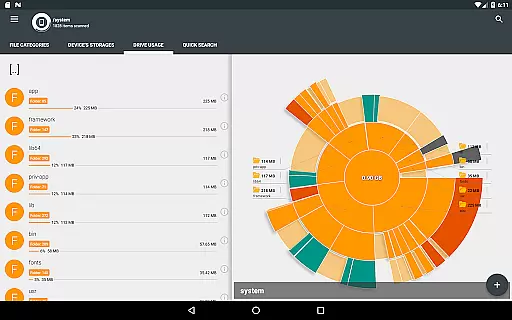
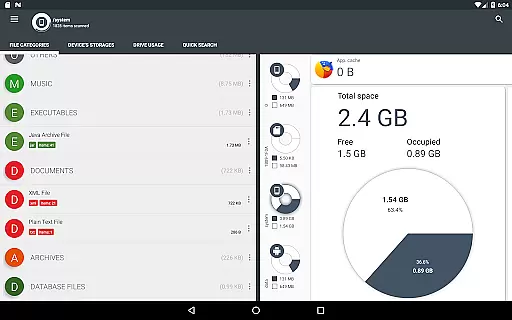
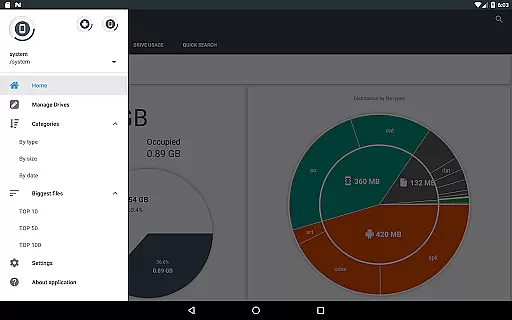
Disk & Storage Analyzer [PRO] is a comprehensive productivity tool designed to help users understand and manage their device's storage efficiently. This app provides detailed insights into internal and external storage, USB devices, and even cloud drives through clear graphical representations like pie charts and sunburst diagrams.
With its advanced file analysis capabilities, the app categorizes files by type, size, and date, making it easy for users to identify unnecessary data. Additionally, it offers features such as cache cleaning and app deletion, which are essential for maintaining optimal device performance. The app's user-friendly interface ensures that both casual users and power users can benefit from its robust functionality.
Whether you're looking to free up space on your smartphone or gain a deeper understanding of your storage usage patterns, Disk & Storage Analyzer [PRO] serves as an invaluable tool in managing digital clutter effectively.
The standout feature of Disk & Storage Analyzer [PRO] is its ability to visualize file usage through intuitive infographics. Users can explore nested levels of directories with ease, thanks to interactive sunburst charts that display folders and files sorted by size. This makes identifying large files straightforward.
Beyond local storage, the app extends its capabilities to cloud services like Google Drive and Dropbox, allowing users to analyze and manage cloud-based files seamlessly. It also includes a global search function that indexes files at startup, enabling quick searches across all connected storages.
Additional functionalities include sorting installed applications by size and cache, providing options to clean caches and remove unwanted apps. These features collectively empower users to maintain a clutter-free device while ensuring privacy with no need for personal information input.
At the heart of Disk & Storage Analyzer [PRO] lies its robust core task management system, designed to streamline how users interact with their storage data. This productivity tool doesn't just stop at displaying information; it categorizes and manages tasks related to storage analysis efficiently.
The application scans internal and external storage spaces, including SD cards and USB devices, presenting users with detailed insights into file-specific data such as size, last modified date, and path. This functionality empowers users to make informed decisions about their data management.
Moreover, the app extends its task management capabilities to cloud drives, allowing seamless integration with services like Google Drive and Dropbox. By reading file-specific data from these sources, it provides a unified view of storage statistics across different platforms.
With additional features like cache cleaning and app deletion, this tool offers an all-encompassing solution for managing both data and applications on your device, significantly enhancing productivity.
Disk & Storage Analyzer [PRO] excels in providing reliable cross-device synchronization, ensuring that users have consistent access to their storage analytics regardless of the platform they're using. This feature is crucial for users who manage files across multiple devices.
The application achieves synchronization reliability through its ability to connect with various cloud services. When users link their cloud drives, the app reads essential file data, maintaining up-to-date statistics and reports across all connected devices.
Furthermore, the app's capability to index files at startup and display them on the Quick Search page enhances the synchronization experience. This indexing process ensures that search results are current and accessible from any device with the app installed.
By offering stable and dependable synchronization, Disk & Storage Analyzer [PRO] allows users to maintain a cohesive view of their storage landscape, making it easier to manage files and optimize space across different devices without missing a beat.
User-friendly interface
Comprehensive file analysis
Cloud storage integration
Cache cleaning capability
No ads experience
Premium version cost
Requires multiple permissions
Occasional force closes
Limited customer support
Complex for beginners

AI Video AI Image Private LLM AI Browser Llama Gemma Ollama Connect LLM Studio
 4.3
4.3
QuickBooks Workforce lets teams view pay info and track time in one place.
4.70
Unlock AutoNotification
4.00
Professional calendar app for Google Calendar, MS Outlook & Exchange
4.20
Protect and view your important info on your phone and tablet with eWallet®
4.80
Make your handwriting beautiful, even more than pen on paper.
3.60
⏰ Finally a timer app which can run multiple timers simultaneously on your watch
3.90
Cloud storage, automatic phone backup, and more.
4.10
A beautiful digital clock with autostart and many other functions
4.70
8 custom complications. Custom Time Fonts. Beautiful color schemes. A++ Design.
5.00
Quickly and easily keep track of your work shifts
4.70
The AI assistant that thinks with you - write, code, and solve complex tasks
4.60
To do list widget with a notebook organizer, checklist, simple shopping list
4.60
Planet Free VPN - The best Fast Unlimited and Secure VPN Without Logs
4.50
This small app MUST BE INSTALLED after purchase, else license won't work
4.40
Customizable calendar widget for seamless event sync, planning & scheduling.
4.00
Secure, open-source, SPICE and SSH Remote Desktop for QEMU KVM virtual machines
4.00
Auto-shutoff Alarm with Sunrise, Sunset & Fixed Options.
3.50
The upgraded version of Name Wheel with AI and the power to add your own wheels.
4.2


User Reviews