


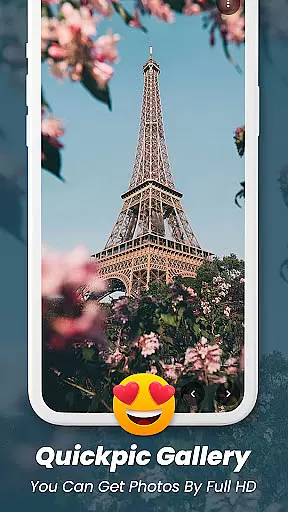
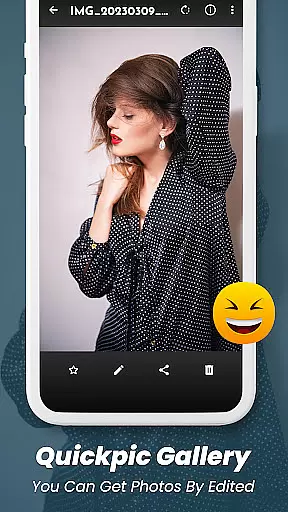
Quickpic Gallery Pro is a premium gallery app designed to help users efficiently manage and organize their photos and videos. With its user-friendly interface, the app allows seamless navigation through media files while offering advanced features such as photo editing, file recovery, and privacy protection. Quickpic Gallery Pro supports a wide range of file formats including JPEG, PNG, MP4, and RAW, ensuring maximum flexibility for users.
One standout feature is its customizable design, enabling users to tailor the app's appearance and functionality to suit their preferences. Whether it’s arranging files into folders, applying creative filters, or securing private content with pin or fingerprint protection, this app provides all the tools necessary for effortless media management. Its offline functionality ensures users can access their files without an internet connection, making it ideal for both personal and professional use.
Quickpic Gallery Pro offers a comprehensive suite of features that cater to diverse user needs. The app includes an advanced photo editor with intuitive gestures for cropping, rotating, and applying filters, allowing users to enhance their images effortlessly. Additionally, its dedicated video player and panoramic view options provide an immersive experience when viewing multimedia files.
Security is another key highlight, with robust privacy features like app locking and folder encryption to safeguard sensitive content. Users can also recover accidentally deleted files from the built-in recycle bin, ensuring no important memories are lost. Furthermore, productivity-enhancing tools such as timeline views, dark mode, and quick sharing capabilities make this app a versatile choice for managing digital media efficiently.
Task management is a critical aspect of any productivity app, and Quickpic Gallery Pro excels in this area by offering users comprehensive tools to manage their media files effectively. The app provides functionalities such as copying, moving, renaming, and hiding images and videos, which are essential for maintaining an organized digital library.
Quickpic Gallery Pro goes beyond basic file operations by allowing users to create new files and folders, delete unwanted items, and even recover accidentally deleted photos and videos. These features ensure that users have full control over their media assets while also safeguarding against data loss.
The ability to edit photos directly within the app adds another layer of task management. Users can crop, flip, rotate, resize, and apply filters to their images, streamlining the editing process without needing to switch between multiple applications. This integrated approach enhances workflow efficiency and saves valuable time.
By combining robust file management capabilities with advanced photo editing tools, Quickpic Gallery Pro empowers users to take charge of their digital content. Whether organizing personal memories or managing professional projects, the app's task management features provide the flexibility and security needed to handle various media-related tasks with ease.
Cross-device synchronization is vital for ensuring seamless access to media files across different platforms. While Quickpic Gallery Pro primarily focuses on local management, its reliable performance lays a solid foundation for potential future enhancements in cross-device functionality. Currently, the app offers offline usage, allowing users to manage their photos and videos without internet dependency.
The app's comprehensive feature set includes dedicated video players, panoramic views, and dark mode options, all contributing to consistent user experiences regardless of device limitations. Although direct cloud synchronization isn't explicitly mentioned, the app's robust local management capabilities suggest a strong technical framework that could support reliable cross-device operations.
Quickpic Gallery Pro's emphasis on security features, including PIN, pattern, and fingerprint protection, demonstrates the app's commitment to safeguarding user data. These security measures would be crucial when implementing cross-device synchronization, ensuring that media files remain protected during transfer and storage across multiple devices.
While awaiting possible future updates, users can still benefit from the app's current capabilities, such as easy file sharing through social media and email platforms. This existing infrastructure shows promise for developing reliable synchronization features that would enhance productivity and accessibility across various devices.
User-friendly interface
Advanced photo editing
Customizable design
Offline functionality
Privacy protection
Premium price tag
Occasional bugs
Limited cloud integration
No automatic backup
Heavy on storage

Seamlessly integrate data and reports to build your presentation to impress
 4.80
4.80
The long-awaited modern gallery app for your Nextcloud server
4.70
Native client for Forgejo and Gitea
5.00
Wake up & get tasks done! Add alarms & reminders on the Clock Launcher.
4.00
aCalendar+ makes your day, week and month
4.70
Activate Two Factor Authentication (2FA or Multi OTP), Password manager and more
4.10
Code on-the-go with VScode for Android. Edit,debug and collaborate from mobile!!
3.10
Daily processing of PDF documents.
4.40
Note taking, handwriting, record audio, PDF annotation, planner & journal
4.20
8 custom complications. Custom Time Fonts. Beautiful color schemes. A++ Design.
5.00
Secure, fast, open-source, VNC and SSH Remote Desktop for Windows, Linux and Mac
4.70
App lock - lock apps with fingerprint, password, pin or pattern, protect privacy
4.70
App Lock with fingerprint, password: Lock apps & hide photos with lock screens
4.60
PDF scanner & converter for files, photos, lottery, QR codes. One swipe away!
4.50 4.20
4.20
Make apps & sites with natural language prompts
4.10
Create and edit presentations with Google Slides, part of Google Workspace.
4.00
Remotely view listen control and record cameras.
3.70
Auto-shutoff Alarm with Sunrise, Sunset & Fixed Options.
3.50


User Reviews