
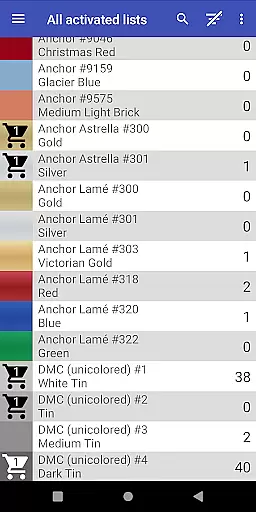
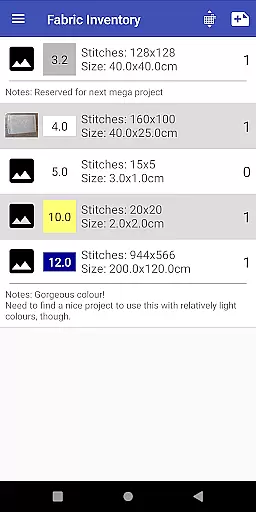
Cross Stitch Thread Organizer is a comprehensive tool designed for cross-stitch enthusiasts, providing an efficient way to manage thread collections on the go. With support for approximately 160 thread vendors, users can easily navigate through extensive lists of threads, fabrics, and patterns.
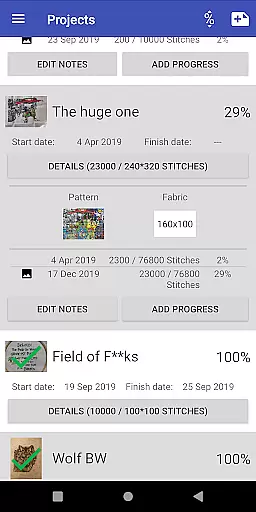
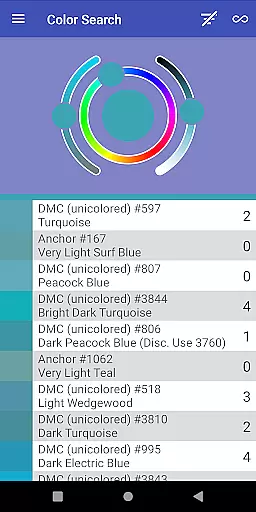
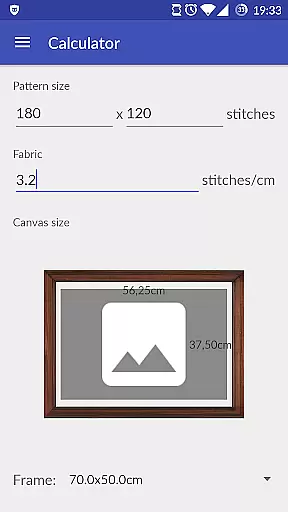
The app allows users to track inventory, search for specific colors, find substitutes, and manage project progress. Its unique features include calculating final piece sizes and matching standard frame sizes, making it an indispensable companion for both amateur and professional stitchers.
This app stands out with its robust set of features tailored for the art and design community. Users can save different thread amounts in their inventory or shopping cart, ensuring they never run out of essential materials.
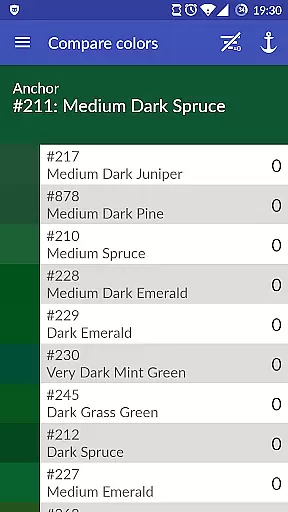
One innovative aspect is the color-matching tool that helps locate specific shades or suggests alternatives when supplies are low. Additionally, the project tracking system lets users monitor daily progress, assign required threads, and even abandon projects if needed.
With full-color displays for most supported vendors and various thread types like cotton, silk, and metallic, Cross Stitch Thread Organizer offers unparalleled customization and utility for artists.
Cross Stitch Thread Organizer offers a comprehensive suite of creative tools tailored for embroidery enthusiasts. The app supports an extensive list of thread vendors, including popular names like DMC, Anchor, and Kreinik, ensuring that users have access to a wide variety of thread types such as cotton, silk, and metallic.
With features like inventory management, color matching, and substitution suggestions, the app empowers users to manage their entire thread collection efficiently. Additionally, functionalities for tracking project progress and calculating final piece sizes enhance the creative process by providing practical utilities that support project planning and execution.
The inclusion of custom lists allows users to add missing vendors, making this tool exceptionally versatile and personalized. Whether you are a hobbyist or a professional, Cross Stitch Thread Organizer equips you with everything needed to bring your creative visions to life.
Flexibility in canvas and format options is crucial for any design application, and Cross Stitch Thread Organizer excels in this area. Users can manage all their fabric and patterns within the app, which supports a broad spectrum of standard frame sizes, allowing seamless integration into various project requirements.
The app's ability to calculate the final size of your piece ensures precision and adaptability, catering to both small and large projects. This feature is particularly beneficial when choosing frames, as it provides a long list of standard sizes that match your completed work.
Moreover, the appu2019s support for different thread typesu2014including variegated colors, color variations, and special effectsu2014adds another layer of versatility. By accommodating a wide range of creative needs, Cross Stitch Thread Organizer ensures that users can execute their designs with confidence and accuracy, regardless of complexity or scale.
User-friendly interface
Comprehensive vendor support
Efficient inventory management
Innovative color matching
Customizable thread lists
Limited to cross-stitch
No integrated shop
Occasional bugs
Missing some vendors
Requires manual updates

Premium version of Shimeji-ee app with no ads & no limit active shimeji
 4.5
4.5
Digital Drawing: Draw & Paint
4.10
Your Essential Color Theory Guide: Red, Yellow, Blue (RYB)
4.1
See Color, Paint Color
4.90
Create stunning art with AI.
4.80
Painting, drawing, & sketching
4.50
Mobile pixel art editor. Simple. Fast. Portable.
4.80
Share the joy of painting with ibis Paint! Drawing anime and manga art.
4.50
Beauty Camera - Selfie Camera is the ultimate beauty camera and selfie app
4.30
2D animation studio for Android tablets - unlimited layers, infinite timeline
4.70
Create color palette from Image, RGB & RYB Color wheel harmonies, Color Scheme
4.50
Text to Image, Image to Video & AI Chat
4.20
Unleash Your Creativity with Draw Cartoon - AR Drawing App
4.10
Unleash the artist in you with our AR drawing and tracing tool for photo drawing
4.10
Paint with oils and sketch with natural tools on a realistic virtual canvas.
3.80
Resize photos and print photos in exact size with our powerful photo printer!
3.80
Vidu is an AI video generator made for creators and aspiring makers.
3.30
Inky runs Inkscape on Android devices and Chromebooks
2.90
Art of Combination Wear OS Watch faces
4.4


User Reviews