

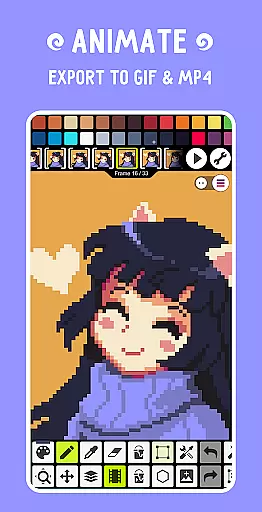
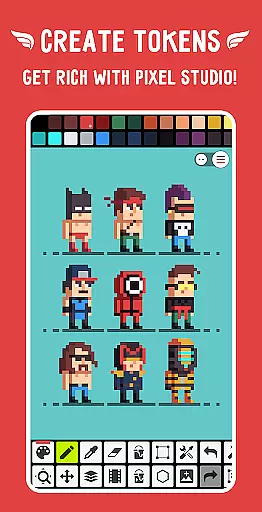
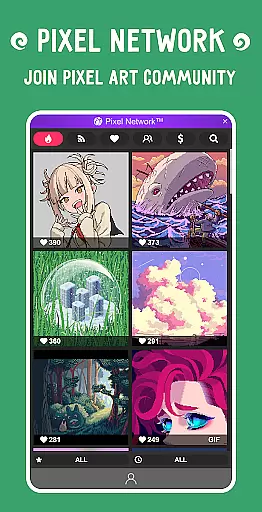
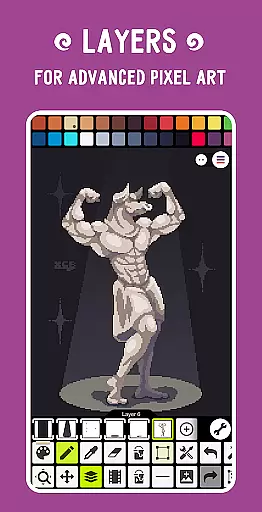
Pixel Studio PRO is a premier pixel art editor tailored for both budding artists and seasoned game developers. This special edition comes without ads or in-app purchases, offering all PRO features unlocked. With support for layers, animations, music integration, and MP4 video export, it provides a complete creative suite. The app also facilitates cross-device synchronization via Google Drive and fosters a vibrant community through Pixel Network™.
The application stands out with its intuitive interface, customizable settings, and compatibility with various devices and platforms. Whether you're designing static pixel art or intricate animations, Pixel Studio PRO equips you with advanced tools like gradient fills, symmetry drawing, and dithering pens. Its support for numerous file formats ensures seamless integration into professional workflows, making it an indispensable tool for creating high-quality pixel art anytime, anywhere.
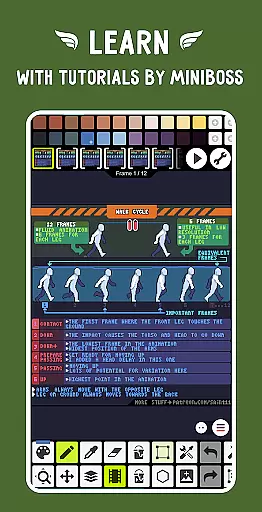
Pixel Studio PRO boasts an extensive array of features designed to enhance your pixel art creation process. The app supports advanced layer management and frame-by-frame animation, allowing users to save their work as GIFs or sprite sheets. Additionally, the ability to add music tracks and export animations as MP4 files broadens the scope of multimedia projects.
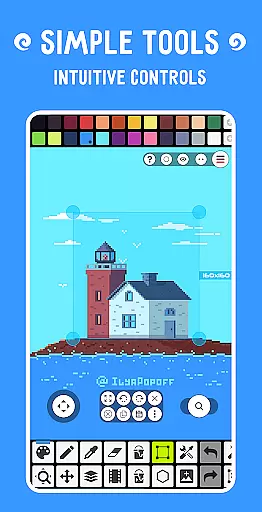
Among its standout tools are the Shape Tool for drawing primitives, Gradient Tool for smooth color transitions, and a variety of built-in and custom brushes. Users can benefit from specialized functionalities such as the Dot Pen for precision drawing, Text Tool with multiple font options, and the RotSprite algorithm for pixel-perfect rotations. Furthermore, the app's multithreaded image processing and autosave functionality ensure a smooth and secure user experience, safeguarding your creative efforts against unexpected interruptions.
Pixel Studio PRO offers an extensive suite of creative tools that cater to both beginners and professional artists. The application supports layers, animations, and a variety of useful instruments for creating pixel art projects.
Among its features are the Shape Tool for drawing primitives, Gradient Tool, built-in and custom brushes, and a Text Tool with different fonts. These tools allow users to experiment with various artistic techniques and styles, providing everything needed to produce detailed and complex artwork.
Additionally, Pixel Studio PRO includes advanced functionalities such as symmetry drawing, dithering pens for shadows and flares, and precise drawing with Dot Pen. Such comprehensive toolsets ensure that artists have the necessary resources at their disposal to bring their creative visions to life.
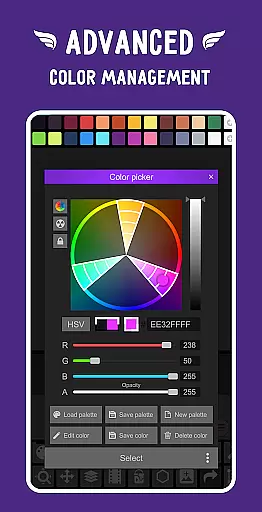
The inclusion of PRO features like unlimited color adjustment, extended max project size, and extra format support further enhances the creative process, allowing for greater flexibility and control over the final output.
Flexibility in canvas and format options is a hallmark of Pixel Studio PRO, empowering users to work with an unlimited canvas size and customize their workspace according to their specific needs. This adaptability ensures that artists can create anything from small sprites to large-scale pixel artworks without constraint.
In addition to canvas customization, Pixel Studio PRO supports all popular image formats including PNG, JPG, GIF, BMP, TGA, PSP, PSD, EXR, and even extends to formats like AI, EPS, HEIC, PDF, SVG, WEBP for cloud operations. This wide range of compatibility allows seamless integration into various workflows and pipelines.
Users also benefit from canvas resizing and rotation features, alongside customizable background colors and grids. These functions provide complete control over the visual presentation and organization of their artwork within the app.
Furthermore, multithreaded image processing optimizes performance when working with larger files or more complex images, ensuring that creativity isn't hindered by technical limitations. With these robust capabilities, Pixel Studio PRO stands out as a versatile choice for any pixel artist or game developer.
User-friendly interface
Extensive format support
Advanced animation tools
Cross-device sync
Vibrant community
High system requirements
No iOS version
Paid PRO features
Limited free resources
Complex for beginners

Customizable Outlined Fonts. Watch Face Format. Battery friendly Digital Clock.
 4.20
4.20
Custom Character Creator & PFP Maker!
4.20
Draw anime & manga drawing, art with templates to create stunning picture!
4.50
Paint with oils and sketch with natural tools on a realistic virtual canvas.
3.80
Draw beautiful mandala's very easily
4.60
Painting, drawing, & sketching
4.50
OneUI 8.5 icons ✨ Smooth, modern & based on the latest Play Store design ??
4.10
Create cute cat emojis & PFPs! Fun, custom avatars for cat lovers.
3.70
Explore future self face age filter & remove background image for a unique look.
3.50
Make your phone cooler and have a fantastic experience
4.80
Draw, fidget, and spin glow art! Relax and express your creativity with a finger
4.60
Digital illustration drawing & painting pad app to paint Anime and Manga art
4.50
Trace, draw, and create art with AR - from memes to masterpieces!
4.30
Remove Background, Magic Eraser, Photo Enhancer, Story Templates, Collage Maker
4.30
Digital Drawing: Draw & Paint
4.10
Unleash Your Creativity with Draw Cartoon - AR Drawing App
4.10
Turning simple sketches into captivating tales filled with life and motion
3.90
Design unique, funny and adorable cat stickers that reflect your own style!
3.80
Your homescreen as an elegant glass with customized blur, lighting, and visuals.
3.70


User Reviews