
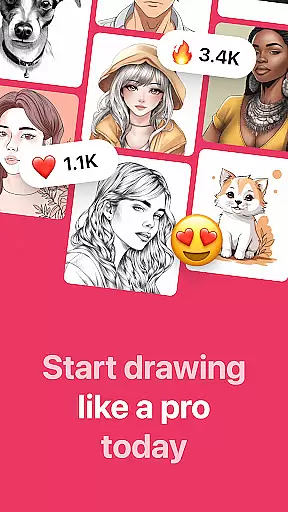
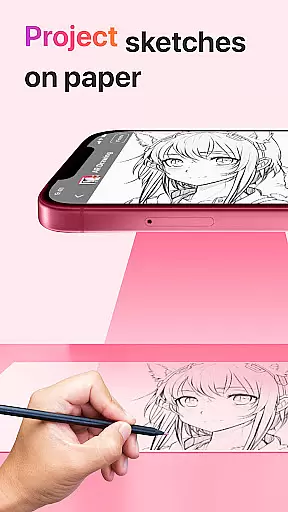
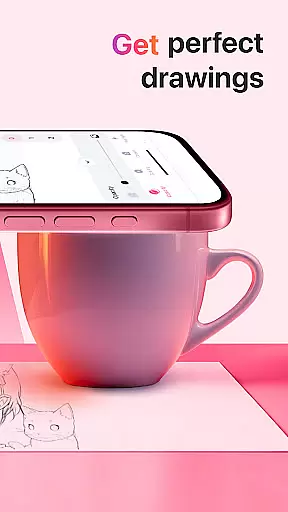
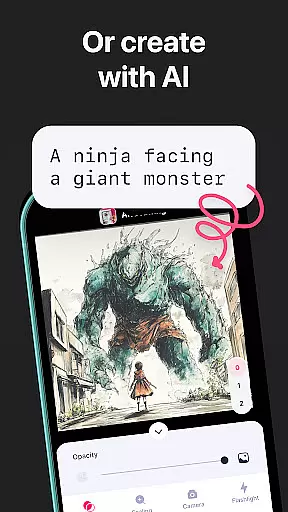
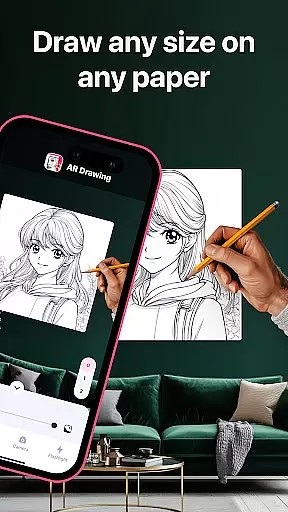
AR Drawing: Sketch & Paint is an innovative mobile application that leverages augmented reality technology to assist users in learning how to draw and create impressive drawings and paintings. The app projects images onto paper or any surface, allowing users to trace and color them with ease. Whether you're a novice or an experienced artist, this app provides the perfect platform for exploring your creativity and enhancing your drawing skills.
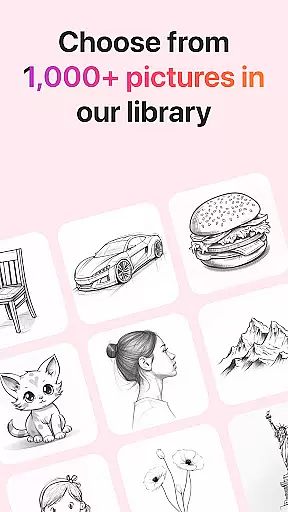
The app offers a wide range of tracing templates including Animals, Cars, Nature, Food, Anime, and more. It also features a built-in flashlight for better visibility, video recording of the drawing process, and a gallery to save your artwork. With these tools at your disposal, AR Drawing makes art accessible and enjoyable for everyone.
AR Drawing stands out with its unique set of features designed to enhance the drawing experience. One of the key highlights is the ability to use your phone's camera to project images onto any surface, making it easy to trace and create detailed drawings. The app includes a diverse selection of tracing templates covering various categories such as Animals, Cars, Nature, Food, and Anime, catering to different interests and skill levels.
In addition to its core functionality, AR Drawing offers several supplementary features. Users can record videos of their drawing and painting sessions, save their finished works in an in-app gallery, and even share their creations directly with friends or on social media platforms. These capabilities not only enrich the user experience but also provide practical ways to document and showcase artistic progress.
AR Drawing: Sketch & Paint offers a comprehensive suite of creative tools that cater to both novice and experienced artists. The app provides various tracing templates, including Animals, Cars, Nature, Food, and Anime, which serve as a starting point for users who may not be confident in their drawing skills. These templates guide users through the process of creating art by projecting images onto paper, allowing them to trace and then color their creations.
In addition to the wide array of templates, the app is equipped with a built-in flashlight feature. This functionality ensures that users can draw in different lighting conditions without any hindrance, thus expanding the scenarios in which they can create art. The inclusion of such practical features demonstrates the app's commitment to providing a complete drawing experience.
Users can also record videos of their drawing and painting sessions. This feature not only allows artists to capture their creative process but also to share their techniques and final artwork with friends or on social media platforms. By offering these robust creative tools, AR Drawing empowers users to produce stunning drawings and paintings while learning and improving their skills over time.
The AR Drawing: Sketch & Paint app stands out due to its canvas and format flexibility, enabling users to draw anything they desire on any surface. This flexibility is made possible through augmented reality technology, which projects images onto a variety of surfaces, breaking free from the traditional confines of paper or digital screens. As a result, users have the freedom to explore new artistic possibilities without being limited by physical constraints.
Moreover, the app allows users to save their drawings in a gallery within the app itself. This feature provides an organized space where users can store, manage, and revisit their artwork at any time. Having a personal gallery enhances the overall user experience by giving artists a sense of accomplishment and a collection of their progress over time.
Another aspect of format flexibility is the ability to make sketches and then paint them. Users are not restricted to just one form of art; they can seamlessly transition from sketching outlines to applying colors and details. This versatility supports diverse artistic expressions and encourages experimentation with different styles and techniques, making AR Drawing an ideal tool for anyone looking to express their creativity without limitations.
User-friendly interface
Wide variety of templates
Built-in flashlight
Video recording feature
Augmented reality support
Limited free content
Subscription fees apply
Occasional bugs
High device requirements
Learning curve for beginners

AI generated images & photos, turn your words into drawing, painting & pictures.
 4.30
4.30
Transform photos into amazing monochrome dither art with professional algorithms
4.1
Custom Character Creator & PFP Maker!
4.20
AI Face Swap, Video Effects Editor, Realtime Morph, Funny Video FX,AI Filters
3.70
Digital, Abstract, Classic - all types of color wheels in one app!
4.60
Draw Trace image sketch by, AR art projector app, Easy to trace any image.
4.50
Resize photos and print photos in exact size with our powerful photo printer!
3.80
Android 14 style widgets and wallpapers app.
4.5
Beauty Camera - Selfie Camera is the ultimate beauty camera and selfie app
4.30
See Color, Paint Color
4.90
Passport size photo maker, create ID photo and visa photo in seconds
4.80
Draw on screen: FP sDraw is a simple and lightweight drawing app
4.70
Convert image to JPG PNG HEIC PDF, support almost all kinds of image formats
4.70
Minecraft & Roblox Clothes
4.70
Photo stitcher for automatically screenshot stitching into a long screenshot
4.70
Unleash your drawing and painting potential
4.50
Create sweet, cool and unique couple avatars easily, in just a few steps!
3.40
Draw anime easily with AR guidance, sketch templates & trace tools!
3.10
Inky runs Inkscape on Android devices and Chromebooks
2.90


User Reviews