
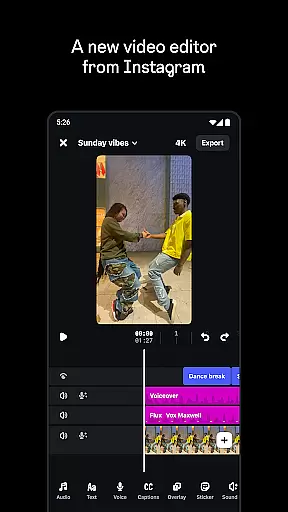
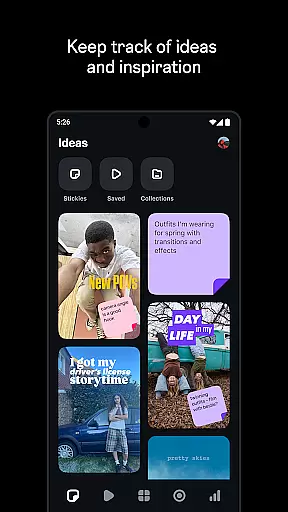
Edits is a powerful mobile video editor designed specifically for content creators who want to produce professional-quality videos directly from their smartphones. The app offers an all-in-one solution for video creation, providing tools for precise editing, high-quality exporting, and seamless sharing to platforms like Instagram.
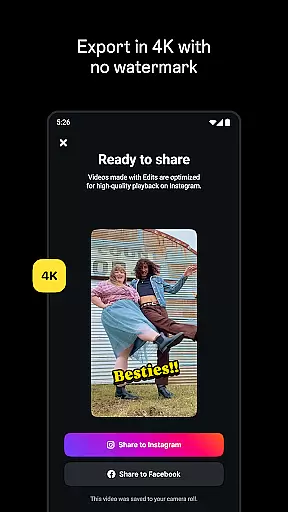
One of the standout features of Edits is its ability to export videos in 4K resolution without watermarks, ensuring your content looks polished and professional. The app also includes advanced editing capabilities such as single-frame precision, AI animation, green screen effects, and automatic caption generation. These features make it easy for creators to bring their ideas to life with minimal effort.
Whether you're a social media influencer or a casual creator, Edits simplifies the creative process by offering intuitive tools that help you manage drafts, capture high-quality clips, and enhance audio. With real-time insights and trend tracking, the app also empowers users to make informed decisions about their content strategy, making it an essential tool for modern video creators.
Edits stands out in the crowded field of mobile video editors due to its comprehensive suite of professional-grade tools. One of the key highlights is its single-frame precision editing, which allows creators to fine-tune every detail of their videos with exceptional accuracy. This level of control is crucial for producing high-quality content that meets professional standards.
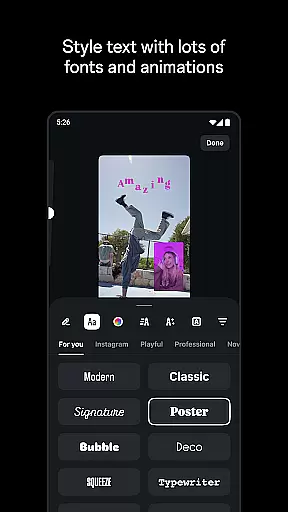
In addition to precise editing, Edits offers a variety of creative options such as AI-powered animations, green screen effects, and customizable video overlays. Users can choose from a wide selection of fonts, sound effects, filters, and stickers to personalize their videos. The app also includes advanced audio enhancement features that reduce background noise and improve voice clarity, ensuring that your message comes across loud and clear.
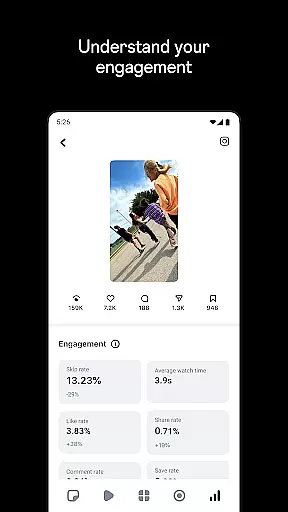
Another notable feature is the automatic caption generation, which not only saves time but also makes videos more accessible to a wider audience. With built-in trend tracking and performance analytics, Edits helps creators stay ahead of the curve by identifying popular audio trends and monitoring how their content performs over time. These robust features make Edits a top choice for anyone looking to elevate their video creation process.
Video format compatibility is a crucial feature for any video editor, and Edits, an Instagram App, excels in this area. The app supports a wide range of video formats, allowing creators to import and export videos without worrying about compatibility issues. This ensures that your creative process is not hindered by technical limitations.
With Edits, you can export your videos in 4K resolution without any watermark, providing professional-grade quality for your content. Whether you're creating videos for Instagram, YouTube, or any other platform, the app's broad format support means you can share your work seamlessly across different mediums. This flexibility empowers creators to focus on their content rather than technical constraints.
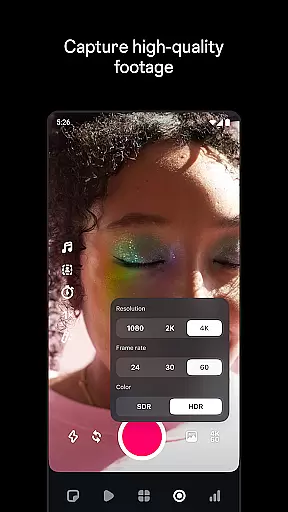
The app also allows capturing high-quality clips directly within the app, supporting lengths up to 10 minutes. This feature, combined with its robust format compatibility, makes Edits a comprehensive tool for video creation and editing. Creators can start editing right away, knowing their final product will meet the necessary format requirements for various platforms.
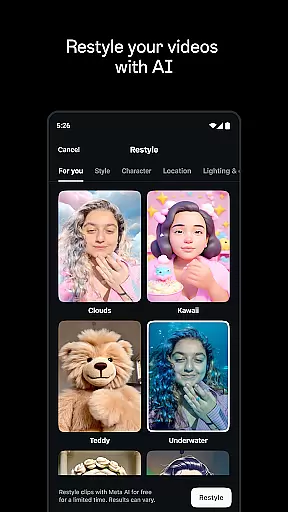
Edits offers powerful AI-powered editing features that significantly enhance the video creation process. One standout feature is the ability to bring images to life through AI animation. This innovative tool allows users to transform static images into dynamic video content, opening new creative possibilities for storytellers and content creators.
The app also includes advanced audio enhancement capabilities powered by AI. These tools help make voices clearer while effectively removing background noise, ensuring your videos maintain professional-quality sound. Additionally, Edits can automatically generate captions for your videos, with customization options for appearance and timing.
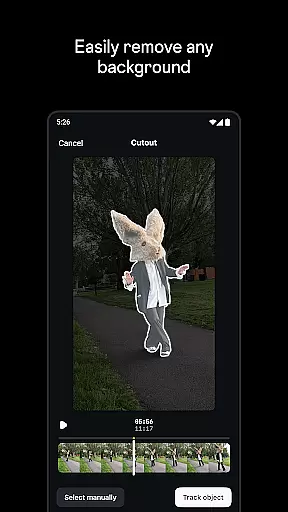
Another impressive AI feature is the green screen functionality, which enables users to change backgrounds using cutout effects or video overlays. Combined with single-frame precision editing and a variety of visual effects, these AI-powered tools create a comprehensive editing suite that simplifies complex tasks. The result is a more efficient workflow that helps creators produce high-quality content while focusing on their creative vision.
User-friendly interface
Advanced editing tools
4K video export
AI-powered features
Real-time insights
Limited to mobile devices
High storage requirements
Occasional bugs
Premium features locked
Learning curve for beginners

Client application for NextPVR software
 3.00
3.00
Create photo video with music & template. AI video maker for stunning slideshow.
4.60
Full HD Video mp3 Player, MP4 player play 1080p, File manager, Video Downloader
4.40
Stream Web Videos to Chromecast, Samsung, LG, Sony, Roku, Fire TV, DLNA + more
4.00
An easy-to-use and all-round screen recorder with audio
4.80
All in one HD video downloader & player for multiple formats with full privacy
4.70
Add date and time watermark to photos and videos
4.50
Web Browser for LG TV to stream webvideos, online movies and livestreams in HD
4.20
Fast & Private HD Video Downloader with Built-in Proxy Browser and Video Player.
4.50
Play ALL formats in 4K & HD. Video downloader, MP3 player, Chromecast & more.
4.80
Screen recorder with audio to take live videos & Screenshot in high quality!
4.70
Search & download videos from net with all video downloader, auto-detect & safe.
4.60
VLC Remote lets you control your VLC Media Player on Mac, PC or Linux.
4.60
HD video maker with no watermark, no ads & vlog maker with music, PIP, text
4.50
Video player, file manager for all formats, 4K/HD media player supports subtitle
4.30
Create & edit videos with AI
4.30
Turn your phone into a wireless camera!
4.20
Save photos and videos from social apps in one tap.
3.60
Play and download HD videos from all sources — fast, simple, and all-in-one.
4.4


User Reviews