
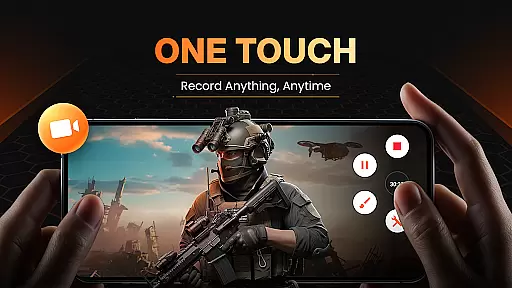
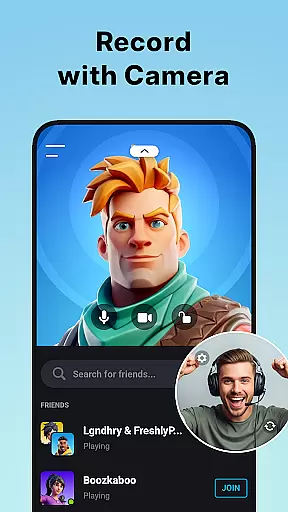
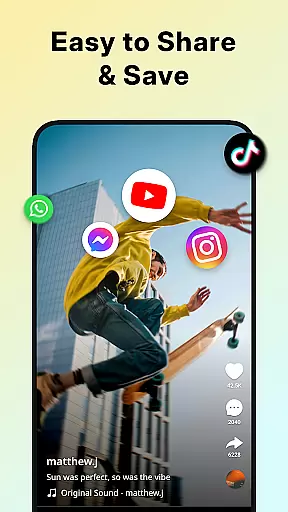
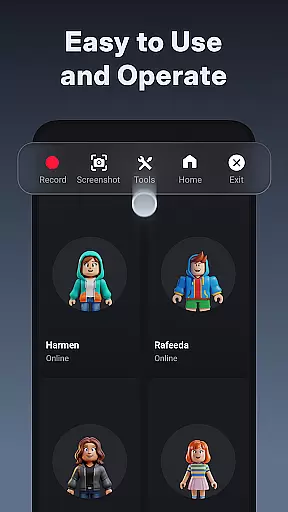
XRecorder is a versatile screen recording app designed for capturing high-quality video content on Android devices. It offers advanced features like internal audio recording, facecam support, and customizable floating controls.
The app allows users to record gameplay, create video tutorials, and capture live streams without watermarks or time limits. With support for up to 120 FPS and Full HD resolution, it delivers smooth and clear recordings.
Perfect for content creators who need professional-grade recording tools with easy-to-use editing features. The built-in editor provides trimming, cropping, and speed adjustment capabilities.
XRecorder stands out with its comprehensive feature set tailored for both casual and professional users. The app supports multiple recording modes including gameplay capture and live streaming to platforms like YouTube.
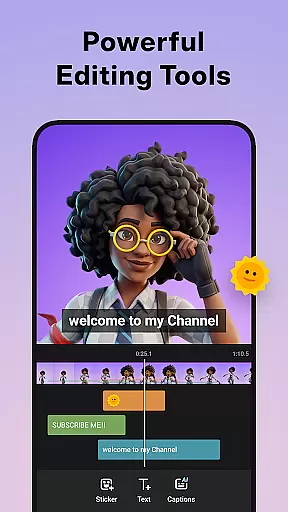
Advanced editing tools allow users to trim, split, and enhance videos with filters and music. The facecam feature lets creators add personal commentary while maintaining full control over window size and position.
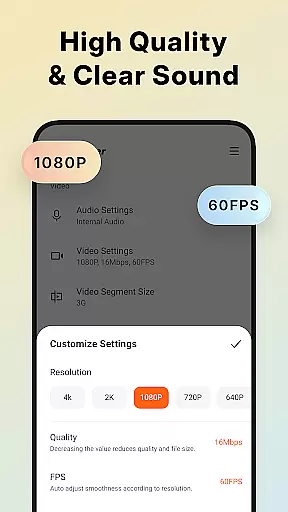
Unique capabilities include customizable floating windows, trash bin recovery system, and adjustable recording parameters from 240p to 1080p resolution at up to 60FPS.
Video format compatibility is a crucial feature for any video player and editor, ensuring that users can work with a wide range of video files without the need for conversion. Screen Recorder - XRecorder supports an extensive array of formats, from standard MP4 to high-resolution 1080p videos at 60FPS, making it versatile for both casual and professional use.
The application allows recording in adjustable resolutions ranging from 240p to 1080p and provides quality settings up to 12Mbps, which guarantees that the output meets various requirements, whether for quick sharing on social media or for high-quality archiving.
With this level of compatibility, users are empowered to create content that's optimized for different platforms and devices, enhancing their ability to produce versatile video material. This flexibility ensures that no matter the original format, XRecorder can handle it efficiently, saving time and effort.
Moreover, the app's capability to export Full HD videos with customizable settings means that creators have full control over the final product, allowing them to tailor their recordings precisely to their needs while maintaining top-notch quality.
AI-powered editing features represent the cutting edge of video editing technology, providing users with tools that not only simplify the editing process but also enhance the quality of the final video. Screen Recorder - XRecorder incorporates such intelligent features, elevating the user's ability to produce professional-grade content effortlessly.
Among these features, the Video Editor stands out by offering functionalities like trimming, removing parts of the video, adding music, and controlling playback speed. These capabilities allow for precise adjustments that can significantly improve the storytelling aspect of any video project.
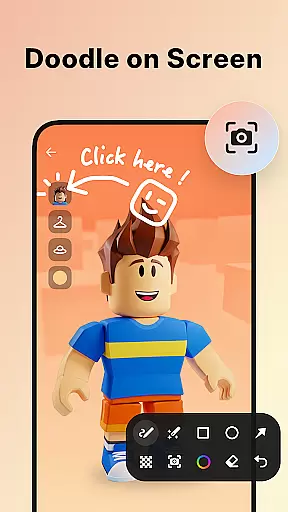
In addition to basic editing, the app includes creative options such as brush tools for drawing on the screen, stylish filters, and fun stickers and text overlays, which inject personality and flair into videos. The AI understands context and suggests enhancements that align with current trends and styles.
By integrating advanced AI functions, XRecorder makes sophisticated video editing accessible to everyone, regardless of skill level. Users can now achieve impressive visual effects and polished productions without needing extensive technical knowledge, thus democratizing content creation.
High-quality recording
No watermark
Easy to use
Advanced editing
Customizable settings
Android 10+ required
Some features premium
Storage intensive
Complex interface
Battery consumption

?100% FREE! Download & save videos? safely in this app. All formats supported.
 4.60
4.60
Powerful HD video player with support for all formats & subtitles.
4.1
High-Quality USB Camera Viewer & HDMI Display
4.70
Stream Web Videos to Chromecast, Samsung, LG, Sony, Roku, Fire TV, DLNA + more
4.00
Explore the largest library of free GIFs, Stickers & Memes - or create your own!
3.90
Download website videos fast&privacy
4.40
This app is an emulator of some specific IPTV boxes
3.50
Powerful video player with advanced hardware acceleration and subtitle supports
4.20
Create, Publish & Maximize
4.70
Flud is a simple and beautiful BitTorrent client for Android.
4.80
Video Trimmer, Video to MP3 Converter. Extract music from video, Easy & Fast.
4.80
Watch IPTV on your Android device
4.60
Full HD Video mp3 Player, MP4 player play 1080p, File manager, Video Downloader
4.40
This app was created to edit the metadata of music files.
4.20
Turn your phone into a wireless camera!
4.20
VLC for Android is the best open source video and music player, fast and easy!
4.10
Connect EasyCap or UVC devices for recording and broadcast video/audio stream
3.60
You can play SWF format file!
2.50
The smartest M3U IPTV Player your playlists have ever seen.
4.3


User Reviews