
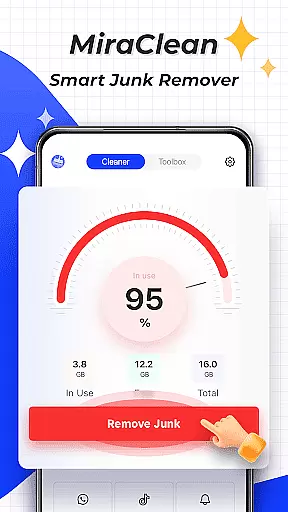
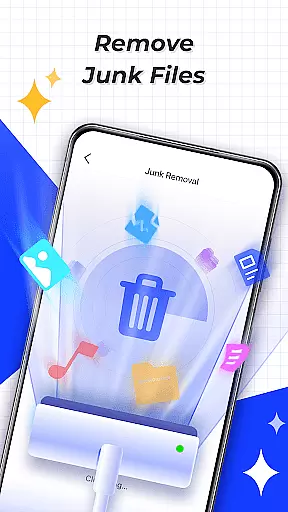
MiraClean is a productivity-focused app designed to help Android users efficiently manage their device's storage and performance. The app provides tools for scanning and removing unnecessary files, such as temporary files, app caches, and residual data that can clutter your device. Additionally, it offers features like notification management, file organization by type and size, and network data usage tracking.
One of MiraClean's standout capabilities is its lightweight design and commitment to user privacy. It ensures that while you optimize your phone's performance, your personal information remains secure. Whether you're looking to free up space or monitor your data consumption, MiraClean provides an easy-to-use solution for maintaining your device's health and efficiency.
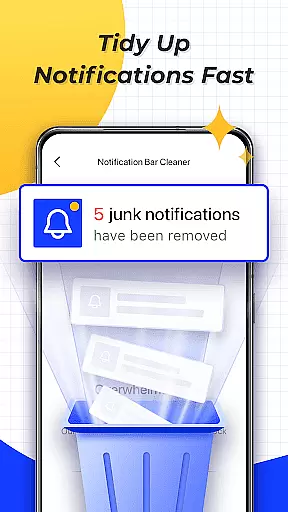
MiraClean stands out with its comprehensive set of features tailored for device optimization. First, the app scans your device for junk files, including temporary files, app caches, and leftover data from uninstalled apps. This helps you reclaim valuable storage space. Additionally, MiraClean allows you to clear unwanted notifications, ensuring your notification bar remains organized and clutter-free.
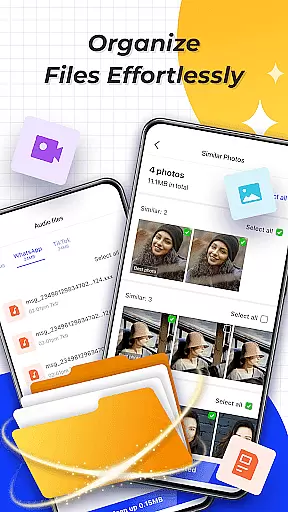
Another key feature is the ability to manage files by type and size, making it easier to locate and remove large or unnecessary files. The app also provides network data usage statistics, giving you insights into how much data each app consumes. Furthermore, MiraClean includes a network speed test tool, which measures your current internet speeds. These features collectively ensure that your device remains fast, organized, and efficient without compromising your privacy.
Task management is a crucial aspect of productivity applications, enabling users to organize and prioritize their work efficiently. MiraClean offers essential tools that help you manage your device's storage and system resources effectively.
The app provides multiple features for file handling, including scanning and deleting junk files such as temporary files, app caches, and residual data. This functionality ensures that your device remains clutter-free and optimized for performance.
In addition to file management, MiraClean allows you to handle unwanted notifications, giving you a cleaner notification bar and reducing digital noise. This feature helps you focus on important alerts and dismiss irrelevant ones quickly.
By sorting and organizing files based on type and size, the app simplifies the cleanup process, making it easier for users to maintain their devices. These capabilities collectively enhance your ability to manage tasks related to device maintenance and optimization.
Cross-device synchronization is vital for users who operate multiple devices and need consistent data across platforms. While MiraClean focuses primarily on single-device optimization, its reliable performance ensures that your Android device remains in sync with your personal productivity goals.
The app offers network data usage statistics, showing how much mobile or Wi-Fi data each of your apps consumes. This feature helps you monitor data usage patterns and make informed decisions about managing connectivity across different devices.
MiraClean also includes a network speed test tool, measuring your current download and upload speeds. Understanding your network performance can be critical when synchronizing data between devices, ensuring smooth and efficient transfers.
Although MiraClean does not directly provide cross-device syncing, its lightweight nature and privacy-respecting design make it an excellent choice for maintaining a well-organized and high-performing Android device, which is often a key component in a multi-device ecosystem.
Lightweight design
Privacy-focused
Easy-to-use interface
Comprehensive file management
Network speed testing
Limited advanced tools
No cloud backup
Basic UI design
Few customization options
Android-only support

A Revolutionary All-in-One Artificial Intelligence Tools
 3.80
3.80
A customizable calendar for your Wear OS watch
4.20
Total remote control for your Android device, PC and cloud services (IFTTT)!
4.20
Direct Chat without saving contacts & Dual WA Account on Single Device
4.70
A lightweight JSON & XML files creator, editor and viewer (Premium Version)
4.40
Make apps & sites with natural language prompts
4.10
The ultimate file manager for rooted devices. The original and still the best.
4.00
Intelligent AI Assistant
4.10
2026 USPS Alpha/Color coded calendar Sunday/Rotating day off schedules
4.2
Seamlessly integrate data and reports to build your presentation to impress
4.80
Protect and view your important info on your phone and tablet with eWallet®
4.80
Scan paperwork into PDF/JPG, generate your own e-signature and send fax or email
4.70
All document reader, all in one file viewer read PDF, DOCX, XLS, PPT, TXT files.
4.60
When you Focus, so will your Bean in this cozy focus timer
4.30
Secure, open-source, SPICE and SSH Remote Desktop for QEMU KVM virtual machines
4.00
* block pre-roll ads, pop-up and forced redirect ads * Samsung certification app
4.00
Remotely view listen control and record cameras.
3.70
The upgraded version of Name Wheel with AI and the power to add your own wheels.
4.3
IP Camera Viewer - Android TV : RTSP Surveillance camera viewer for Android TV
4.3


User Reviews