
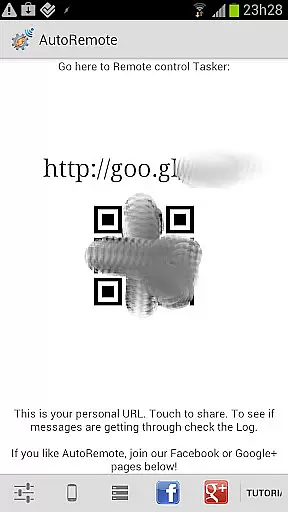
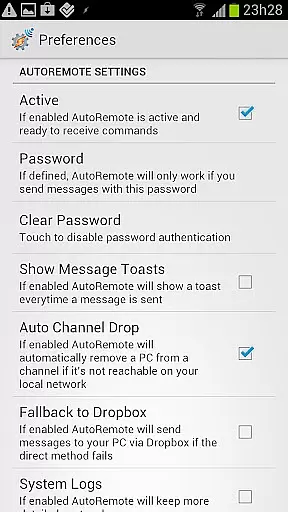
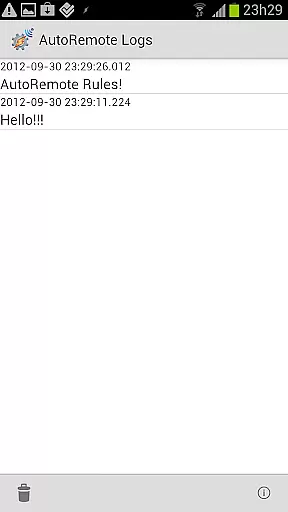
AutoRemote is a powerful productivity tool that allows users to remotely control their devices, including phones, PCs, and web services. With seamless integration capabilities, it enables you to send push notifications between devices and automate responses through Tasker or standalone apps.
This application stands out with its unprecedented flexibility, allowing control over Android devices from PCs, Chrome browsers, or even Linux systems. Whether you're managing device locations, sharing content across screens, or automating daily tasks, AutoRemote provides endless possibilities for customization and remote management.
Use cases range from simple commands like finding your misplaced phone to complex workflows such as receiving spoken reminders based on time-sensitive triggers. Its bi-directional messaging system ensures that you can maintain full control of all your linked devices from anywhere in the world.
AutoRemote offers an extensive set of features designed to maximize productivity and streamline device management. One key feature is its ability to send and receive messages via URLs, enabling communication between multiple platforms such as web browsers, desktops, EventGhost, Chrome, Zapier, and more.
The app's advanced command-matching options allow for highly customizable interactions. For instance, users can create specific commands like 'Where are you?' to trigger location-based responses or use date-and-time conditions to schedule automated alerts. Additionally, AutoRemote supports direct sharing of links or text through Android’s native Share menu, making it easy to transfer content between devices.
Another standout aspect is its integration with Tasker, which lets users build profiles that react dynamically to incoming messages. This functionality opens up countless automation possibilities, whether it's requesting a phone’s location or opening YouTube videos on different screens for better viewing experiences.
Core task management in AutoRemote refers to the app's ability to handle and organize various tasks across multiple devices efficiently. This feature is crucial for users who need to manage complex workflows or automate routine actions.
AutoRemote achieves this through its seamless integration with Tasker, a powerful automation tool for Android. By setting up specific profiles and triggers, users can execute commands remotely, ensuring that tasks are completed without manual intervention. This includes sending messages, triggering actions on other devices, or even controlling web services.
The benefit of this robust task management system is the unparalleled flexibility it offers. Users can customize commands and triggers to fit their unique needs, whether it's automating home systems, managing notifications, or executing complex workflows across different platforms.
Ultimately, AutoRemote's core task management transforms how users interact with their devices, providing a centralized and efficient way to control multiple systems from anywhere, enhancing productivity and convenience.
Cross-device synchronization reliability is a critical feature of AutoRemote, ensuring that all linked devices maintain consistent and up-to-date information. This reliability is essential for users who depend on real-time data exchange between their phone, PC, and other smart devices.
AutoRemote excels in this area by utilizing push notifications and bi-directional messaging. When a command or message is sent from one device, it is instantly relayed to the target device, maintaining synchronization across the network. This ensures that any action taken on one device is accurately reflected on others, providing a seamless user experience.
Users benefit from this reliable synchronization by enjoying uninterrupted access to their data and control systems. Whether it's transferring a YouTube video from a phone to a tablet for a better viewing experience or fetching the phoneu2019s location from a PC, AutoRemote guarantees that these tasks are executed without delay or error.
This high level of synchronization reliability not only enhances user convenience but also opens up new possibilities for remote device management and automation, making AutoRemote an indispensable tool for tech-savvy individuals.
User-friendly interface
Highly customizable commands
Seamless cross-device integration
IFTTT compatibility
Advanced automation options
Requires technical knowledge
Limited beginner guidance
Premium features may require payment
Occasional connectivity issues
Dependent on third-party integrations

A Revolutionary All-in-One Artificial Intelligence Tools
 3.80
3.80
Unlock AutoNotification
4.00
Planet Free VPN - The best Fast Unlimited and Secure VPN Without Logs
4.50
Automates browsing any website and notifies you of important changes or events
4.30
App lock - lock apps with fingerprint, password, pin or pattern, protect privacy
4.70
All in One PDF Reader: Manage, Read and Edit your Documents
4.20
Calendar 2023 widget for Android. Appointment scheduler, planner, and reminder
4.60
Scientific calculator for Android - looks and operates like the real thing!
4.90
Understand anything with a personalized AI research assistant
4.80
Great calculator for Android named one of USA TODAY's "25 Essential Apps".
4.90
Android Wallet Password Manager
4.80
We're working to become the best machining app on the market! www.cncdirt.com
4.80
Secure, fast, open-source, VNC and SSH Remote Desktop for Windows, Linux and Mac
4.70
Direct Chat without saving contacts & Dual WA Account on Single Device
4.70
Quickly and easily keep track of your work shifts
4.70
App Lock with fingerprint, password: Lock apps & hide photos with lock screens
4.60
Tally and goal counter for Wear OS & mobile
4.50 4.20
4.20
Experience real multitasking on your Android!
4.00


User Reviews