
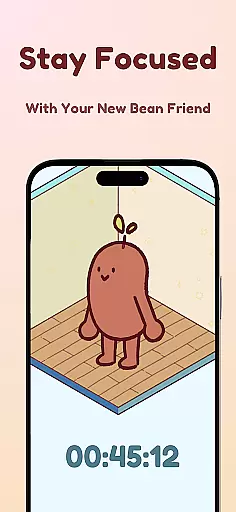
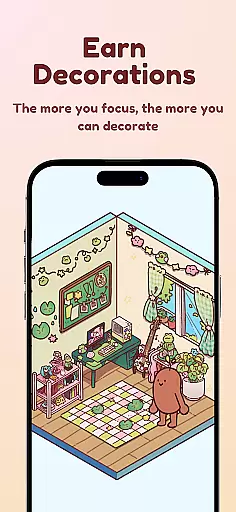
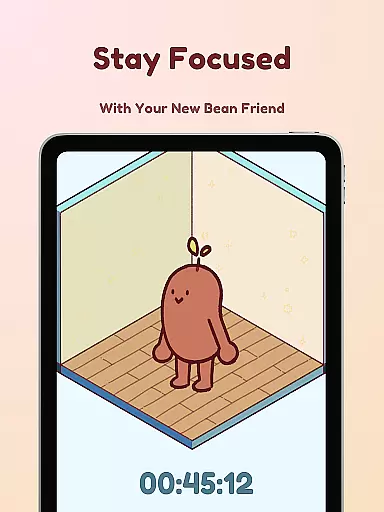
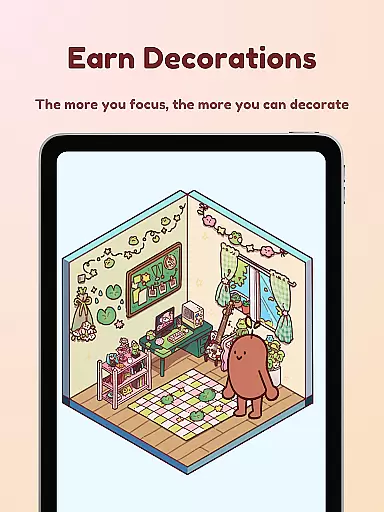
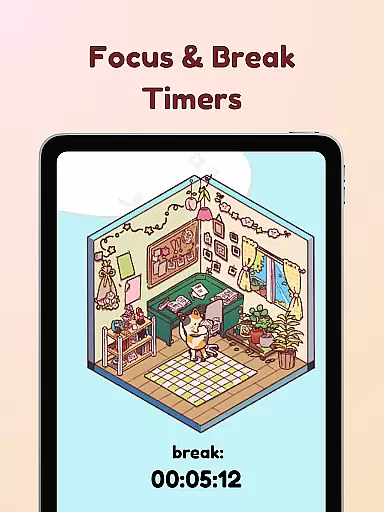
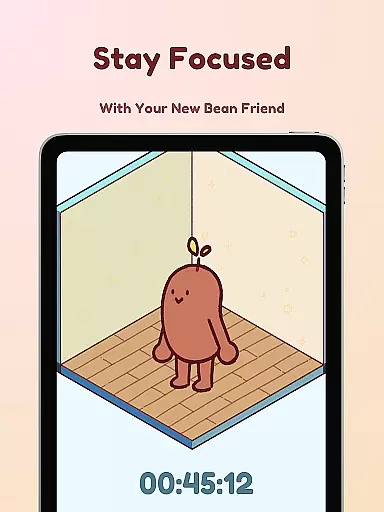
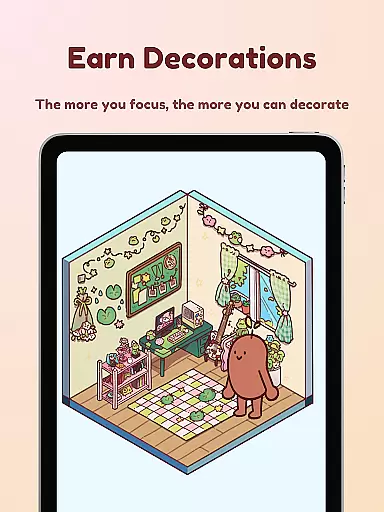
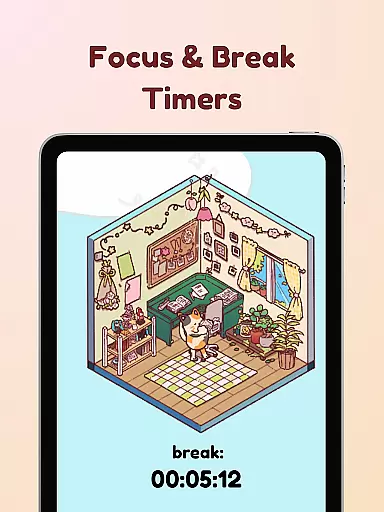
Focus Friend is a productivity app designed to help users maintain focus during work or study sessions through gamification. Developed by online educator Hank Green, this app features a unique timer system where users are motivated to complete their tasks alongside a virtual Bean Friend. If the user interrupts the session, the Bean becomes sad, providing an emotional incentive to stay focused. Upon completing a session, users earn rewards to decorate the Bean's room, creating a fun and engaging experience.
The app includes several productivity-enhancing features such as Live Activity, which allows users to track their progress even when the phone is locked. It also offers a Deep Focus Mode that locks distracting apps during focus sessions. With break timers based on the Pomodoro technique, hundreds of customization options for the Bean's room, and various Bean skins, Focus Friend caters to anyone struggling with concentration, making it ideal for students and professionals alike.
Focus Friend stands out with its innovative approach to productivity by integrating game-like elements into focus sessions. The app provides a Live Activity feature, enabling users to see their timer progress on the lock screen, ensuring they remain aware of their session without needing to unlock their device. Additionally, the Deep Focus Mode helps eliminate distractions by locking access to apps that may interrupt concentration.
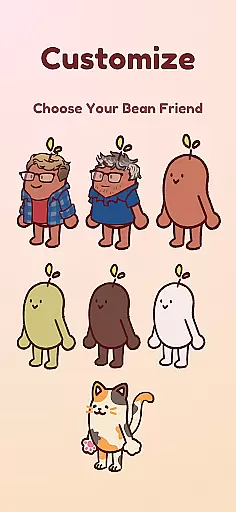
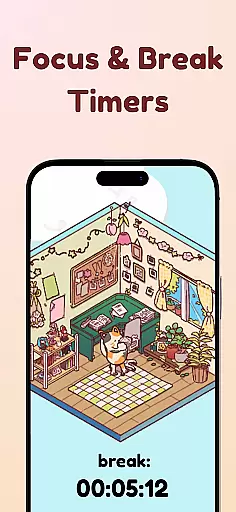
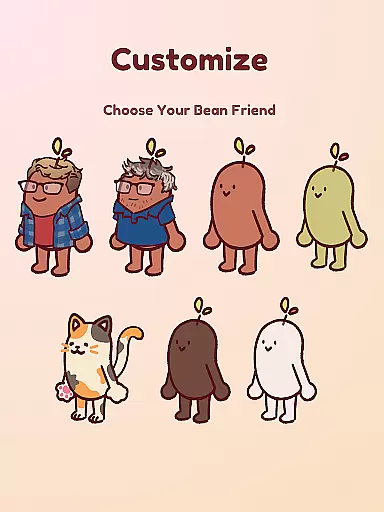
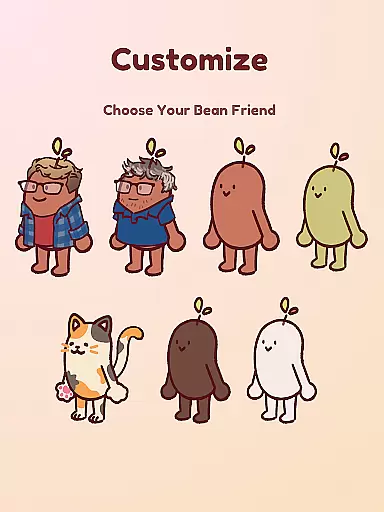
Another key feature is the implementation of break timers using the Pomodoro method, allowing users to take structured breaks and decorate their Bean's room. With hundreds of decoration options and various themes, users can personalize their experience extensively. Moreover, the app offers multiple Bean skins, including Coffee Bean, Edamame Bean, and even characters like Hank and John Green, adding a layer of customization and fun to the productivity process.
At the heart of Focus Friend lies its robust core task management system, designed to help users structure their work and study sessions effectively. This productivity app leverages gamification to keep users engaged with their tasks. By setting a focus timer, users can allocate specific chunks of time to dedicated tasks, creating a productive workflow that's both manageable and enjoyable.
The app provides features such as Live Activity, which allows users to view their timer progress even when their phone is locked. This constant visibility acts as a motivator and keeps users aligned with their productivity goals throughout the session. Additionally, the Deep Focus Mode helps in minimizing distractions by locking apps that may hinder concentration, ensuring that your attention remains on the task at hand.
By completing focus sessions, users are rewarded with prizes that can be used to decorate their Bean Friend's room. This reward system not only makes task management more engaging but also gives a sense of accomplishment, encouraging continued use of the app for improved productivity over time.
Focus Friend excels in providing reliable cross-device synchronization, an essential feature for users who operate across multiple devices. Whether you're transitioning from your phone to a tablet or using your computer, the app ensures that your focus sessions, rewards, and customizations are seamlessly synced. This means no matter where you are or what device you're using, your productivity journey continues without interruption.
The app supports the Pomodoro method of productivity, allowing users to take breaks and decorate their virtual spaces. These break timers are synchronized across devices, so if you start a decoration session on one device, you can continue right where you left off on another. This fluid experience enhances user engagement and maintains the continuity of the productivity process.
Moreover, Focus Friend offers hundreds of decorations and different Bean skins, all of which remain consistent across devices thanks to the app's reliable synchronization capabilities. Users can enjoy a uniform experience, personalizing and enjoying their Bean Friend's world without worrying about losing progress or customizations when switching devices.
User-friendly interface
Engaging gamification
Effective focus tool
Variety of customizations
Emotional motivation
Limited free content
Potential distractions
Requires commitment
May not suit all
In-app purchases

A customizable calendar for your Wear OS watch
 4.20
4.20
Total remote control for your Android device, PC and cloud services (IFTTT)!
4.20
Mind Map and brainstorm, note taking and idea collection
4.80
App lock - lock apps with fingerprint, password, pin or pattern, protect privacy
4.70
Find and delete junk files & block unwanted notifications & manage files
3.70
Subscribe to Webcal & .ics calendars and keep them up-to-date!
4.50
A simple Whisper AI keyboard for reliable speech transcription and rewording
4.60
Quickly and easily keep track of your work shifts
4.70
Use powerful, industry-leading AI tools to generate visual charts from any data
4.80
Native client for Forgejo and Gitea
5.00
aCalendar+ makes your day, week and month
4.70
Scan paperwork into PDF/JPG, generate your own e-signature and send fax or email
4.70
Experience Reading - Night Mode for Documents
4.40
A lightweight JSON & XML files creator, editor and viewer (Premium Version)
4.40
Activate Two Factor Authentication (2FA or Multi OTP), Password manager and more
4.10
Take control of your clipboard with Clipper!
3.90
Mega cloud explorer plugin for Solid Explorer
3.80
Make your handwriting beautiful, even more than pen on paper.
3.60
Simple and reliable communication between inmates, friends and family
3.20


User Reviews