

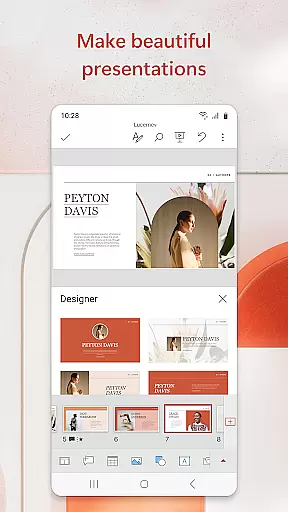
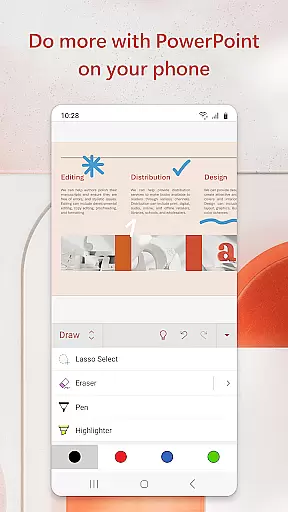
Microsoft PowerPoint is the quintessential presentation app that empowers users to create, edit, and view slideshows on the go. With its mobile version, you can seamlessly sync presentations across devices, ensuring consistency and eliminating the hassle of managing multiple file versions. Whether crafting quarterly reports or delivering yearly presentations, PowerPoint's templated slides and Presenter Coach feature help refine your delivery and make a lasting impression.
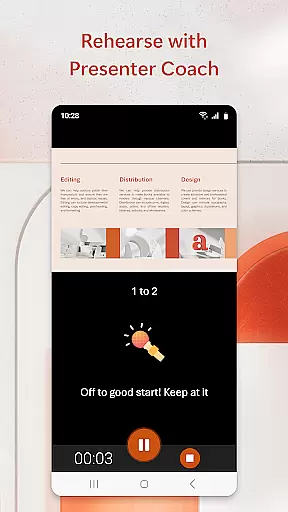
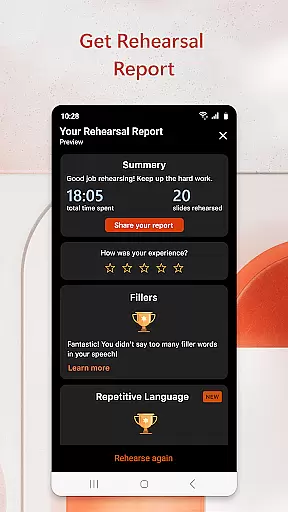
This productivity tool stands out with its AI-driven Presenter Coach, which provides real-time feedback for improving public speaking skills. Users can practice their presentations with a built-in timer, receive pacing suggestions, and avoid filler words. The app also supports multimedia integration, allowing for music, graphics, charts, photos, and videos in your slideshows, making them more engaging and impactful.
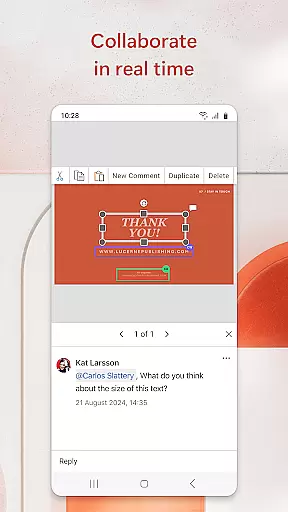
PowerPoint's collaboration capabilities shine through shared access and integrated commenting, enabling teams to work together efficiently. With customizable tools at your fingertips, this app is not just about creating slides but about crafting expert presentations that communicate clearly and confidently on any device.
Microsoft PowerPoint offers an extensive array of features designed to enhance productivity and presentation quality. Its hallmark is the Presenter Coach, an AI assistant that helps users practice their presentations by providing real-time suggestions on pacing, word choice, and avoiding filler words like 'umms.' This ensures that when it's time to present, you do so with confidence and clarity.
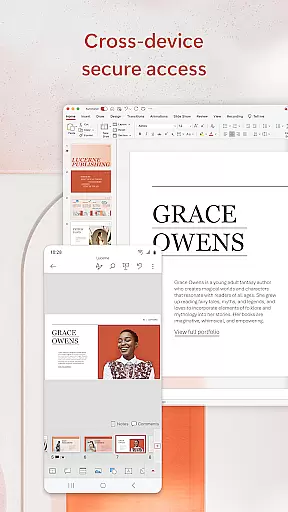
The app allows for seamless synchronization across devices, meaning you can start a presentation on your desktop and continue refining it on your mobile device without missing a beat. It supports various media types including images, videos, and charts, which can be inserted directly or captured using your device's camera. These rich multimedia capabilities ensure that each slide is not only informative but visually compelling as well.
Collaboration is made easy with PowerPoint's sharing options and integrated commenting system. Teams can work together in real-time, viewing who is editing which slide and providing feedback directly within the app. Additionally, PowerPoint integrates with Microsoft 365 subscriptions, unlocking advanced features and ensuring that all team members have access to the latest updates and tools for creating standout presentations.
Microsoft PowerPoint offers robust core task management features that streamline the process of creating, editing, and presenting slideshows. The app allows users to efficiently organize their presentation tasks by providing intuitive tools for slide creation and arrangement.
With seamless synchronization across devices, PowerPoint ensures that all changes are updated in real time. This means you can start a presentation on your mobile device and continue refining it on your PC without worrying about version control issues.
The app also includes Presenter Coach, an AI-driven tool that helps users practice their presentations. It provides real-time feedback on pacing, language usage, and delivery, ensuring that the final presentation is polished and professional.
By integrating these comprehensive task management features, PowerPoint empowers users to focus on delivering impactful presentations with confidence, knowing that all elements of their slideshow are meticulously organized and refined.
Cross-device synchronization is a cornerstone of Microsoft PowerPoint's productivity suite, enabling users to seamlessly transition between different devices while maintaining consistency in their work. Whether you're using a smartphone, tablet, or PC, PowerPoint ensures that your presentations are always up-to-date.
This reliable synchronization is powered by cloud technology, which automatically saves and updates your files across all linked devices. As a result, any edits made on one device are instantly reflected on others, eliminating the risk of working on outdated versions.
PowerPoint's cross-device capabilities extend beyond simple file syncing. The app allows real-time collaboration, where multiple users can work on the same presentation simultaneously. Integrated comments and permissions tracking ensure that everyone stays informed about changes and feedback.
By prioritizing synchronization reliability, PowerPoint enhances productivity and fosters efficient teamwork, allowing professionals to create and deliver high-quality presentations regardless of their location or device.
User-friendly interface
Real-time collaboration
AI-powered Presenter Coach
Multimedia integration
Cross-device syncing
Requires subscription for full features
Limited offline functionality
Advanced tools need learning
Occasional sync issues
Resource-intensive app

Wake up & get tasks done! Add alarms & reminders on the Clock Launcher.
 4.00
4.00
Translate text/voice/photos in 150+ languages. Offline & fast translator app.
4.50
Tally and goal counter for Wear OS & mobile
4.50
A beautiful digital clock with autostart and many other functions
4.70
The ultimate file manager for rooted devices. The original and still the best.
4.00
Scientific calculator for Android - looks and operates like the real thing!
4.90
Seamlessly read, manage, and organize all your PDF files solution in one place
4.40
QuickEdit is a fast, stable and full featured text and code editor.
4.20
2026 USPS Alpha/Color coded calendar Sunday/Rotating day off schedules
4.3
Great calculator for Android named one of USA TODAY's "25 Essential Apps".
4.90
Mind Map and brainstorm, note taking and idea collection
4.80
Understand anything with a personalized AI research assistant
4.80
Scan paperwork into PDF/JPG, generate your own e-signature and send fax or email
4.70
Absolutely the best CNC machinist speed and feed calculator around. fswizard.com
4.60
Calendar 2023 widget for Android. Appointment scheduler, planner, and reminder
4.60
A lightweight JSON & XML files creator, editor and viewer (Premium Version)
4.40
All in One PDF Reader: Manage, Read and Edit your Documents
4.20
Remotely view listen control and record cameras.
3.70
A simple, portable logger for POTA, SOTA, Field Day, and more
4.0


User Reviews