
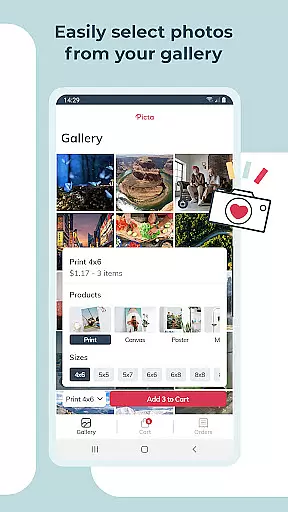
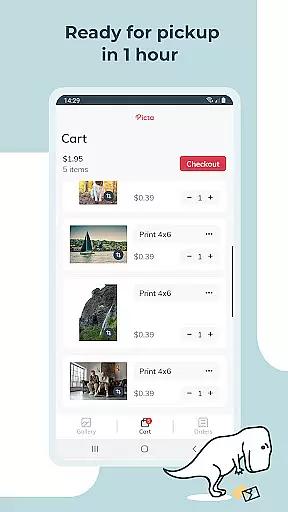
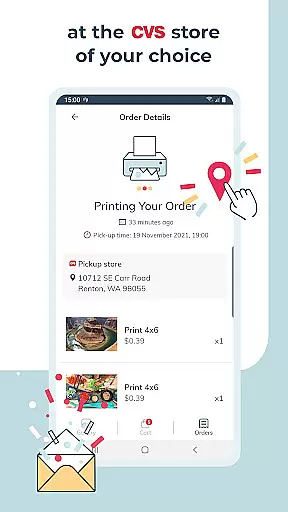
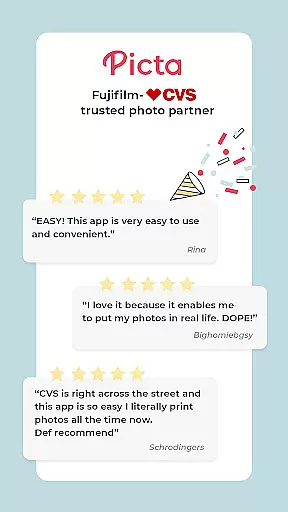
Picta x CVS Photo Print is a mobile application designed to simplify the process of photo printing. This app allows users to effortlessly print their digital photos directly from their smartphones and pick them up at their nearest CVS store within an hour. The app offers professional-quality photo printing services with multiple size options, including 4x6, 5x7, square prints, and more.
One of the standout features of Picta x CVS Photo Print is its user-friendly interface that enables customers to crop and zoom pictures easily within the app. Additionally, it provides real-time order tracking, ensuring users are informed about their order status until pickup. With personalized photo gifts available for all occasions, this app transforms memorable moments into tangible keepsakes.
Whether you're looking to print individual photos or create custom photo products like magnets and greeting cards, Picta x CVS Photo Print delivers convenience and quality. Its seamless integration with CVS stores across the United States makes it an ideal choice for those seeking fast and reliable photo printing services.
Picta x CVS Photo Print stands out due to its comprehensive set of features tailored for photo enthusiasts. The app supports various print sizes, ranging from standard 4x6 prints to larger formats like 8x10 enlargements, catering to different user preferences. Moreover, it offers unique square print options perfect for showcasing Instagram photos.
Beyond basic photo printing, the app provides a range of personalized photo gift options such as magnets, greeting cards, and invitations. These customizable products make it easy to create thoughtful presents for friends and family. The built-in gallery organizes mobile photos by date taken, streamlining the selection process.
Another notable feature is the enhanced CVS store locator, which simplifies finding nearby CVS locations for quick photo pickups. Users also benefit from secure and fast photo transfers, ensuring their images remain safe throughout the printing process. Overall, these features combine to offer a superior photo printing experience that emphasizes both convenience and creativity.
Real-time capture and preview functionality is essential for ensuring that users can accurately select and edit their photos before printing. With Picta x CVS Photo Print, the app provides a seamless experience where users can instantly view their selected images in high quality.
The app allows users to crop and zoom each picture easily within the application, ensuring that every photo meets their exact specifications before sending it to print. This feature not only saves time but also enhances user satisfaction by providing them with precise control over their photo prints.
Furthermore, real-time previews enable users to make instant adjustments, which is particularly useful when creating custom products such as magnets or greeting cards. The ability to visualize the final product helps in making informed decisions, thus improving the overall quality of printed materials.
By integrating real-time capture and preview features, Picta x CVS Photo Print ensures that users can efficiently transform their digital memories into tangible, high-quality prints without any guesswork involved.
AI beauty and enhancement features are becoming increasingly popular in photography apps, offering users the ability to enhance their photos with natural-looking effects. Picta x CVS Photo Print incorporates advanced AI algorithms that automatically adjust image settings to produce stunning yet realistic results.
These AI enhancements focus on maintaining the authenticity of the original photo while subtly improving aspects such as brightness, contrast, and color balance. Users can achieve professional-quality prints without needing extensive editing skills, thanks to these intelligent adjustments.
In addition to basic enhancements, the app offers creative tools that allow users to personalize their photos further. Whether it's adding filters or creating custom designs, the AI ensures that all modifications appear natural and enhance the overall aesthetic appeal.
With Picta x CVS Photo Print, users benefit from AI-driven enhancements that preserve the integrity of their memories, resulting in beautiful, true-to-life prints every time they use the service.
User-friendly interface
Fast same-day pickup
Multiple print sizes
Real-time order tracking
Personalized photo gifts
Limited to CVS stores
No direct payment option
Requires physical pickup
Occasional delays
Geographic restrictions

Gallery show photo, video, slideshow, is perfect 3D effect private photo albums.
 4.80
4.80
Perfect photos with body shaping, BG changer and object remover.
3.70
Create & Edit with AI: AI Remove, Enhance, Retouch, Filter
4.10
AI Photo Editor with 100+ Filters, Effects! Remove BG, Retouch & Photo Enhancer.
4.80
Easily view, share, delete photos with Gallery.
4.70
Turn photos into cartoons & avatars! - Photo Editor, Cartoon Face!
3.90
RAW video capture with advanced controls
4.40
Your personal guide to the sun and moon. Plan ahead, visualize and predict!
4.70
PhotoSync Bundle Add-On License. Enables all features and services in PhotoSync.
4.60
Find time and duration of different sunlight phases at any location
4.90
Photo editor: AI filters, photo enhancer, pic collage maker, AI art generator.
4.80
Transform photos into videos! Create realistic or anime-style images easily!
4.50
HD Camera Pro with HD Video shooting, Panorama, Photo editor , Beauty Camera.
4.50
Create AI photos & videos with Enhancer; restore, fix, beautify, enhance photos
4.50
Fit multiple photos on one post. Create carousels & scroll layouts for Instagram
4.50
Turn your phone into a professional camera - full DSLR manual photography
4.30
Photo editor: face & body editor, beauty cam, filters and quality enhancer.
4.00
Raw Image Viewer. Gallery with support of raw images (.cr3, .cr2, .nef, .raf).
2.00
Snap photos remotely using your Garmin watch as the camera trigger
4.5


User Reviews