
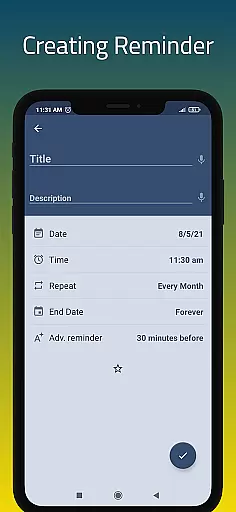
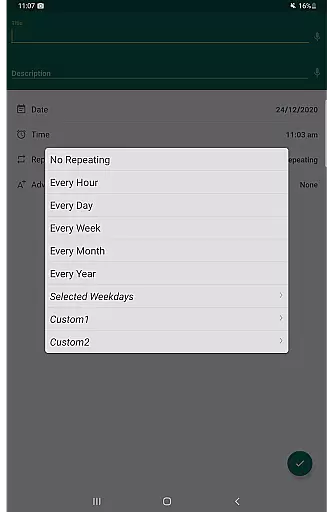
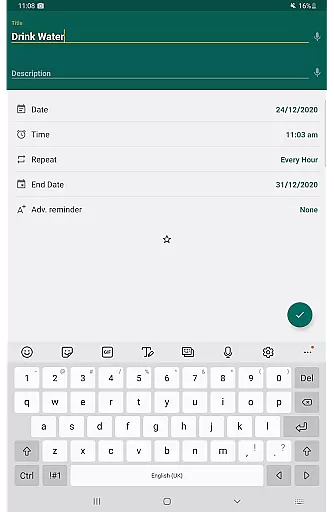
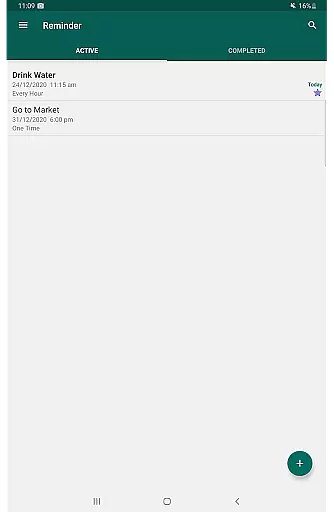
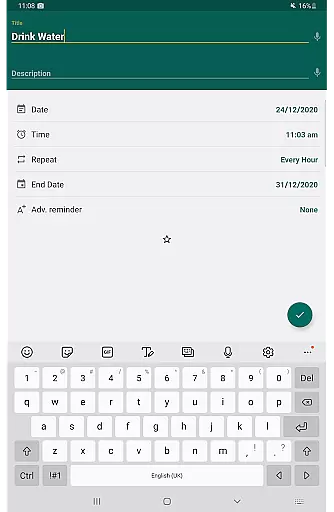
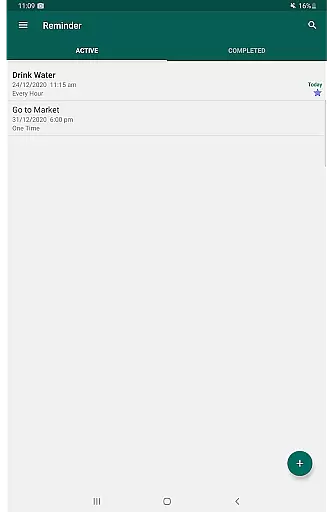
Reminder Pro is a versatile productivity tool designed to help users organize their daily lives efficiently. This app allows you to create both one-time and recurring reminders for various tasks, ensuring you never miss an important deadline or event. With its user-friendly interface, Reminder Pro makes setting up reminders quick and straightforward.
The app covers a wide range of use cases, from personal health reminders like taking medication to professional needs such as meeting schedules and deadline notifications. Its simplicity and lack of advertisements enhance the user experience, making it an ideal choice for anyone looking to streamline their task management without distractions.
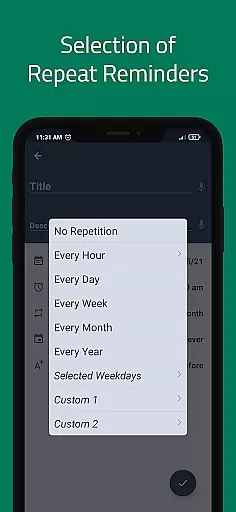
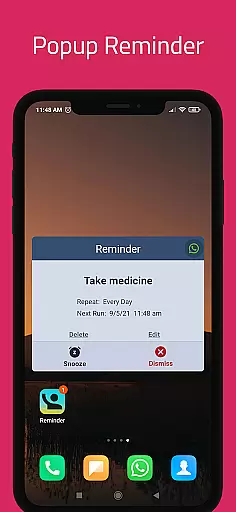
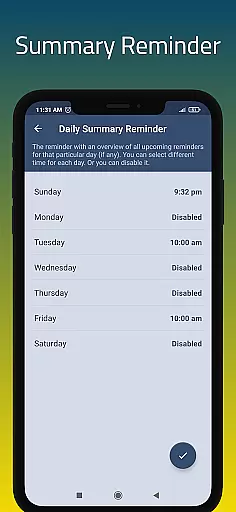
Reminder Pro stands out with its comprehensive feature set tailored to boost productivity. One of its key features is the ability to set custom recurring reminders, which is perfect for routine tasks such as taking medication or weekly meetings. The app also offers popup notifications and a snooze option, allowing users to manage their time effectively without feeling overwhelmed.
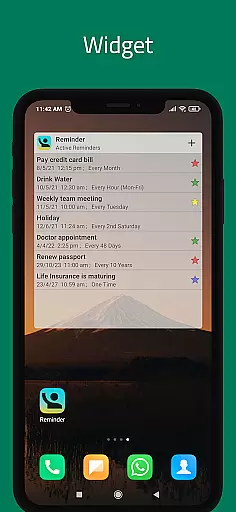
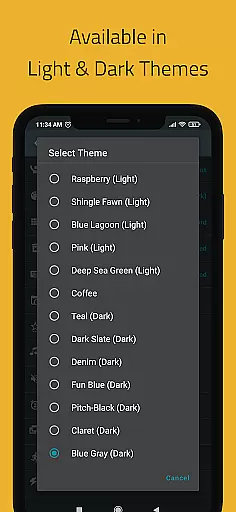
Additionally, Reminder Pro includes practical tools like a widget for quick access, quiet hours settings to avoid disturbances, and multiple themes to personalize the user interface. These features collectively ensure that users can tailor the app to fit their specific needs, whether they are managing work projects, personal errands, or health-related tasks.
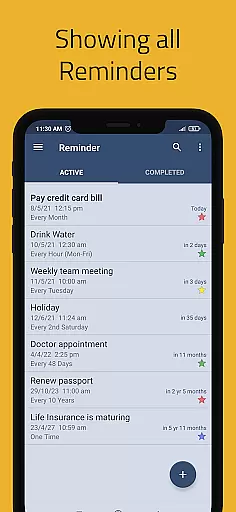
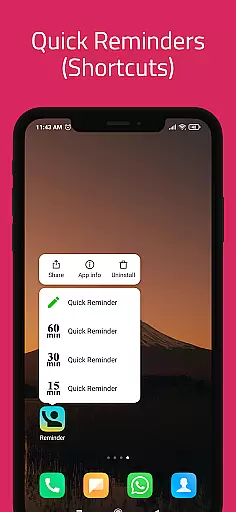
Task management is a cornerstone of productivity applications, and Reminder Pro excels in this area. The app provides users with the ability to create both one-time and recurring reminders for various tasks, ensuring that nothing important slips through the cracks. Whether it's for work deadlines, personal appointments, or daily chores, the app allows you to assign specific dates and times to each task.
The simplicity of setting up reminders is one of the app's key strengths. With just a few taps, you can input all necessary details, including notes and categories, which can be color-coded for easy identification. This straightforward approach means that even those who aren't tech-savvy can quickly become proficient in managing their schedules.
Reminder Pro also offers versatile features such as custom recurring reminders, multiple view options for your list of tasks, and widgets for quick access. These tools help streamline your daily planning process and ensure that you're always on top of your game without being overwhelmed by unnecessary complexities.
In today's fast-paced world, having reliable cross-device synchronization is vital for maintaining productivity. Reminder Pro understands this need and offers seamless integration across different devices. By using cloud-based technology, the app ensures that your reminders are updated in real time, no matter which device you're using to manage your tasks.
This feature is particularly beneficial for users who switch between smartphones, tablets, and computers throughout their day. Any changes made on one device are instantly reflected on all others, providing a consistent experience and peace of mind. You won't have to worry about missing an important notification because you forgot to update it on another gadget.
Additionally, Reminder Pro includes auto backup and manual backup options to safeguard your data against loss. This means that even if you change devices or experience technical difficulties, your carefully planned schedule remains intact and accessible from any platform you choose to use in the future.
User-friendly interface
No advertisements
Custom recurring reminders
Quiet hours settings
Multiple themes
Limited advanced features
No cross-platform sync
Basic design
Few customization options
Occasional bugs

Secure, fast, open-source, VNC and SSH Remote Desktop for Windows, Linux and Mac
 4.70
4.70
Mind Map and brainstorm, note taking and idea collection
4.80
We're working to become the best machining app on the market! www.cncdirt.com
4.80
Customizable calendar widget for seamless event sync, planning & scheduling.
4.00
aCalendar+ makes your day, week and month
4.70
Make apps & sites with natural language prompts
4.10
Best Tool for the professionals Electrician, Electrical contractors, etc.
4.90
Daily processing of PDF documents.
4.40
Seamlessly read, manage, and organize all your PDF files solution in one place
4.40
Native client for Forgejo and Gitea
5.00
The long-awaited modern gallery app for your Nextcloud server
4.70
Stay on top of your to-dos with Google Tasks, part of Google Workspace.
4.60
Calendar 2023 widget for Android. Appointment scheduler, planner, and reminder
4.60
A simple Whisper AI keyboard for reliable speech transcription and rewording
4.60
Intelligent AI Assistant
4.10
The ultimate file manager for rooted devices. The original and still the best.
4.00
Code on-the-go with VScode for Android. Edit,debug and collaborate from mobile!!
3.10
Ads Free App! Editor, Hide File, Copy, Move, Delete and Rename.. all facility av
1.70
A simple, portable logger for POTA, SOTA, Field Day, and more
4.5


User Reviews