
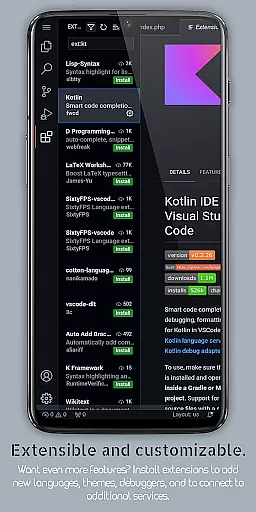
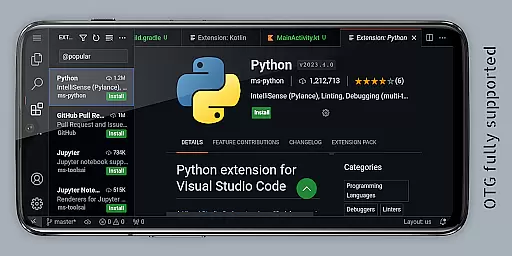
VScode for Android brings the powerful functionality of Visual Studio Code to mobile devices, allowing developers to write, edit, and debug code on-the-go. With support for a wide range of programming languages and file types, this app is designed to provide flexibility and ease of use.
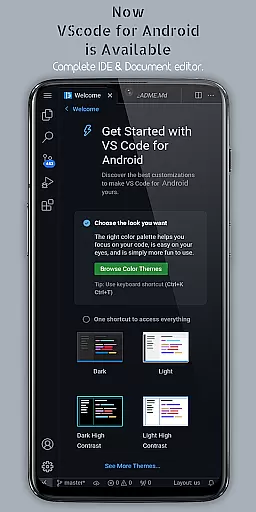
The app includes features such as customizable themes, extensions, IntelliSense, debugging tools, and built-in Git support, making it an ideal choice for developers who need a reliable coding environment away from their desktops. Its immersive display experience and remote access capabilities further enhance its utility for coding anytime, anywhere.
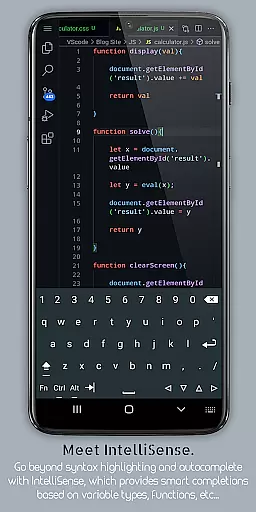
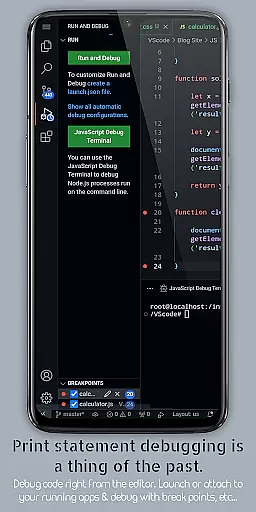
VScode for Android offers a comprehensive set of features that cater to the needs of mobile developers. Key functionalities include debugging support, syntax highlighting, intelligent code completion through IntelliSense, and snippets for reusable code pieces.
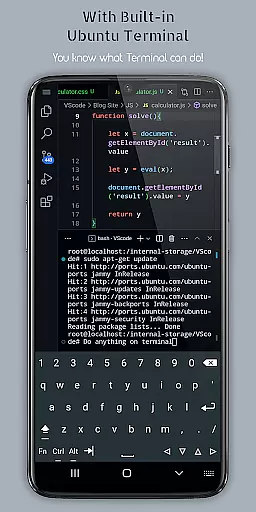
Additional features encompass code refactoring options, embedded Git for version control, customizable keyboard shortcuts, multi-cursor editing, a built-in terminal, split view editing, an integrated task runner, language-specific settings, and workspace management. These tools collectively ensure a versatile and efficient coding experience on a mobile platform.
VScode for Android excels in core task management by offering a comprehensive suite of features that streamline the coding process. The app provides integrated support for debugging, syntax highlighting, and intelligent code completion through IntelliSense, ensuring developers can efficiently manage their coding tasks.
The application supports multi-cursor editing and split view functionality, allowing users to work on multiple files simultaneously. This enhances productivity by enabling seamless transitions between different parts of a project without losing context or focus.
Additionally, VScode for Android includes an embedded terminal and an integrated task runner, empowering users to execute command-line operations and automate repetitive tasks directly within the editor. These capabilities significantly reduce the time required to perform routine operations, thus improving overall efficiency.
With customizable keyboard shortcuts and language-specific settings, developers can tailor the environment to their specific needs, further optimizing their workflow. This level of personalization ensures that each user can create a productive workspace that aligns with their individual preferences and project requirements.
One of the standout features of VScode for Android is its reliable cross-device synchronization. Users can access their development environment from anywhere in the world using a web browser and their phone's IP address with port 8080. This remote access capability ensures that work is not confined to a single device or location.
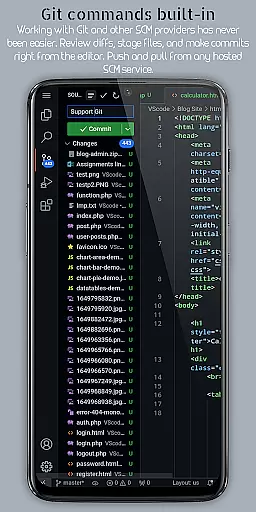
The app maintains consistency across devices by supporting Git and other version control systems. This allows developers to collaborate effectively, ensuring that changes made on one device are accurately reflected on others. Such synchronization is vital for team projects and distributed development efforts.
Furthermore, VScode for Android offers workspace management tools that enable users to organize and switch between different projects effortlessly. This feature is particularly beneficial for developers who juggle multiple projects, as it ensures that progress on each is preserved and accessible across devices.
By providing robust support for a wide range of programming languages and file types, VScode for Android guarantees that developers can work on any project with ease, regardless of the device they are using. This versatility and reliability make it an indispensable tool for modern, mobile-first development workflows.
Powerful code editor
Wide language support
Customizable interface
Built-in Git integration
Remote access capability
Complex for beginners
Limited screen space
Requires internet
Not officially by Microsoft
Potential performance issues

Secure, fast, open-source, VNC and SSH Remote Desktop for Windows, Linux and Mac
 4.70
4.70
A Revolutionary All-in-One Artificial Intelligence Tools
3.80
Direct Chat without saving contacts & Dual WA Account on Single Device
4.70
Send files, sync SMS, notifications & clipboard across devices via local network
4.40
All in One PDF Reader: Manage, Read and Edit your Documents
4.20
App Lock with fingerprint, password: Lock apps & hide photos with lock screens
4.60
Cloud storage, automatic phone backup, and more.
4.10
Great calculator for Android named one of USA TODAY's "25 Essential Apps".
4.90
To do list widget with a notebook organizer, checklist, simple shopping list
4.60
We're working to become the best machining app on the market! www.cncdirt.com
4.80
A simple Whisper AI keyboard for reliable speech transcription and rewording
4.60
CalenGoo is a very flexible and feature-rich calendar app
4.40
Secure your apps with lock screens, use custom themes and different features.
4.40
Device's storage information in a simple and clear graphical form (infographics)
4.10
Experience real multitasking on your Android!
4.00
* block pre-roll ads, pop-up and forced redirect ads * Samsung certification app
4.00
Auto-shutoff Alarm with Sunrise, Sunset & Fixed Options.
3.50
Easiest event planning, volunteer signups & parent teacher conference scheduling
2.20
A simple, portable logger for POTA, SOTA, Field Day, and more
4.4


User Reviews