
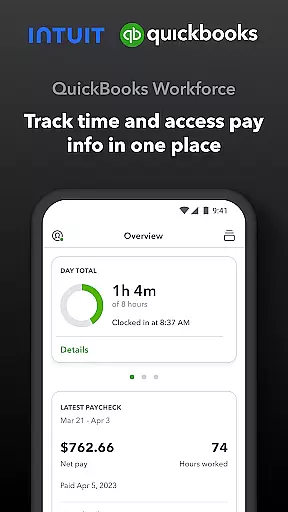
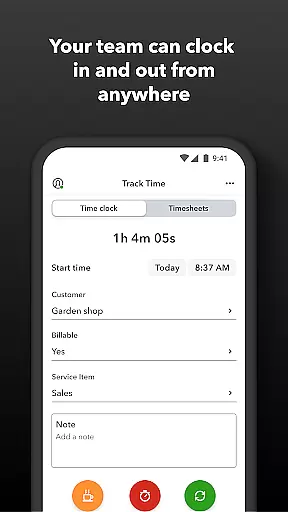
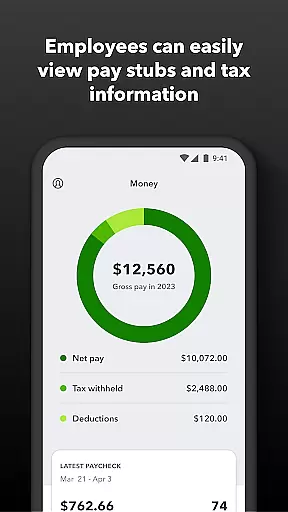
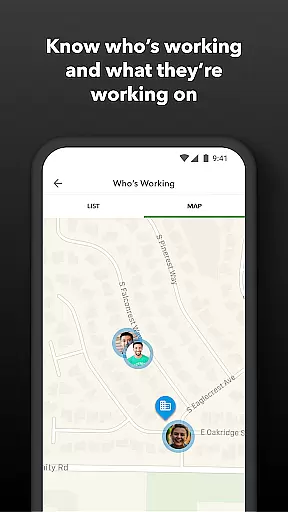
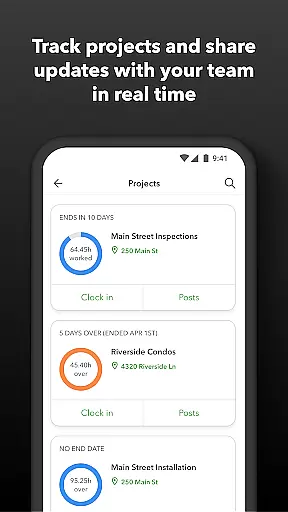
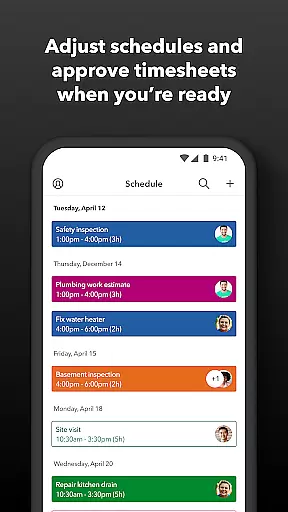
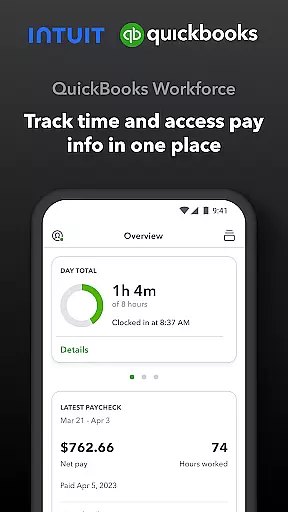
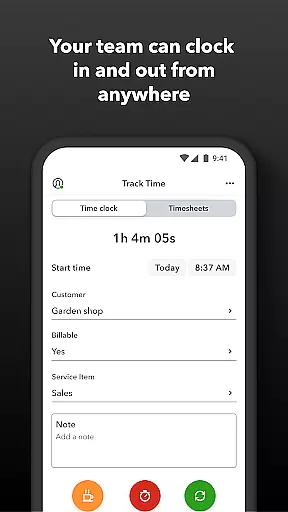
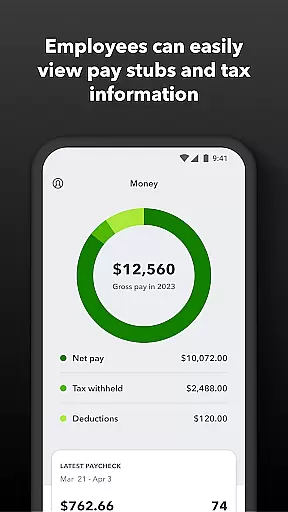
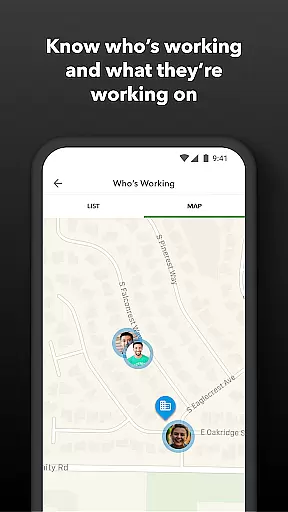
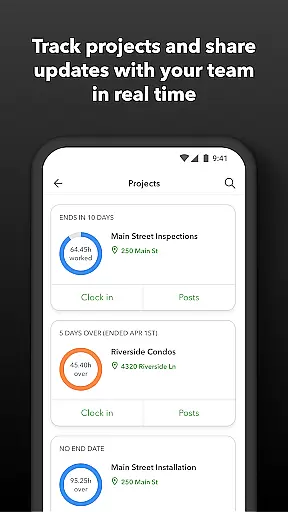
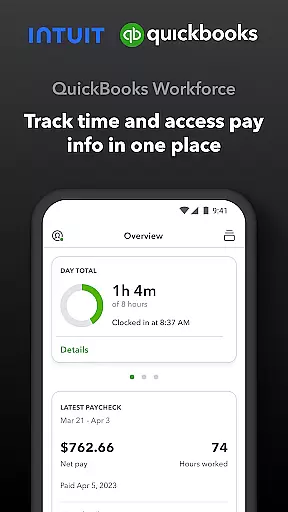
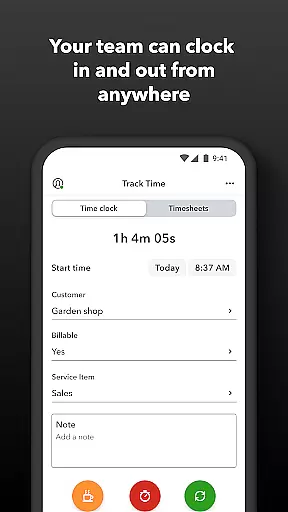
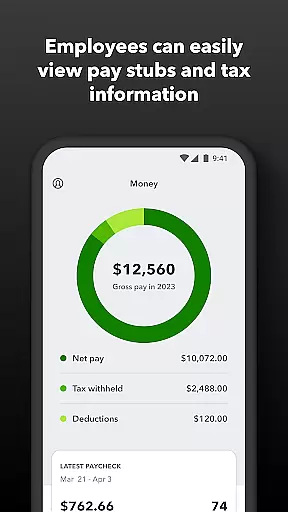
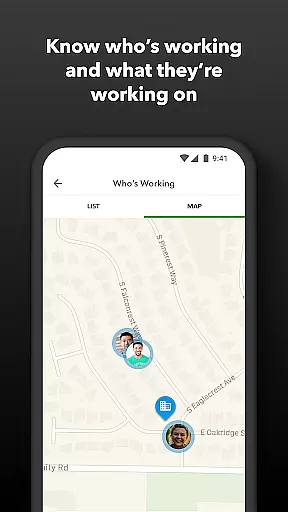
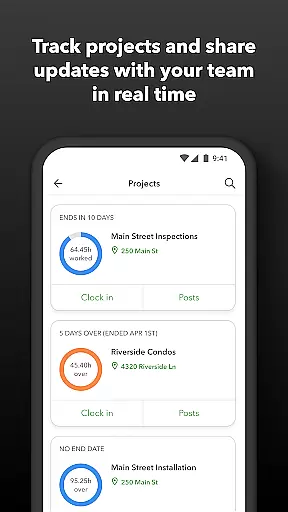
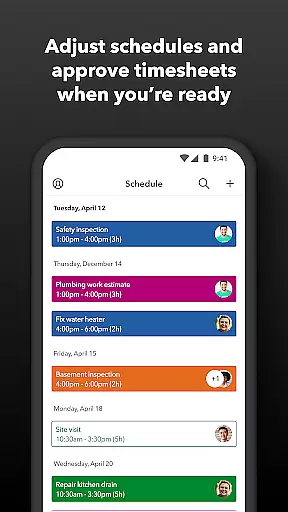
QuickBooks Workforce is a comprehensive productivity app designed to streamline payroll and time tracking for businesses using QuickBooks Payroll and QuickBooks Time. The app consolidates essential features into one platform, allowing teams to access pay information and track time seamlessly. With functionalities ranging from viewing pay stubs and W-2s to advanced GPS-based time tracking, it ensures operational efficiency.
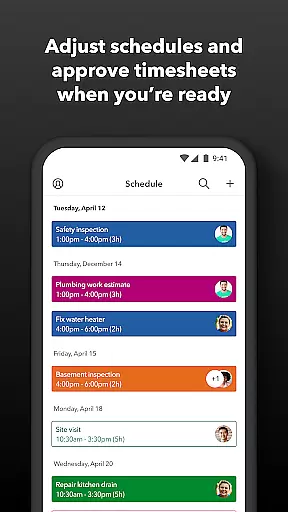
The app caters to both employees and employers, offering tools like timesheet management, job scheduling, and real-time team location tracking. Employers can approve timesheets, manage schedules, and oversee productivity with detailed reports. Additionally, the app integrates with various payroll and accounting software, reducing manual data entry and enhancing accuracy.
QuickBooks Workforce is particularly beneficial for businesses seeking to optimize their payroll processes while maintaining compliance and transparency. Its ability to provide real-time updates and generate multiple report formats makes it an indispensable tool for modern workforce management.
QuickBooks Workforce offers a robust set of features tailored for efficient workforce management. Employees can clock in and out even without internet access, submit requests for time off, and edit their timesheets. The app also supports job switching, break management, and GPS-based time tracking, ensuring precise time logs.
For employers and admins, the app provides advanced controls such as approving or modifying timesheets, scheduling by job or shift, and setting up geofences for automated clock-ins and clock-outs. Real-time alerts notify managers of scheduling discrepancies or potential overtime, while comprehensive reporting tools offer insights into team productivity and project status.
Additional benefits include seamless integration with QuickBooks Online and Desktop, support for various third-party software, and developer APIs for customization. These features collectively reduce payroll costs, eliminate manual errors, and enhance overall operational transparency.
Task management is a cornerstone of productivity applications, and QuickBooks Workforce excels in this area by offering comprehensive tools for both employees and employers. The app allows team members to clock in and out, edit timesheets, and manage job schedules with ease. These features ensure that time tracking is accurate and efficient, eliminating the need for manual entry and reducing errors.
For employers and administrators, QuickBooks Workforce provides advanced capabilities such as approving, editing, or deleting timesheets. This ensures that all recorded work hours are correct and compliant with company policies. Additionally, the ability to schedule by job or shift and oversee who is working in real time enhances workforce management significantly.
The benefits of these task management features extend beyond simple time tracking. Employers can set up geofences to remind employees to clock in or out when entering or leaving a job site. Alerts are triggered via push notifications, texts, and emails if employees don't clock in as scheduled or approach overtime. Such functionalities not only streamline operations but also help in maintaining compliance with labor regulations.
Cross-device synchronization is vital for ensuring that all team members have access to the most up-to-date information regardless of the device they use. QuickBooks Workforce guarantees reliable synchronization across multiple platforms, allowing users to access pay stubs, W-2s, and other pay information anytime, anywhere. This seamless integration ensures that critical data is always at your fingertips, enhancing overall productivity.
The app supports real-time updates, which means any changes made on one device are immediately reflected on others. Whether it's submitting paid time off requests, editing timesheets, or managing job schedules, every action is synchronized instantly. This feature is particularly beneficial for businesses that rely on timely and accurate data for payroll and invoicing processes.
Moreover, QuickBooks Workforce integrates effortlessly with QuickBooks Online and QuickBooks Desktop Payroll, along with other accounting and invoicing software. This compatibility ensures that data flows smoothly between different systems, eliminating the risk of discrepancies. By providing consistent and reliable cross-device synchronization, QuickBooks Workforce empowers businesses to operate more efficiently and make informed decisions based on real-time data.
User-friendly interface
Comprehensive time tracking
Real-time reporting
Seamless QuickBooks integration
Advanced admin controls
Limited free features
Premium cost for advanced tools
Geofencing requires Elite plan
Occasional sync issues
Steep learning curve

Experience real multitasking on your Android!
 4.00
4.00
Direct Chat without saving contacts & Dual WA Account on Single Device
4.70
The Pro Version of Android's tiniest Notepad app. Just 0.3MB but feature-packed!
4.60
All in One PDF Reader: Manage, Read and Edit your Documents
4.20
PDF scanner & converter for files, photos, lottery, QR codes. One swipe away!
4.50
Activate Two Factor Authentication (2FA or Multi OTP), Password manager and more
4.10
Subscribe to Webcal & .ics calendars and keep them up-to-date!
4.50
The ultimate file manager for rooted devices. The original and still the best.
4.00
AT&T Internet customers can use this app to personalize their Wi-Fi network.
4.40
Seamlessly integrate data and reports to build your presentation to impress
4.80
Simple notepad & memo. Take notes, to-do list, shopping list with reminders.
4.80
Calendar 2023 widget for Android. Appointment scheduler, planner, and reminder
4.60
To do list widget with a notebook organizer, checklist, simple shopping list
4.60
Pwnagotchi companion app
4.20
Easily read and manage all your PDF files
4.10
Cloud storage, automatic phone backup, and more.
4.10
Wake up & get tasks done! Add alarms & reminders on the Clock Launcher.
4.00
Take control of your clipboard with Clipper!
3.90
Create study competitions, track your hours, and stay consistent with friends
4.4


User Reviews