
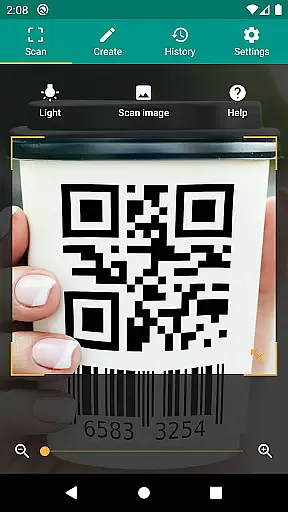
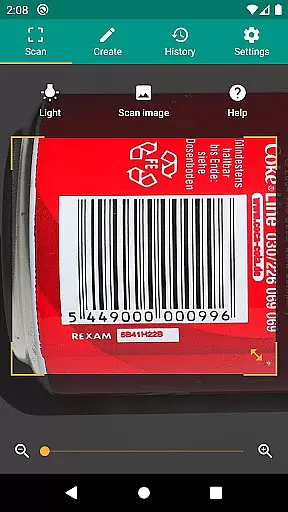
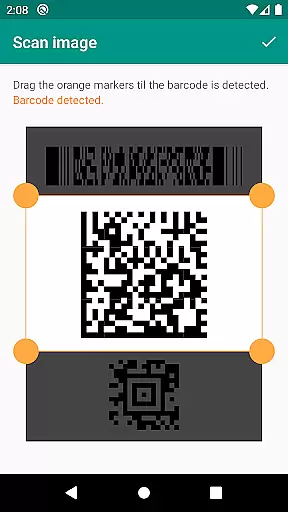
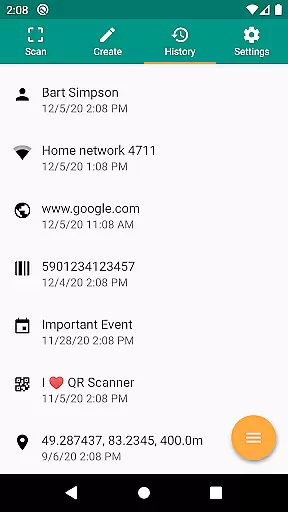
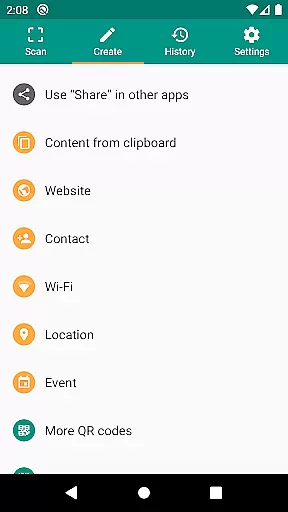
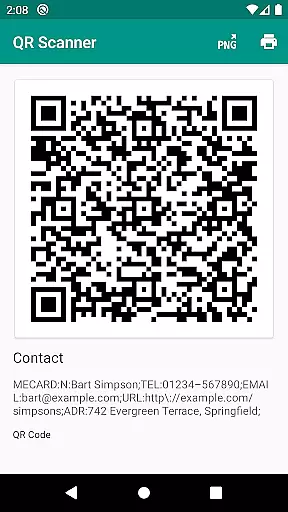
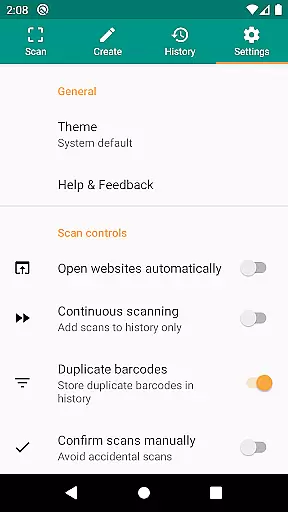
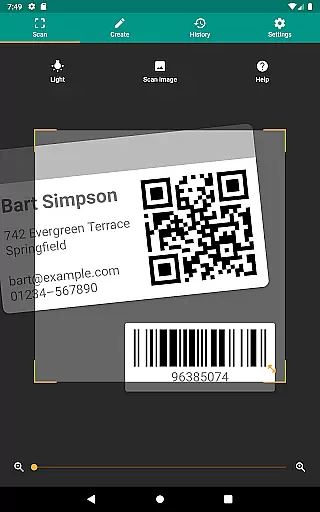
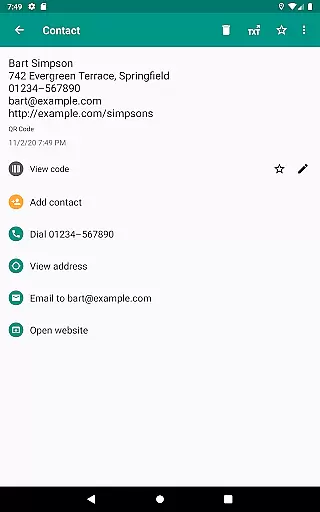
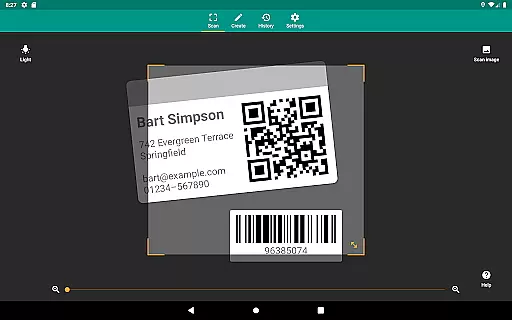
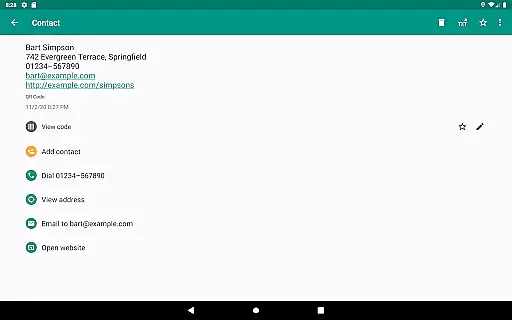
QR & Barcode Scanner is a versatile productivity tool designed to streamline the process of scanning and generating QR codes and barcodes. This application supports all common barcode formats including QR, Data Matrix, Aztec, UPC, EAN, Code 39, and many more, making it an essential utility for both personal and professional use.
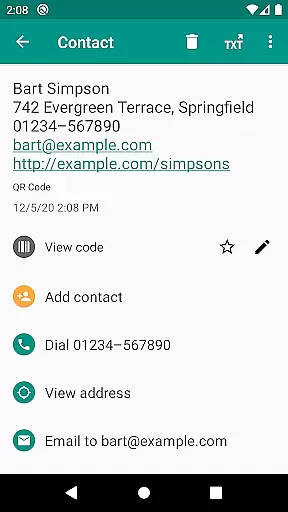
The app goes beyond basic scanning by offering relevant actions based on the scanned content. Users can open URLs, connect to WiFi hotspots, add calendar events, read VCards, and find product and price information from popular online services like Amazon, eBay, and Google. With added security features such as Chrome Custom Tabs and Google Safe Browsing, users are protected from malicious links while enjoying faster loading times.
Whether you're managing inventory, implementing quality assurance processes, or simply looking to share contact information, this app provides a comprehensive solution with minimal required permissions. The built-in QR code generator allows for seamless data sharing between devices, while CSV export and annotation features enable efficient record-keeping and management.
QR & Barcode Scanner stands out with its extensive feature set tailored for productivity enthusiasts. One of its key strengths is the ability to scan any image file or use the device's camera for real-time scanning. The inclusion of flashlight and zoom functionalities ensures reliable scans even in challenging lighting conditions or from a distance.
Security and performance are prioritized through the integration of Google Safe Browsing technology, which protects users from harmful websites. Additionally, the app requires minimal permissions, allowing users to scan images without granting access to their entire photo library and share contact data without exposing their address book.
Advanced customization options include the ability to add preferred shopping websites to the barcode search feature, providing specific product information. For business users, the app offers CSV export capabilities, enabling detailed record-keeping and easy integration with spreadsheet software like Excel or cloud storage services such as Google Drive. These features make it an invaluable tool for small business owners and inventory managers.
QR & Barcode Scanner excels in core task management by offering a comprehensive suite of tools for scanning and generating codes. This app supports all common barcode formats, including QR, Data Matrix, Aztec, UPC, EAN, Code 39, and many more, ensuring that users can manage a wide variety of tasks with ease.
The app allows users to perform relevant actions based on the scanned code, such as opening URLs, connecting to WiFi hotspots, adding calendar events, reading VCards, and finding product and price information. These features make it an indispensable tool for both personal and professional task management.
With the built-in QR code generator, users can also share arbitrary data such as website links by displaying them on their screen as a QR code. This functionality enhances productivity by simplifying data sharing and collaboration across different devices and platforms.
Cross-device synchronization is a critical feature of QR & Barcode Scanner, ensuring that users can rely on consistent performance across multiple devices. The app's ability to scan from images without accessing device storage means that users can synchronize their tasks seamlessly without worrying about permission issues or data privacy concerns.
In addition to its robust scanning capabilities, the app offers features like flashlight and zoom, which are particularly useful for reliable scans in dark environments or from far distances. These functionalities ensure that users can maintain synchronization and access to their data regardless of environmental conditions.
Furthermore, QR & Barcode Scanner provides CSV export and annotation options, allowing users to manage unlimited history and export it for use in Excel or cloud storage services like Google Drive. This ensures that data remains synchronized and accessible across all user devices, enhancing overall productivity and task management efficiency.
User-friendly interface
Comprehensive format support
Robust security features
Minimal required permissions
Versatile scanning options
Limited design customization
No offline database
Occasional slow processing
Basic annotation tools
Ads in free version

When you Focus, so will your Bean in this cozy focus timer
 4.30
4.30
The upgraded version of Name Wheel with AI and the power to add your own wheels.
4.5
Mind Map and brainstorm, note taking and idea collection
4.80
We're working to become the best machining app on the market! www.cncdirt.com
4.80
The ultimate file manager for rooted devices. The original and still the best.
4.00
Intelligent AI Assistant
4.10
Seamlessly read, manage, and organize all your PDF files solution in one place
4.40
Set up, print, and get support—in one place
4.20
Browse and view your photos and videos from the phone with photo & video hide.
4.10
Protect and view your important info on your phone and tablet with eWallet®
4.80
Understand anything with a personalized AI research assistant
4.80
Planet Free VPN - The best Fast Unlimited and Secure VPN Without Logs
4.50
Docker, Kubernetes management over Portainer Mobile
4.40
A Pixel Art watchface inspired by other iconic 90s designs for Wear OS devices!
4.40
Enjoy classic gameplay with customizable features and retro-style graphics.
4.30
All in One PDF Reader: Manage, Read and Edit your Documents
4.20
Create and edit presentations with Google Slides, part of Google Workspace.
4.00
Auto-shutoff Alarm with Sunrise, Sunset & Fixed Options.
3.50
ID.me Authenticator is a simple and free Two Factor Authentication solution
3.50


User Reviews