
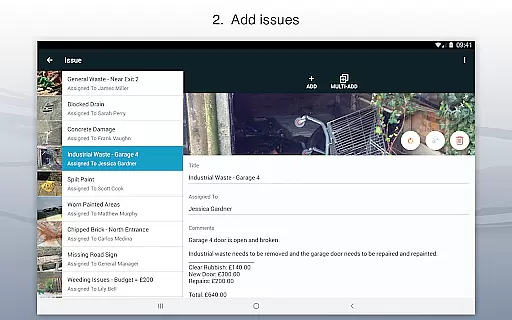
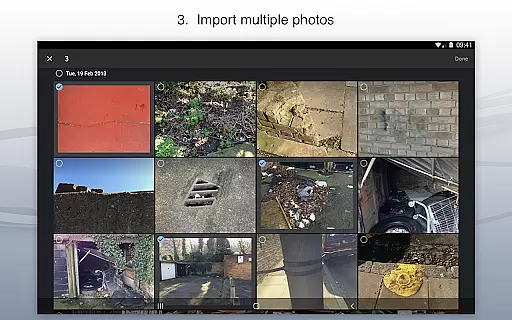
Site Audit Pro is a powerful productivity tool designed to simplify the auditing process for businesses across various industries. This mobile application allows users to efficiently record issues by capturing photos, adding descriptive titles, assigning tasks, and including relevant comments. With its intuitive interface, auditors can annotate images to emphasize critical details, ensuring that nothing important goes unnoticed.
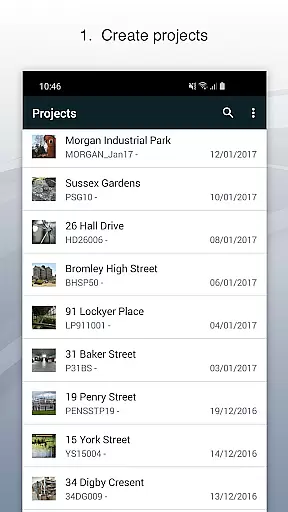
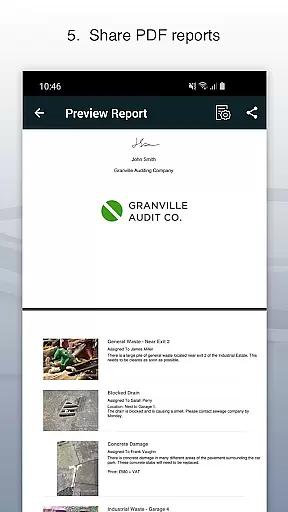
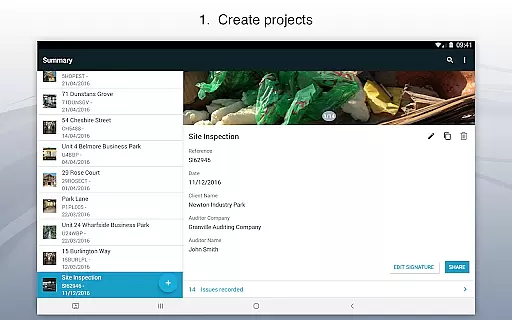
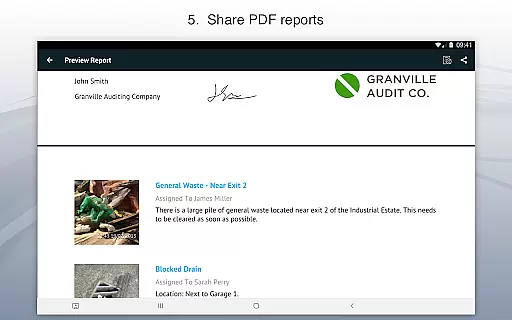
The app's standout feature is its ability to organize identified issues into well-structured projects. Users can input specific site and client information for each project, making data management straightforward and efficient. Site Audit Pro also enables professionals to instantly generate and share professional audit reports in PDF format via email or cloud services like Dropbox. This eliminates the need to return to the office for report creation, significantly boosting productivity.
Designed for versatility, Site Audit Pro caters to multiple use cases such as safety inspections, snagging lists, punch lists, and site walkthroughs. Its customizable reporting options allow businesses to tailor reports with company logos, auditor names, and signatures, adding a personal touch to every document. Whether you're conducting audits or managing checklists, this app streamlines workflows and enhances operational efficiency.
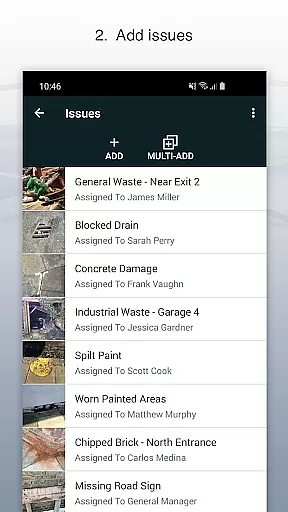
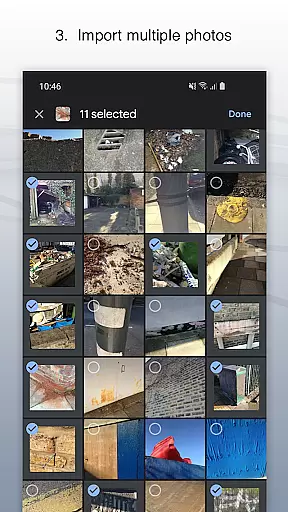
Site Audit Pro offers an impressive array of features that cater to the diverse needs of auditing professionals. One of its key strengths is the ability to capture detailed issue reports using photos, titles, assignees, and comments. The photo annotation functionality allows users to highlight specific areas of concern, providing clearer context for each identified problem. This visual documentation capability ensures comprehensive and accurate reporting.
The app excels in project organization and management. Users can create distinct projects for different clients or sites, maintaining separate records for each. This segregation helps in maintaining clarity and focus while handling multiple audits simultaneously. Additionally, Site Audit Pro supports instant generation of professional audit reports, which can be customized with company branding elements such as logos and signatures. These reports can be shared directly from the app via email or cloud storage platforms.
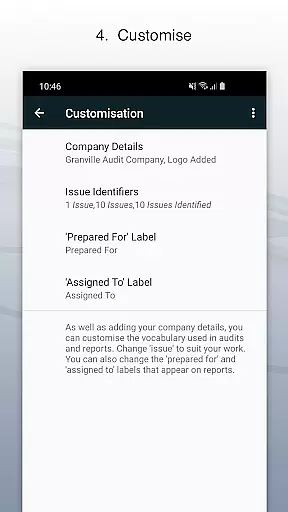
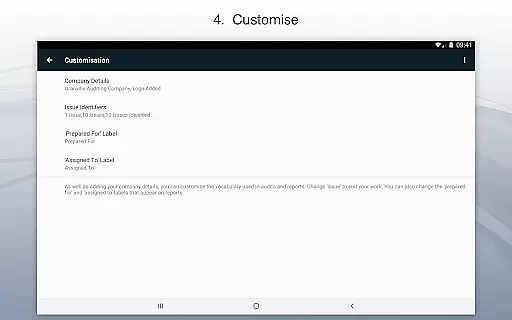
Customization is at the heart of Site Audit Pro's design. The app offers eight professional report templates that can be tailored to reflect industry-specific terminology and requirements. For instance, users can modify report language from 'Identified 12 issues' to 'Found 12 problems' based on their sector's preferences. This flexibility makes Site Audit Pro suitable for various applications including safety inspections, snagging, punch lists, and more, enhancing its value as a comprehensive auditing solution.
Effective task management is essential for productivity-focused applications like Site Audit Pro. This functionality allows users to organize and track issues systematically, ensuring no critical element is overlooked during audits or inspections.
The app enables users to record issues with accompanying photos, assign titles, designate assignees, and add relevant comments. Each issue can be categorized into specific projects, complete with site and client details, streamlining the entire auditing process. This structured approach ensures that every task is contextualized and traceable.
Users benefit from an intuitive interface where tasks are easily managed through clear categorization and assignment features. The ability to annotate photos further enhances communication by highlighting crucial information directly within task entries.
This comprehensive task management system not only boosts productivity but also improves accountability and clarity across teams, making audits more efficient and manageable.
Cross-device synchronization is vital for professionals who need consistent access to their data across multiple devices. Site Audit Pro excels in this area by providing reliable synchronization that ensures all recorded issues and project details are consistently updated and accessible.
With real-time syncing capabilities, any changes made on one device are immediately reflected on others. This feature allows auditors and inspectors to start a task on their mobile device in the field and seamlessly continue working on it from a desktop or tablet back at the office without missing a beat.
The reliability of this synchronization means users can trust that their data is always current and accurate, regardless of the device they use. This consistency eliminates redundancy and reduces errors, enhancing overall efficiency.
By offering dependable cross-device synchronization, Site Audit Pro empowers users to work flexibly and efficiently, ensuring they have the most up-to-date information at their fingertips whenever needed.
User-friendly interface
Instant report generation
Photo annotation tools
Customizable templates
Cloud integration
Limited free features
Subscription required
Occasional bugs
Learning curve
High cost

Create study competitions, track your hours, and stay consistent with friends
 4.5
4.5
The upgraded version of Name Wheel with AI and the power to add your own wheels.
4.4
A lightweight JSON & XML files creator, editor and viewer (Premium Version)
4.40
We're working to become the best machining app on the market! www.cncdirt.com
4.80
Secure, fast, open-source, Remote Desktop Client for Windows and Linux with SSH
4.60
* block pre-roll ads, pop-up and forced redirect ads * Samsung certification app
4.00
The ultimate file manager for rooted devices. The original and still the best.
4.00
Understand anything with a personalized AI research assistant
4.80
Put a lock on your cloud: Take the security of your data into your own hands
3.70
Seamlessly integrate data and reports to build your presentation to impress
4.80
Mind Map and brainstorm, note taking and idea collection
4.80
A Pixel Art watchface inspired by other iconic 90s designs for Wear OS devices!
4.40
Access, manage and transfer files on Android, PC, Mac, NAS and cloud storages.
4.30
All in One PDF Reader: Manage, Read and Edit your Documents
4.20
Todo reminder
4.10
Secure, open-source, SPICE and SSH Remote Desktop for QEMU KVM virtual machines
4.00
⏰ Finally a timer app which can run multiple timers simultaneously on your watch
3.90
Smart PDF reader & editor to view, organize and manage PDF documents easily.
3.70
Simple and reliable communication between inmates, friends and family
3.20


User Reviews