
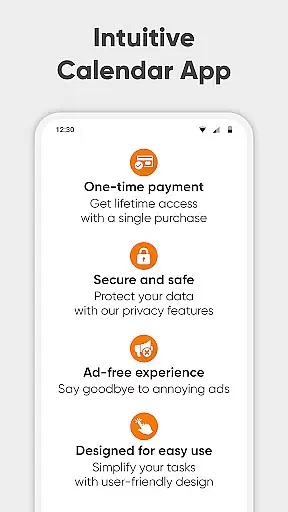
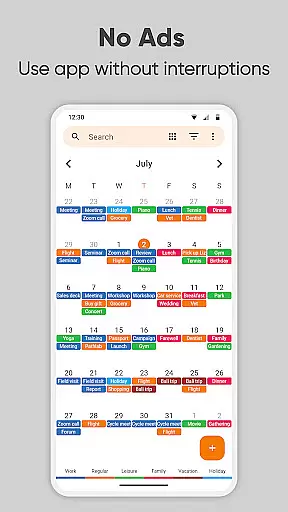
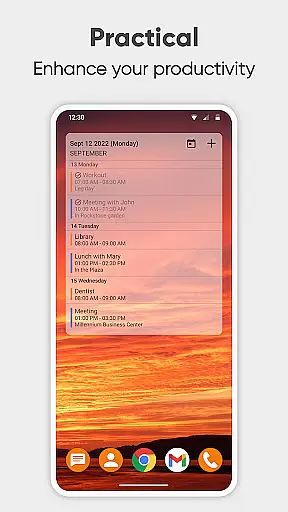
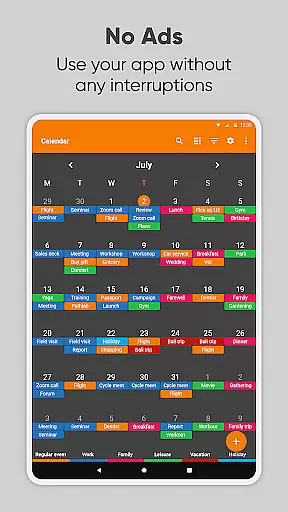
Simple Calendar Pro is a productivity-focused calendar application designed for Android users who value simplicity and customization. This offline calendar app offers a streamlined experience without ads or unnecessary permissions, making it an ideal personal schedule planner. With support for syncing events via Google Calendar or CalDAV protocol, it ensures seamless organization of both personal and professional events.
The app provides extensive customization options, from event reminders to notification appearance, allowing users to tailor the interface to their preferences. Whether you need a day planner, monthly agenda, or family organizer, Simple Calendar Pro combines all these functions into one easy-to-use tool. Its flexibility extends to exporting and importing events via .ics files, offering cross-device compatibility and enhanced productivity.
Designed with user experience in mind, Simple Calendar Pro features a clean material design with a dark theme option, ensuring comfortable use even during late hours. The app's open-source nature and support for multiple languages make it accessible worldwide. By focusing on privacy and security through its offline functionality, this app stands out as a reliable choice for managing your 2023 timetable efficiently.
Simple Calendar Pro excels in delivering a feature-rich yet straightforward calendar solution. One standout aspect is its ability to sync events across platforms using Google Calendar or CalDAV, which ensures that users can maintain consistency between devices. The inclusion of powerful repetition rules for recurring events, along with flexible event creation tools, allows precise scheduling tailored to individual needs.
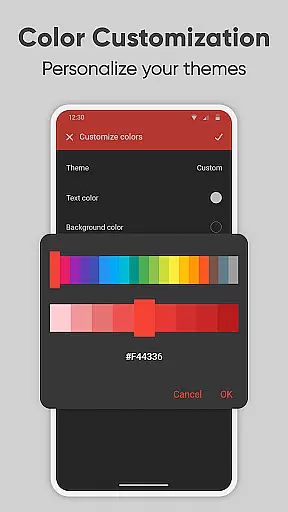
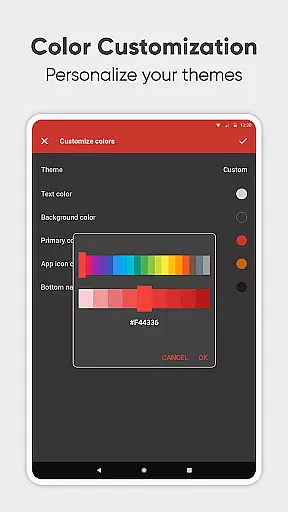
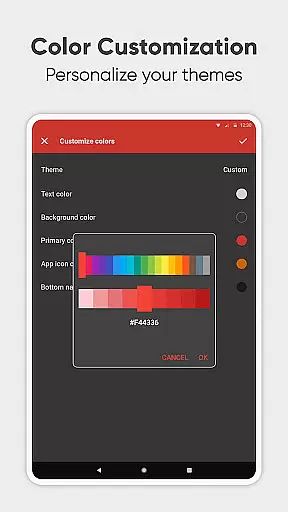
Customization is at the heart of this app's appeal. Users can personalize nearly every facet, including sound settings, vibration patterns, and visual themes. The widget's adaptability extends to color schemes and layout adjustments, providing a unique look and feel. Additionally, the capability to export settings to .txt files enables effortless migration of preferences to new devices, enhancing convenience.
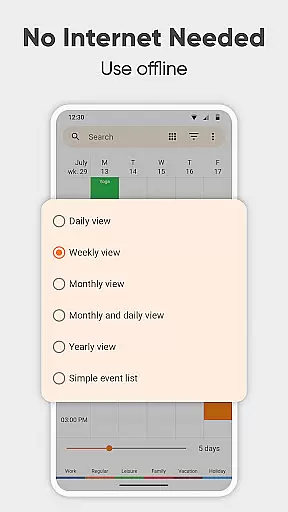
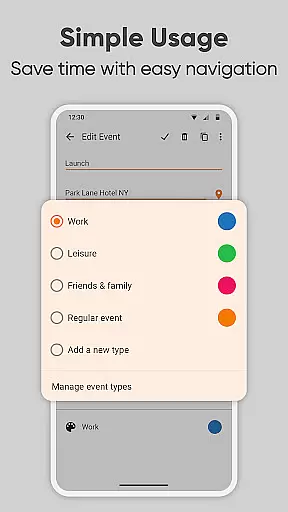
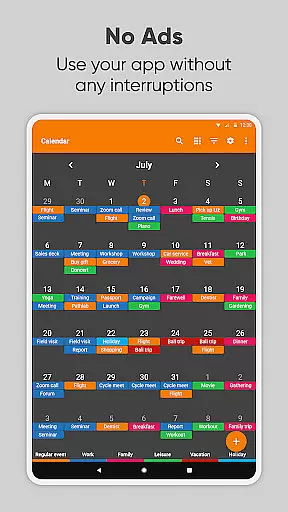
Beyond basic scheduling, Simple Calendar Pro serves as an itinerary manager and weekly planner. It simplifies organizing busy schedules by offering various viewing modes—daily, weekly, monthly, and yearly—alongside quick filters for event types. Integration with maps for location-based events further enriches the planning process. These comprehensive features collectively empower users to take control of their time effectively while enjoying a personalized and ad-free experience.
Task management is at the heart of productivity applications, and Simple Calendar Pro excels in this area. This feature allows users to organize their daily activities effectively, ensuring that nothing important slips through the cracks. The app supports the creation of single and recurring events, making it suitable for both personal and professional use.
Simple Calendar Pro offers flexible event creation options, including setting specific times, durations, and reminders. Users can also establish powerful repetition rules for recurring events, such as weekly meetings or annual celebrations. This flexibility ensures that all types of schedules can be accommodated, providing a comprehensive solution for managing one's time.
The app's ability to sync events via Google Calendar or other CalDAV-supported calendars enhances its task management capabilities. This means users can maintain a consistent schedule across multiple devices and platforms, ensuring they are always up-to-date with their plans. Such synchronization is crucial for those who rely on various tools for their daily operations.
Ultimately, the core task management features of Simple Calendar Pro empower users to take control of their time. With customizable reminders and notifications, individuals can tailor the app to fit their unique needs. This personalized approach not only boosts productivity but also helps maintain a balanced lifestyle, making it an invaluable tool for anyone looking to optimize their daily routines.
Cross-device synchronization is a critical feature for modern productivity apps, and Simple Calendar Pro delivers reliable performance in this aspect. By supporting syncing through Google Calendar and other CalDAV-compatible services, the app ensures that users' schedules remain consistent across all their devices. This seamless integration is vital for professionals and individuals who manage their lives on multiple platforms.
The reliability of Simple Calendar Pro's synchronization is enhanced by its offline capabilities. Since no internet access is required for the app to function, users can trust that their data will be preserved and updated once connectivity is restored. This feature provides peace of mind, knowing that important events won't be lost due to connectivity issues.
In addition to calendar syncing, the app allows for exporting and importing events via .ics files. This functionality enables users to back up their schedules or transfer them between different systems easily. Such flexibility is particularly beneficial for those who need to share their agendas with colleagues or family members, ensuring everyone stays informed.
Overall, the cross-device synchronization reliability of Simple Calendar Pro significantly enhances its value as a productivity tool. Users can confidently plan their days, knowing that their schedules are securely maintained and accessible wherever they go. This assurance not only simplifies time management but also contributes to a more organized and stress-free lifestyle.
User-friendly interface
Highly customizable
Offline functionality
No ads or popups
Cross-platform sync
Limited iOS support
Advanced features may overwhelm beginners
Occasional sync delays
Requires manual updates
Learning curve for customization

A Revolutionary All-in-One Artificial Intelligence Tools
 3.80
3.80
Professional calendar app for Google Calendar, MS Outlook & Exchange
4.20
Wake up & get tasks done! Add alarms & reminders on the Clock Launcher.
4.00
Planet Free VPN - The best Fast Unlimited and Secure VPN Without Logs
4.50
Translate text/voice/photos in 150+ languages. Offline & fast translator app.
4.50
Create and edit presentations with Google Slides, part of Google Workspace.
4.00
* block pre-roll ads, pop-up and forced redirect ads * Samsung certification app
4.00
Ultimate Virtual AI Character for immersive Roleplay Chat. Perfect Companion
3.90
Scan paperwork into PDF/JPG, generate your own e-signature and send fax or email
4.70
Native client for Forgejo and Gitea
5.00
Multilingual translator for text, voice, and image translation!
4.90
Use powerful, industry-leading AI tools to generate visual charts from any data
4.80
A simple Whisper AI keyboard for reliable speech transcription and rewording
4.60
Experience Reading - Night Mode for Documents
4.40
Enjoy classic gameplay with customizable features and retro-style graphics.
4.30
Total remote control for your Android device, PC and cloud services (IFTTT)!
4.20
Device's storage information in a simple and clear graphical form (infographics)
4.10
Font maker keyboard with your own handwriting
4.10
Mega cloud explorer plugin for Solid Explorer
3.80


User Reviews