
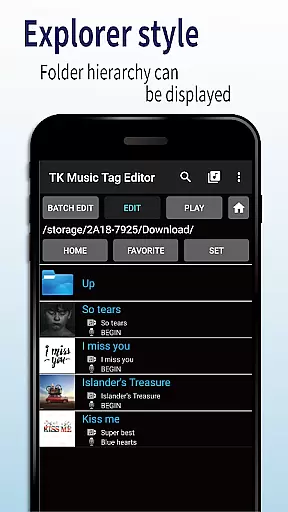
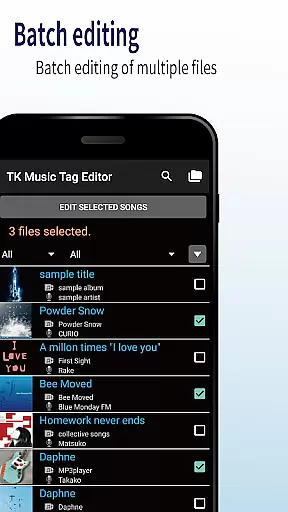
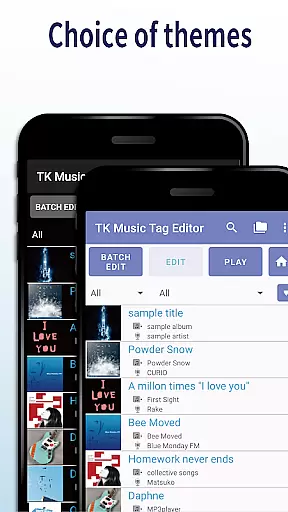
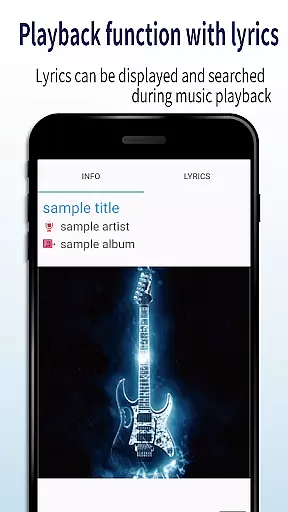
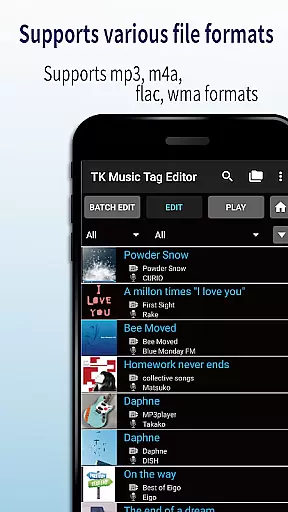
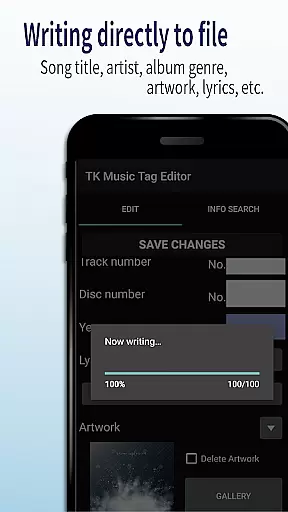
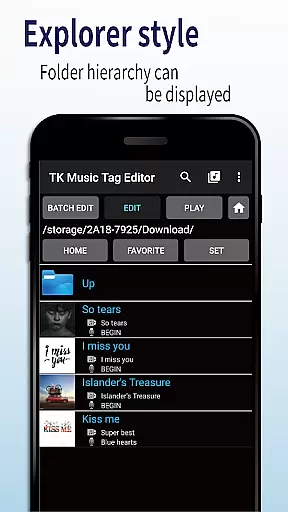
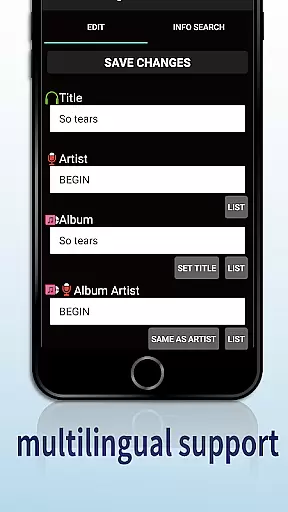
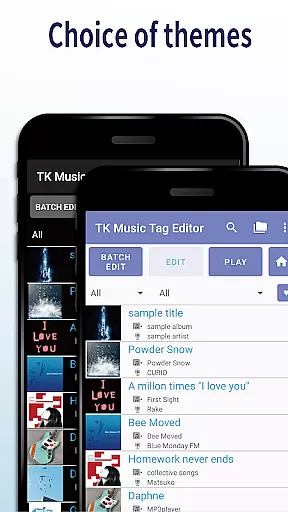
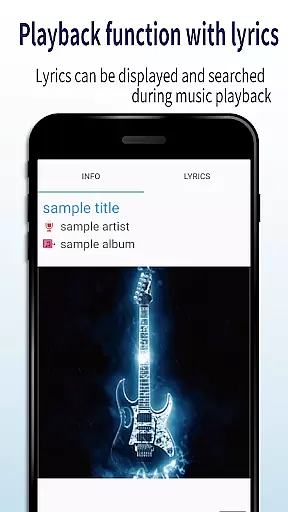
TK Music Tag Editor -Complete- is a comprehensive metadata editing tool designed for music enthusiasts who need precise control over their audio files. This app allows users to edit essential metadata fields such as artist, album, cover art, and lyrics directly within mp3, m4a, flac, and wma files. The changes are written directly into the music files, ensuring that metadata remains intact across different devices, including PCs.
In addition to basic tag editing, TK Music Tag Editor offers advanced features like simultaneous filename editing, playlist creation, and support for multiple file formats. Whether you're organizing a large music library or preparing tracks for distribution, this app provides the tools needed to maintain consistent and professional-quality metadata.
The app's ability to handle various file formats and its detailed approach to metadata management make it particularly useful for users who work with digital audio workstations or need to ensure cross-platform compatibility of their music files.
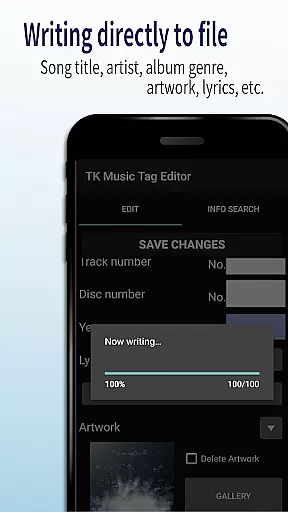
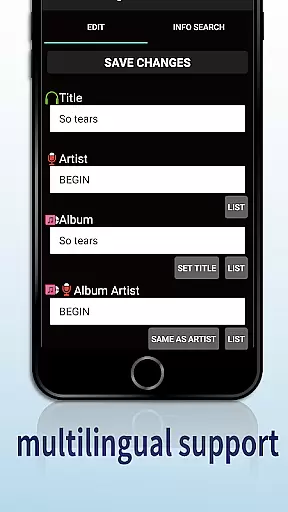
TK Music Tag Editor -Complete- stands out with its robust feature set tailored for meticulous music file management. One of its core capabilities is the direct writing of metadata into music files, which ensures that tags persist regardless of the device used to access the files. Users can edit a wide range of metadata fields, including title, artist, album, cover art, and lyrics, providing complete control over how music files are presented and organized.
Beyond basic tagging, the app supports simultaneous editing of music filenames, allowing users to standardize naming conventions alongside metadata updates. Its playlist creation feature enables easy organization of songs into custom lists, enhancing playback convenience. Furthermore, the app extends its compatibility to include m4a, flac, and wma formats, with intelligent detection and correction of mislabeled mp3 files.
These features collectively empower users to manage extensive music libraries efficiently while maintaining high standards of metadata accuracy and consistency.
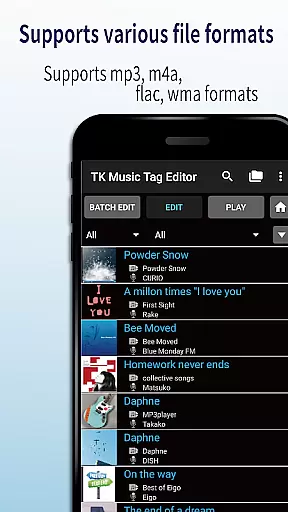
Video Players & Editors like TK Music Tag Editor -Complete- excel in their ability to handle a variety of file formats, ensuring that users can manage metadata across different types of audio files. This app supports mp3, m4a, flac, and wma formats, providing flexibility for users who work with diverse audio libraries.
The importance of video format compatibility lies in its ability to ensure that regardless of the source or original format of the file, users can still access and edit necessary metadata. This feature is crucial for maintaining consistency and accessibility across various devices and platforms.
TK Music Tag Editor achieves this by allowing direct writing of tags into music files. This means that edited metadata such as artist, album, cover art, and lyrics remain intact whether accessed from a PC or any other device. The app also detects mp3 files mislabeled with m4a formats and offers the option to correct these discrepancies.
For users, this translates into a seamless experience where they can organize and maintain their music collections without worrying about format restrictions. Whether creating playlists or editing filenames, the app's comprehensive format support ensures that all user needs are met efficiently and effectively.
In today's digital age, AI-powered editing features have become a cornerstone of efficient media management tools. TK Music Tag Editor -Complete- incorporates intelligent functionalities that streamline the editing process, making it more intuitive and less time-consuming for users.
One standout feature is the simultaneous editing of music filenames. When users modify metadata such as song titles or artists, they can also automatically update filenames to reflect these changes. This dual-editing capability saves significant time and effort, especially when managing large music libraries.
Additionally, the app provides robust playlist creation tools. Users can easily compile and edit playlists, organizing their music according to personal preferences or specific occasions. This feature enhances user engagement by allowing customized listening experiences tailored to individual tastes.
Looking ahead, the developers plan to expand editable metadata options further, driven by user feedback. Such commitment to enhancement underscores the app's dedication to leveraging AI technologies for continuous improvement, ensuring that users always have access to cutting-edge tools for their music editing needs.
User-friendly interface
Multi-format support
Direct tag writing
Playlist creation
Filename editing
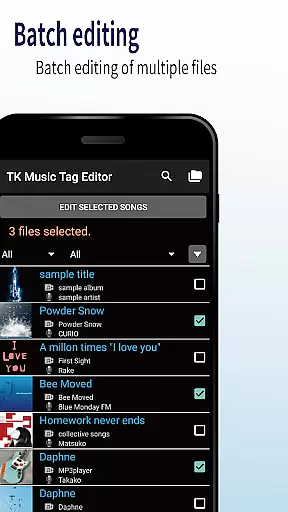
No batch editing
Limited advanced options
Occasional bugs
Basic UI design
Requires caution

Save photos and videos from social apps in one tap.
 3.60
3.60
Watch a large amount of high-definition short drama content
4.60
Stream high quality video from your camera over NDI protocol
4.1
Video player with powerful streaming playback and various convenient features.
2.10
Manage your IPTV live channels and VOD playlists (no playlist included)
3.80
Browser for Fire TV to stream webvideos, online movies, livestreams in HD
4.40
AI Video Editor with Music, Filter, Slideshow, Effect, Merge & Trim Video.
4.80
Screen recorder with audio to take live videos & Screenshot in high quality!
4.70
convenient, safe and fast at Video Downloader & Player
4.60
Pro video editor app for Instagram, edit video with song, AI, effect & slowmo.
4.80
Flud is a simple and beautiful BitTorrent client for Android.
4.80
Video Downloader, Multiple Resolution Options, Video Player
4.50
Add date and time watermark to photos and videos
4.50
Video player, file manager for all formats, 4K/HD media player supports subtitle
4.30
Your media, on your terms.
4.10
LumaFusion: The Ultimate Storytelling Experience for Video Editing
4.10
Powerful, professional, versatile teleprompter. Developed by an active film crew
4.00
Live TV, anywhere in your home
3.80
This app is an emulator of some specific IPTV boxes
3.50


User Reviews