
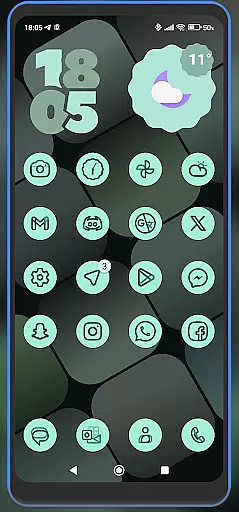
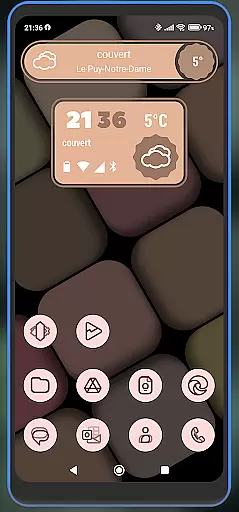
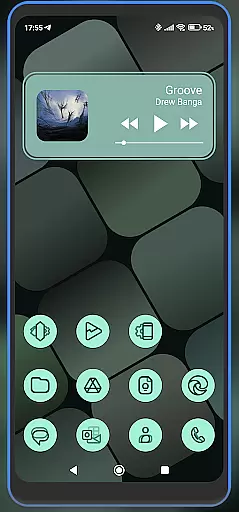
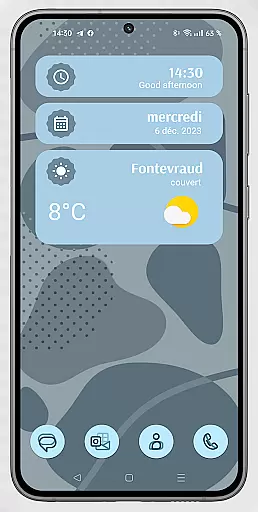
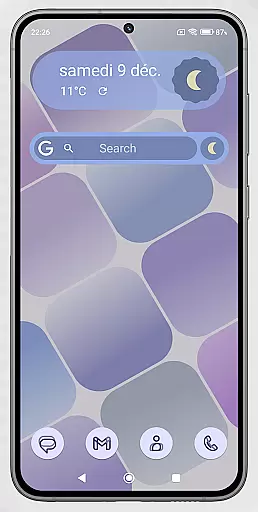
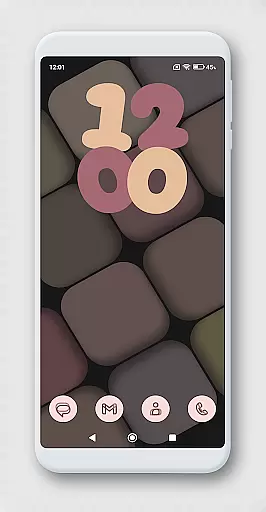
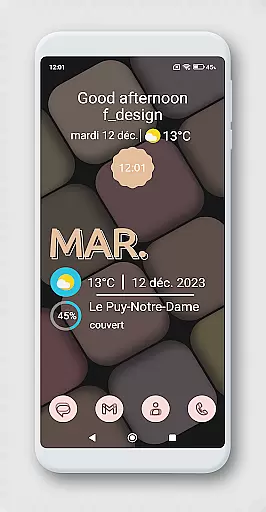
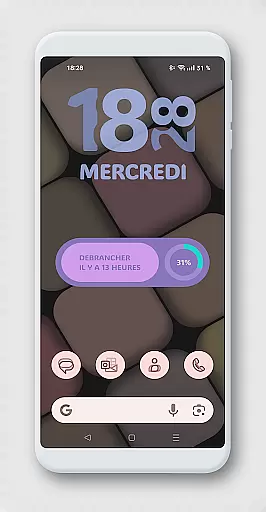
WidgetWall KWGT is a specialized design tool for creating visually appealing home screen widgets on Android devices. It requires both KWGT and KWGT Pro apps to function, ensuring high-quality customization options. The app is particularly suited for users of popular launchers like Nova, Lawnchair, and Smart Launcher 5.
This app allows users to personalize their home screens with unique widgets that can be scaled and adjusted according to individual preferences. By leveraging the KWGT editor, users can fine-tune widget sizes and designs, making it an essential tool for those looking to enhance their device's aesthetics and usability.
WidgetWall KWGT offers a comprehensive set of features for designing and customizing home screen widgets. Users can choose from a variety of pre-designed widgets and further personalize them using the KWGT editor. This includes adjusting the scale, layering, and other visual elements to match their home screen layout.
The app integrates seamlessly with popular launchers such as Nova and Lawnchair, providing a versatile platform for creative expression. With step-by-step instructions on widget configuration, WidgetWall KWGT ensures that even beginners can achieve professional-looking results. This makes it an invaluable tool for both novice and experienced designers looking to elevate their home screen aesthetics.
WidgetWall KWGT offers a comprehensive suite of creative tools for designing home screen widgets. The application integrates seamlessly with KWGT and KWGT Pro, providing users access to advanced customization features.
With WidgetWall KWGT, users can choose from a variety of pre-designed widgets and further tweak them using the powerful KWGT editor. This includes options to adjust scaling, layers, and other visual elements, ensuring each widget perfectly fits the user's home screen layout.
The app supports popular launchers like Nova, Lawnchair, and Smart Launcher 5, making it versatile for different user preferences. This compatibility ensures that creative freedom is not limited by the choice of launcher, offering a consistent experience across devices.
By leveraging the tools provided by WidgetWall KWGT, users can create personalized home screens that reflect their unique style and improve their mobile experience. This level of customization empowers users to take full control over their device's appearance and functionality.
One of the standout features of WidgetWall KWGT is its canvas and format flexibility, allowing users to customize widgets to their exact specifications. This flexibility is crucial for creating widgets that are both functional and aesthetically pleasing.
Users can easily adjust the size and scale of widgets through the layer options in the KWGT editor. This ensures that each widget fits perfectly on the home screen without appearing stretched or pixelated, maintaining visual integrity.
In addition to resizing, WidgetWall KWGT supports various formats, giving users the ability to experiment with different styles and layouts. Whether it's a minimalist design or something more elaborate, the app provides the tools necessary to bring these visions to life.
This flexibility not only enhances the visual appeal of home screens but also improves usability. Users can tailor their widgets to display the most relevant information in a way that's both accessible and visually engaging, enhancing overall productivity and satisfaction.
User-friendly interface
Highly customizable widgets
Compatible with multiple launchers
Comprehensive editing tools
Active community support
Requires KWGT Pro purchase
Complex for beginners
Limited standalone functionality
Dependent on third-party apps
Occasional scaling issues

AI Assistant, powered by ChatGPT GPT-4 & GPT-4o. Your intelligent companion.
 3.50
3.50
AI Face Swap, Video Effects Editor, Realtime Morph, Funny Video FX,AI Filters
3.70
Digital, Abstract, Classic - all types of color wheels in one app!
4.60
Create stunning art with AI.
4.80
Powerful home decoration & house design that allows you to design dream home.
3.80
Art of Combination Wear OS Watch Faces
3.30
Get an overview over all your embroidery threads, projects and more.
4.60
Create Logos, Tattoos, AI Art & more with our AI Photo Generator & Design Editor
4.20
Multiplayer Drawing game, Coloring, Painting・Sketch, Handwriting・Paint, draw
4.30
Convert image to JPG PNG HEIC PDF, support almost all kinds of image formats
4.70
Your AI soulmate — meaningful chats, and unique emotional moments
4.70
The ultimate tool for creating animations
4.60
Turn your drawings into flipbook-style animations with simple creative tools
4.60
The perfect place to start sketching! Use Sketchbook to draw and paint sketches.
4.50
Stylish letters, Stylish Keyboard, Symbols, Emojis, Cool nickname
4.40
Custom Character Creator & PFP Maker!
4.20
Text to Image, Image to Video & AI Chat
4.20
Get creative and make art with your Sesame Friends!
4.00
Apply cartoon, caricature, and portrait effects to make your photos stand out!
3.60


User Reviews