
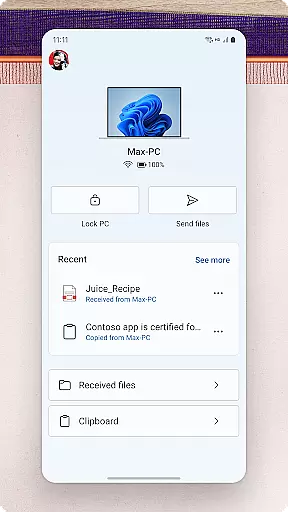
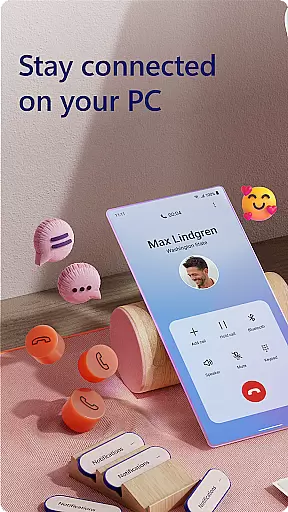
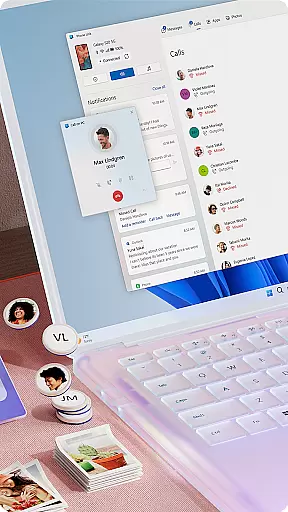
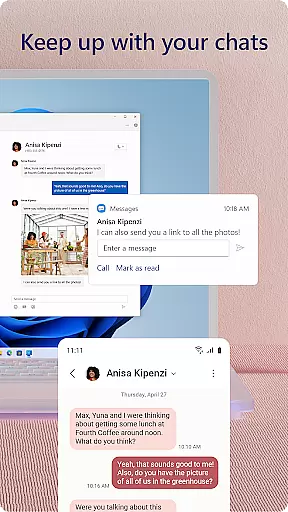
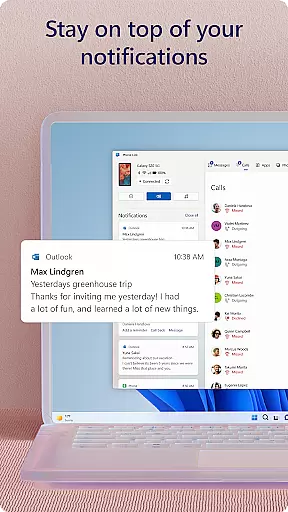
Link to Windows is a productivity-focused application that bridges the gap between your Android phone and Windows PC. This app allows users to seamlessly interact with their mobile devices directly from their computers, offering features such as making and receiving calls, managing notifications, and accessing mobile apps on the PC. With its integration into select Microsoft Duo, Samsung, and HONOR phones, Link to Windows provides an enhanced user experience by enabling functionalities like cross-device copy and paste, file drag-and-drop, and more.
The app's core value lies in its ability to streamline workflows and enhance productivity by allowing users to perform tasks such as replying to text messages, sharing images, and even dragging files between devices without needing to touch their phones. This seamless connectivity not only saves time but also creates a unified ecosystem where both phone and PC work in harmony, catering especially to professionals who require efficient multitasking across devices.
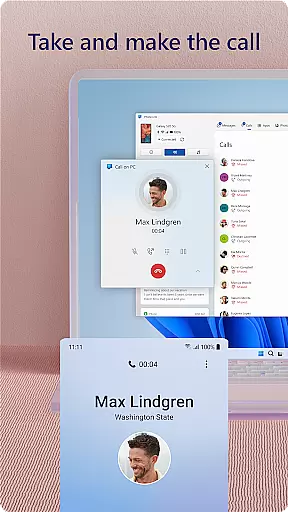
Link to Windows offers a comprehensive suite of features designed to maximize productivity and streamline device management. One of its standout capabilities is the ability to make and receive calls directly from a Windows PC, provided the PC has Bluetooth functionality. Additionally, users can manage their Android phone's notifications right from their desktop, ensuring they never miss important alerts while working.
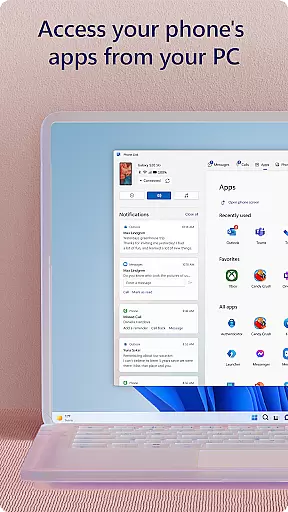
Another key feature is the app's support for accessing favorite mobile apps on the PC, which is particularly useful for multitasking. The app also supports reading and replying to text messages from the computer, dragging files between devices, and copying-pasting content across platforms. For compatible devices, exclusive functionalities such as Phone screen and Apps further extend the app's utility, creating a versatile tool for those looking to integrate their mobile and desktop experiences.
Task management is a cornerstone of productivity applications, and Link to Windows excels in this area by integrating your Android phone's tasks directly into your PC environment. This seamless connection allows users to handle calls, text messages, notifications, and even mobile apps from their desktop.
The app enables you to make and receive calls directly from your PC, provided it has Bluetooth capability. You can also manage text messages and notifications without ever touching your phone, streamlining the way you interact with your mobile device.
For those who multitask across devices, Link to Windows offers an invaluable service. It lets you drag files between your PC and phone, copy and paste content, and instantly access photos on your phone from your PC. These features significantly enhance workflow efficiency and reduce the friction typically associated with switching between devices.
By centralizing these functionalities, Link to Windows not only simplifies task management but also enhances productivity. Users can focus on their work without being interrupted by the need to check their phones constantly, knowing that all essential communications are accessible right from their PC.
Cross-device synchronization is crucial for maintaining productivity, especially when working between a phone and a PC. Link to Windows ensures reliable synchronization by allowing users to seamlessly interact with their Android phone from their Windows PC.
This application supports integrated experiences with select Microsoft Duo, Samsung, and HONOR phones, offering exclusive features like cross-device copy and paste, Phone screen mirroring, file drag-and-drop, and access to mobile apps. These features ensure that actions performed on one device are accurately reflected on the other.
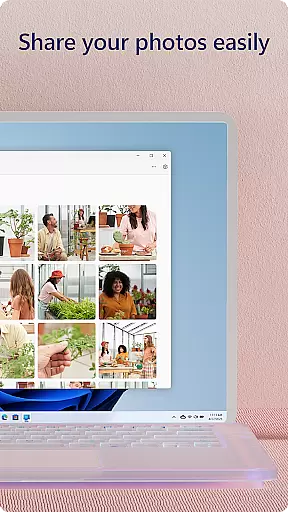
For example, users can share favorite images between their phone and PC effortlessly. They can copy, edit, and even drag and drop photos without needing to touch their phone. This level of integration provides a fluid experience that enhances both convenience and efficiency.
Moreover, Link to Windows leverages the PCu2019s larger screen, keyboard, mouse, and touch capabilities to provide an enhanced interface for interacting with the phone. This robust synchronization ensures that users have a consistent and reliable experience across devices, boosting overall productivity and user satisfaction.
Seamless cross-device integration
Enhanced productivity features
User-friendly interface
Wide compatibility with devices
Regular feature updates
Limited to specific devices
Requires Windows 10 or later
Some features need Android 11
Bluetooth dependency for calls
Occasional sync issues

Send files, sync SMS, notifications & clipboard across devices via local network
 4.40
4.40
aCalendar+ makes your day, week and month
4.70
Easiest event planning, volunteer signups & parent teacher conference scheduling
2.20
Cloud storage, automatic phone backup, and more.
4.10
Docker, Kubernetes management over Portainer Mobile
4.40
* block pre-roll ads, pop-up and forced redirect ads * Samsung certification app
4.00
Great calculator for Android named one of USA TODAY's "25 Essential Apps".
4.90
Secure your apps with lock screens, use custom themes and different features.
4.40
Put a lock on your cloud: Take the security of your data into your own hands
3.70
A beautiful digital clock with autostart and many other functions
4.70
Secure, fast, open-source, Remote Desktop Client for Windows and Linux with SSH
4.60
Translate text/voice/photos in 150+ languages. Offline & fast translator app.
4.50
Enjoy classic gameplay with customizable features and retro-style graphics.
4.30 4.20
4.20
Wake up & get tasks done! Add alarms & reminders on the Clock Launcher.
4.00
Create and edit presentations with Google Slides, part of Google Workspace.
4.00
Experience and share your SolidWorks designs on your Android® phone and tablet.
2.50
Ads Free App! Editor, Hide File, Copy, Move, Delete and Rename.. all facility av
1.70
A simple, portable logger for POTA, SOTA, Field Day, and more
4.0


User Reviews