
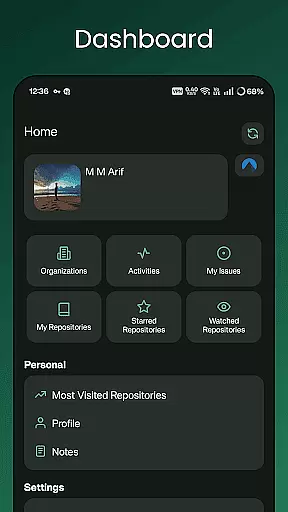
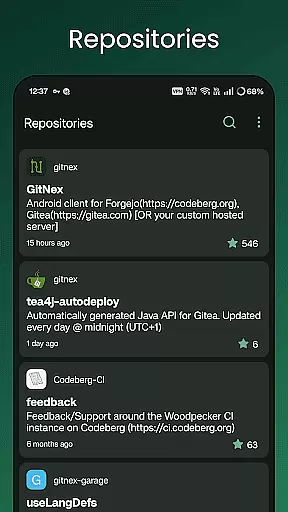
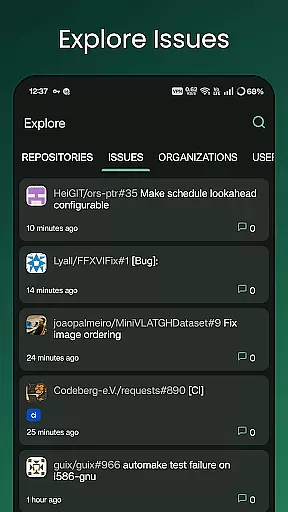
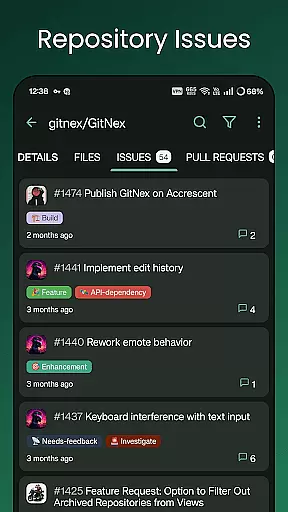
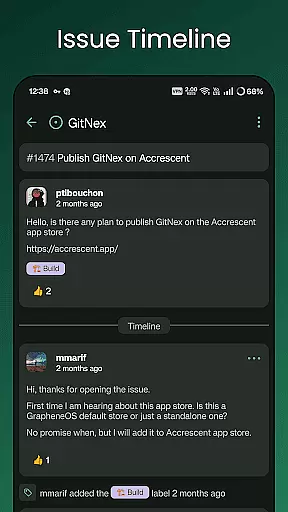
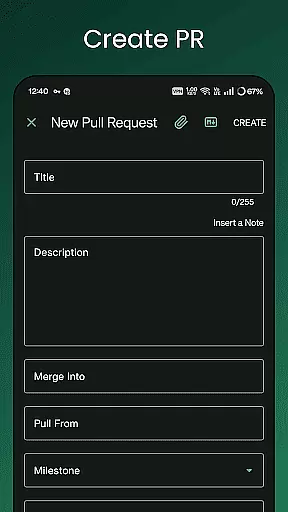
GitNex is a powerful open-source Android client designed for managing Git repositories on Forgejo and Gitea. This productivity-focused app allows users to efficiently handle multiple accounts, browse files and directories, and create various repository elements such as issues, pull requests, wikis, and more.
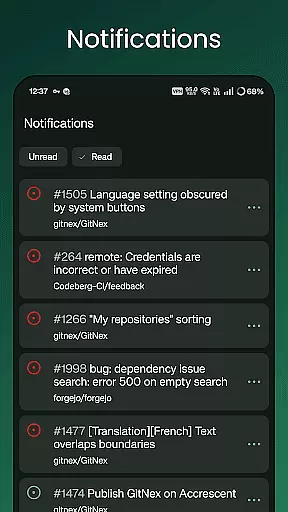
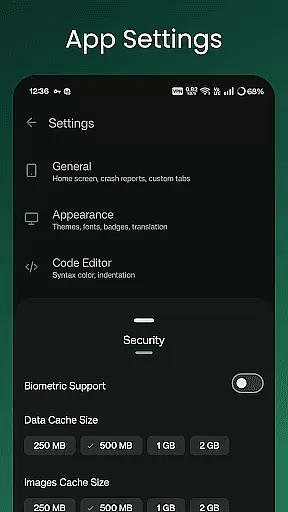
The app's comprehensive feature set includes an extensive settings menu, markdown and emoji support, notifications, and self-signed certificate capabilities. Whether you're exploring repositories or managing milestones and releases, GitNex provides a seamless experience for developers and project managers who need robust repository management on the go.
GitNex offers a rich array of features tailored for productivity enthusiasts. The app supports multiple accounts, making it easy to switch between different profiles without logging out. Its built-in file and directory browser lets users navigate through their repositories effortlessly, while the file viewer enables quick access to code and documentation.
One standout feature is the ability to create and manage various repository components including issues, pull requests, wikis, milestones, and releases directly from the mobile interface. Additionally, GitNex provides lists for repositories, organizations, issues, labels, and commits, along with theme customization options and markdown support, ensuring a personalized and efficient workflow for all users.
Task management is a crucial aspect of productivity applications, especially for tools designed to handle complex workflows like GitNex. This app provides an extensive set of features that streamline repository management tasks.
GitNex supports multiple accounts, allowing users to switch between different profiles seamlessly. It offers lists for pull requests, repositories, organizations, issues, labels, milestones, and releases, ensuring comprehensive oversight and organization of tasks.
The app's file and directory browser, along with the file viewer, simplifies navigation and management of repository contents. Users can create files, issues, pull requests, wiki pages, milestones, releases, and labels directly from their mobile device.
With its markdown and emoji support, GitNex enhances communication clarity and expressiveness within project discussions. The extensive settings and themes options allow users to tailor the app to their workflow preferences, making task management not only efficient but also enjoyable.
Cross-device synchronization is vital for maintaining consistency and access to up-to-date information across all user devices. GitNex excels in this area by providing reliable synchronization capabilities.
Users can manage their Git repositories on the go and trust that any changes made will be accurately reflected when they switch devices. Whether it's updating a file, creating a new issue, or checking notifications, all actions are synchronized in real-time.
Self-signed certificate support adds an extra layer of security during data transmission, ensuring that sensitive repository information remains protected. This feature is particularly beneficial for developers who prioritize data integrity and privacy.
Furthermore, GitNex's notification system keeps users informed about important updates and activities across their repositories, ensuring they never miss critical information regardless of which device they are using at any given time.
User-friendly interface
Multiple account support
Comprehensive feature set
Open-source development
Active community support
Limited to Android
No iOS version available
Requires Forgejo/Gitea
Complex for beginners
Occasional bugs reported

Unlock AutoNotification
 4.00
4.00
The Pro Version of Android's tiniest Notepad app. Just 0.3MB but feature-packed!
4.60
A simple, portable logger for POTA, SOTA, Field Day, and more
4.4
IP Camera Viewer - Android TV : RTSP Surveillance camera viewer for Android TV
4.1
PDF scanner & converter for files, photos, lottery, QR codes. One swipe away!
4.50
Enjoy classic gameplay with customizable features and retro-style graphics.
4.30
All document reader, all in one file viewer read PDF, DOCX, XLS, PPT, TXT files.
4.60
Ultimate Virtual AI Character for immersive Roleplay Chat. Perfect Companion
3.90
Browse and view your photos and videos from the phone with photo & video hide.
4.10
Use powerful, industry-leading AI tools to generate visual charts from any data
4.80
We're working to become the best machining app on the market! www.cncdirt.com
4.80
Calendar 2023 widget for Android. Appointment scheduler, planner, and reminder
4.60
Lightweight PDF, Word, Excel reader.
4.60
Secure your apps with lock screens, use custom themes and different features.
4.40
Automates browsing any website and notifies you of important changes or events
4.30
Professional calendar app for Google Calendar, MS Outlook & Exchange
4.20
Experience real multitasking on your Android!
4.00
Take control of your clipboard with Clipper!
3.90
Ads Free App! Editor, Hide File, Copy, Move, Delete and Rename.. all facility av
1.70


User Reviews