
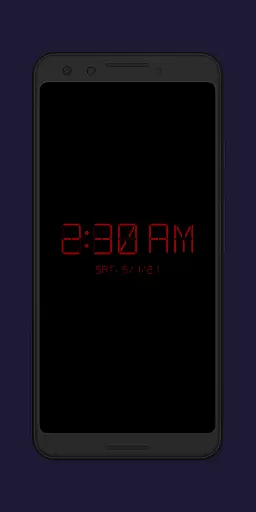
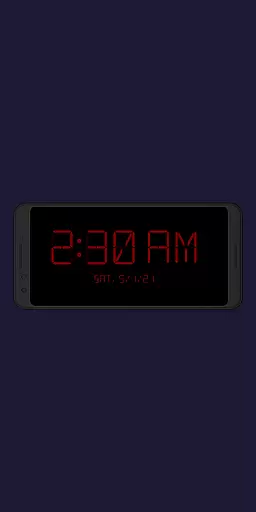
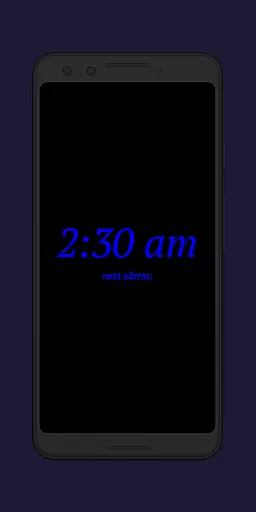
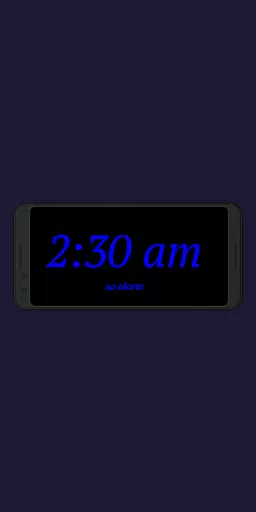
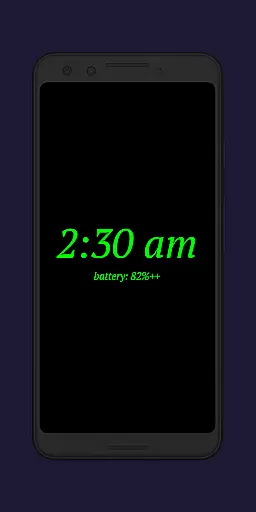
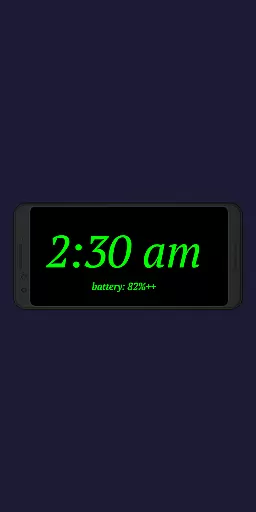
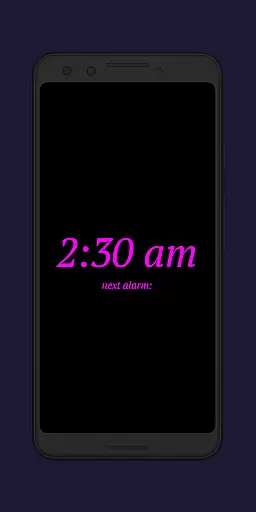
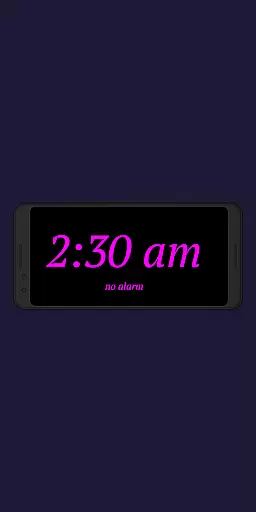
Night Clock + is a versatile digital bedside clock app designed to enhance your nighttime and daytime experience. It functions as both a night clock and a daylight mode clock, making it ideal for use on an old or unused device. The app offers a built-in flashlight feature for convenience when leaving your bed at night.
This supporter version provides all settings and features without limitations, unlike its free counterpart. With customizable font types, colors, brightness levels, and display sizes, Night Clock + ensures a personalized and comfortable viewing experience. Additionally, the automatic night clock start feature activates when a power cord is connected or at a preset time, offering ultimate convenience.
Night Clock + boasts a range of impressive features that cater to various user preferences. Choose from four different font types and adjust the font color to suit your style. The app allows you to freely set the brightness level and display size of the clock elements, ensuring optimal visibility during the night.
One standout feature is the ability to show the next alarm time set in the Android system directly on the night clock screen. The integrated flashlight functionality can be accessed directly from the night clock interface. Moreover, the app includes a screensaver mode where the clock moves very slowly across the screen, adding a unique touch to its overall appeal.
In the realm of productivity applications, core task management is pivotal for organizing daily activities efficiently. Night Clock + integrates essential task management features that cater to users seeking a streamlined digital experience.
This application provides an automatic night clock start feature, triggered either by connecting a power cord or at a preset time, ensuring that your schedule aligns with your rest periods without manual intervention. The inclusion of an alarm display adds another layer of task awareness, presenting the next system alarm directly on the night clock interface.
Users benefit from customizable settings such as font type, color, brightness, and clock element sizes, which allow for personalized task visualization. These options ensure that important information is presented clearly, enhancing the ability to manage tasks effectively even during nighttime hours.
The app's functionality extends beyond mere timekeeping; it acts as a supportive tool for managing one's day-to-day responsibilities with ease and precision. With these features, Night Clock + stands out in the productivity category by offering users an intuitive way to keep track of their commitments while they sleep.
Cross-device synchronization is a critical component for productivity apps, allowing seamless transitions between devices while maintaining consistent data integrity. Although Night Clock + primarily functions as a dedicated night clock, its synchronization aspects are noteworthy.
The application offers a supporter version that unlocks all features without limitations, suggesting a reliable sync mechanism across devices when utilizing the same account. This ensures that user preferences like font styles, colors, and brightness levels are uniformly applied, providing a cohesive experience regardless of the device used.
While explicit cross-device syncing isn't highlighted, the app's design implies stability in maintaining user settings. By focusing on delivering a dependable night clock experience, it indirectly supports task continuity by preserving personalized configurations, which is vital for users relying on consistent environmental cues.
Ultimately, Night Clock + enhances productivity by delivering a reliable and synchronized digital environment. Users can trust that their customized settings will remain constant, promoting a smooth and uninterrupted workflow across different devices.
User-friendly interface
Highly customizable settings
Built-in flashlight functionality
Automatic night clock activation
Daylight mode with adjustable brightness
Limited to Android devices
No iOS version available
Some features locked in free version
Requires specific permissions
May drain battery faster

Send files, sync SMS, notifications & clipboard across devices via local network
 4.40
4.40
Device's storage information in a simple and clear graphical form (infographics)
4.10
Absolutely the best CNC machinist speed and feed calculator around. fswizard.com
4.60
Easiest event planning, volunteer signups & parent teacher conference scheduling
2.20
Font maker keyboard with your own handwriting
4.10
Find and delete junk files & block unwanted notifications & manage files
3.70
Secure your apps with lock screens, use custom themes and different features.
4.40
Lightweight PDF, Word, Excel reader.
4.60
Daily processing of PDF documents.
4.40
Native client for Forgejo and Gitea
5.00
Mind Map and brainstorm, note taking and idea collection
4.80
Protect and view your important info on your phone and tablet with eWallet®
4.80
Scan paperwork into PDF/JPG, generate your own e-signature and send fax or email
4.70
Okta MFA
4.70
Calendar 2023 widget for Android. Appointment scheduler, planner, and reminder
4.60
Experience Reading - Night Mode for Documents
4.40
Unlock AutoNotification
4.00
Customizable calendar widget for seamless event sync, planning & scheduling.
4.00
Simple and reliable communication between inmates, friends and family
3.20


User Reviews