


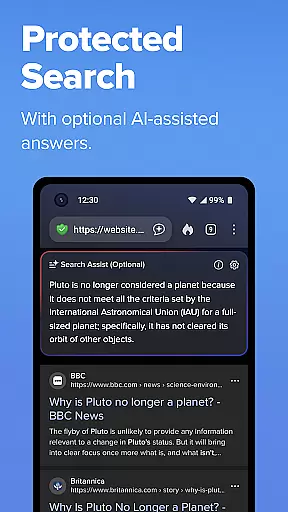
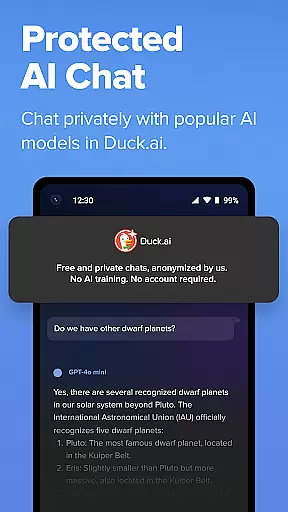
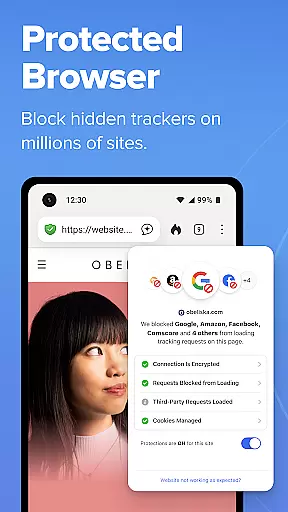
DuckDuckGo is a privacy-focused search engine and browsing application designed to protect users' personal information from being tracked by hackers, scammers, and data-collecting companies. With its built-in search functionality that rivals Google but without tracking user searches, DuckDuckGo offers a secure alternative for online searching and browsing. The app includes features such as ad tracker blocking, cookie protection, and private AI interactions through Search Assist and Duck.ai.
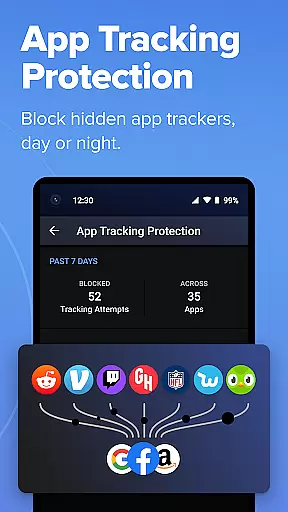
Users can benefit from enhanced privacy protections like 3rd-Party Tracker Loading Protection, which blocks trackers before they load, and Email Protection that anonymizes email addresses. Duck Player allows watching YouTube videos without targeted ads, while App Tracking Protection extends privacy safeguards to other apps on the device. These comprehensive privacy solutions make DuckDuckGo an essential tool for anyone looking to browse the internet with peace of mind.
DuckDuckGo stands out with its robust privacy features tailored for the security-conscious user. Its built-in search engine provides untracked search results, ensuring that users' queries remain confidential. The app actively blocks third-party trackers and cookies, safeguarding users' browsing history and personal data. Additionally, it enforces encryption on many sites, protecting data from network and Wi-Fi snoopers.
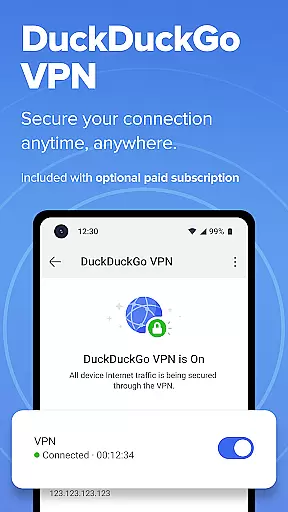
Unique to DuckDuckGo are its optional integrated AI features, including private conversations with AI models via Duck.ai, which do not use user data for training. The app also offers advanced privacy tools like Email Protection, which masks real email addresses, and Duck Player, enabling YouTube viewing without personalized ads. With App Tracking Protection, users gain round-the-clock defense against hidden trackers in other apps, enhancing overall device privacy without relying on a traditional VPN service.
In the realm of productivity, core task management is pivotal for organizing and executing tasks efficiently. DuckDuckGo, primarily known for its privacy-focused search engine, extends its principles into task management by ensuring that your data remains private while you browse and search the web.
DuckDuckGo incorporates features such as tracker blocking, cookie protection, and encryption enforcement to manage your online activities securely. These functions work seamlessly in the background, allowing users to focus on their primary tasks without worrying about privacy breaches or data collection.
Users benefit from a streamlined browsing experience where their searches and activities are not tracked or stored. This allows for a clutter-free digital environment, free from targeted ads and personalized content that could distract from productivity tasks.
The true value lies in empowering users with control over their personal information, thus enhancing focus and efficiency when performing online tasks. By removing the concern of being monitored, DuckDuckGo fosters an atmosphere conducive to pure productivity.
Cross-device synchronization is essential for maintaining workflow continuity across multiple devices. DuckDuckGo addresses this need by providing reliable options to sync encrypted bookmarks and passwords securely across devices.
This functionality ensures that whether you're switching from your phone to your laptop or any other device, your important data like bookmarks and saved credentials are accessible without compromising security. The encryption used in this process guarantees that only you have access to your synchronized information.
For users, this means enhanced convenience without sacrificing privacy. You can pick up right where you left off, regardless of the device, knowing that your data remains protected under stringent encryption protocols.
By prioritizing both synchronization reliability and user privacy, DuckDuckGo sets itself apart as a trustworthy tool for productive individuals who require seamless transitions between their devices while keeping their personal information safeguarded.
Privacy-focused search
Tracker blocking
Private AI chat
Secure browsing
Email protection
Limited advanced features
No native video calls
Fewer customization options
Occasional site compatibility issues
Premium subscription required for full features

A customizable calendar for your Wear OS watch
 4.20
4.20
Take control of your clipboard with Clipper!
3.90
Wake up & get tasks done! Add alarms & reminders on the Clock Launcher.
4.00
Send files, sync SMS, notifications & clipboard across devices via local network
4.40
The upgraded version of Name Wheel with AI and the power to add your own wheels.
4.0
Pwnagotchi companion app
4.20
Stay on top of your to-dos with Google Tasks, part of Google Workspace.
4.60
A beautiful digital clock with autostart and many other functions
4.70
QuickEdit is a fast, stable and full featured text and code editor.
4.20
Mind Map and brainstorm, note taking and idea collection
4.80
Understand anything with a personalized AI research assistant
4.80
Easily read and manage all your PDF files
4.10
Make apps & sites with natural language prompts
4.10
Intelligent AI Assistant
4.10
All in one sketching tool. Technical and General drawing. Online Maps support.
3.70
Smart PDF reader & editor to view, organize and manage PDF documents easily.
3.70
Find and delete junk files & block unwanted notifications & manage files
3.70
Experience and share your SolidWorks designs on your Android® phone and tablet.
2.50
IP Camera Viewer - Android TV : RTSP Surveillance camera viewer for Android TV
4.3


User Reviews