
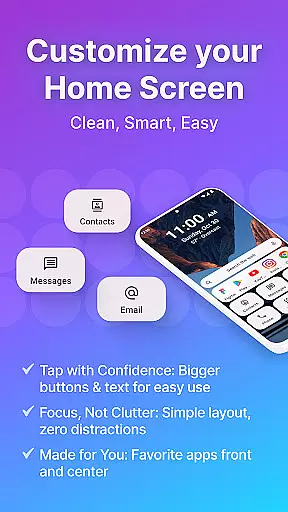
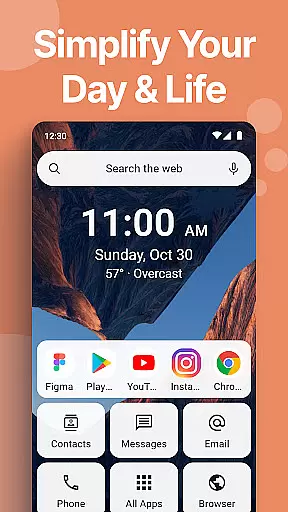
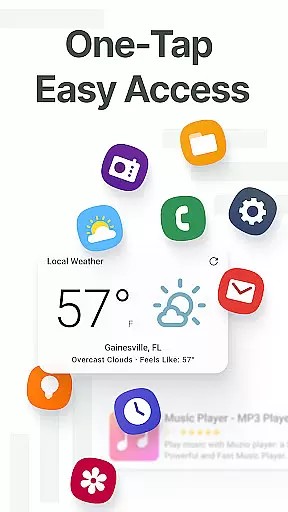
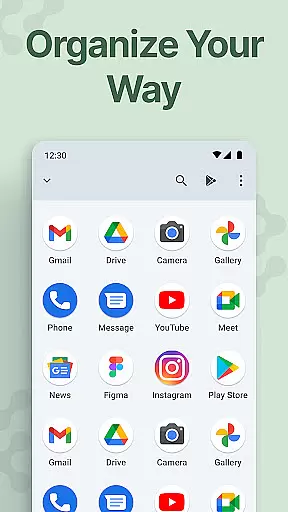
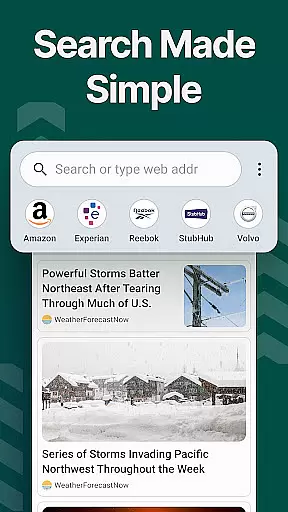
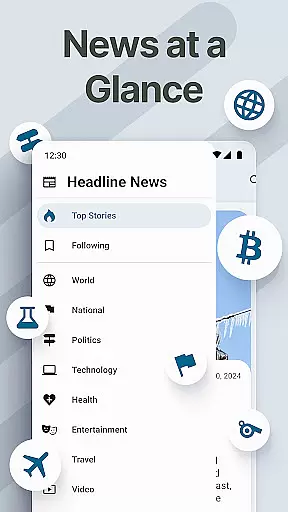
Easy Homescreen is a personalized home screen launcher designed to simplify and declutter your Android device. With its user-friendly interface, the app transforms chaotic screens into organized spaces by prioritizing frequently used apps and tools while hiding unnecessary ones. It offers oversized buttons, clear text, and customizable features such as themes, fonts, and app icons, making navigation intuitive and visually appealing.
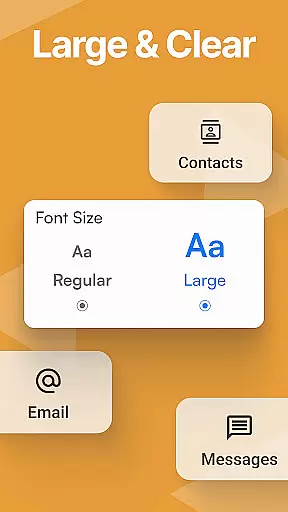
The app also includes accessibility-first design elements like large fonts and buttons, which cater to users of all ages and technical abilities. Its minimalist approach reduces digital noise, creating a calming environment that enhances focus and productivity. Easy Homescreen supports widgets, lockscreen widgets, and even an optional easy-to-use keyboard with larger keys for better typing accessibility. This makes it not just a launcher but a complete personalization tool that adapts to individual needs.
Whether you're looking to organize your digital life or simply want a more accessible phone experience, Easy Homescreen provides a seamless solution. By emphasizing user control and comfort, it empowers individuals to feel confident and at ease every time they use their device.
Easy Homescreen stands out with its robust feature set tailored for both simplicity and customization. One of its core strengths is the smart personalization engine, which intelligently adapts to each user's habits by displaying only the most frequently accessed tools and apps. This ensures that your home screen remains uncluttered and relevant to your daily needs. Additionally, the app offers advanced customization options, including unique themes, custom fonts, and personalized app icons, allowing users to express their style while maintaining usability.
Another notable feature is its suite of accessibility tools. The app incorporates large fonts, oversized buttons, and an optional easy keyboard with enlarged keys, ensuring that users with different needs can navigate comfortably. These accessibility-first design principles make it suitable for all age groups and technical skill levels. Furthermore, Easy Homescreen supports various widget types—homescreen widgets, top widgets, and lockscreen widgets—that keep essential information visible without being intrusive.
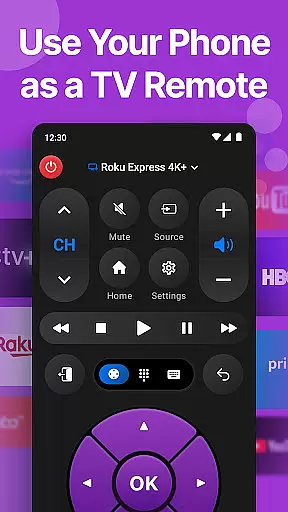
Finally, the app integrates practical utilities like a universal remote and weather app, enhancing its functionality beyond basic launching capabilities. With its commitment to reducing digital stress through a clean UI and thoughtful features, Easy Homescreen creates a personalized yet efficient mobile experience.
Customization is at the heart of Easy Homescreen, offering users a wide array of options to tailor their smartphone experience. This app allows for an unprecedented level of personalization, from custom fonts and themes to personalized app icons, ensuring that your phone truly reflects your style and preferences.
The app's customization extends beyond mere aesthetics. It adapts to each user's unique needs by displaying only the most frequently used tools and hiding the rest, thus streamlining the user interface for efficiency and ease of use. Whether you're aiming for a bold, playful look or a professional vibe, Easy Homescreen molds to fit your desired atmosphere.
With features like widget support, font adjustments, and theme variations, users can create a home screen that not only looks good but also enhances productivity. The ability to customize every aspect of the visual and functional elements ensures that your digital space remains exclusively yours.
This extensive customization empowers users to maintain a clutter-free and intuitive smartphone environment. By focusing on what matters most to the individual, Easy Homescreen transforms the Android experience into something joyful and made for real life, bringing back simplicity and control into every interaction with your device.
Theme compatibility in Easy Homescreen ensures that users can seamlessly integrate their preferred aesthetics across their device without running into formatting or display issues. This feature supports a wide range of themes, allowing users to apply their favorite looks throughout their home screens while maintaining visual consistency.
Easy Homescreen stands out by providing a calming, minimalistic UI designed to reduce digital noise and stress. Its compatibility with various themes means that whether you prefer a vibrant color scheme or a more subdued, monochromatic palette, the launcher maintains its performance and appearance standards.
Moreover, this compatibility extends to include functional elements such as widgets and lockscreen widgets. Users can enjoy helpful tools like weather updates and universal remotes without compromising the cohesive look of their customized interface. These elements remain visible yet unobtrusive, enhancing usability without detracting from the overall design.
Ultimately, Easy Homescreenu2019s commitment to theme compatibility underscores its dedication to user-centric design. By prioritizing flexibility and coherence in theming options, it delivers a personalized and harmonious Android experience that aligns with individual tastes and requirements, making digital interactions both beautiful and efficient.
User-friendly interface
Customizable themes
Accessibility features
Smart personalization
Minimalist design
Limited iOS support
Advanced features locked
Occasional bugs
Ads in free version
Learning curve

Interactive Miniature Painting Catalogue
 3.30
3.30
Ultimate Gallery Lock App - Hide Pictures, Videos and Lock Apps Instantly!
4.60
Custom edge gestures for volume control, brightness, apps, and shortcuts.
4.1
Design your screen with unique, vibrant clocks
3.80
Icons made of colorful linear lines
4.60
Launcher OS™ Pro without ads help make your phone simple and pretty
4.30
Choose your keyboard with RGB colors effect, themes, fonts, emojis.
4.60
Your home screen, just the way you like it.
3.80
Install amazing sticker packs: endless styles, always cool.
4.70
Wallpaper HD 4K Live - Thousands of high-quality Anime backgrounds for you.
4.80
400+ Beautifully crafted widgets inspired by NOTHING.
4.70
Embrace the Night. Unleash the power of darkness with Raven Dark Icon Pack
4.60
Ultra realistic gold analog watch face with lots of customization options.
4.50
Customizable screen pets that play, climb, and keep you company.
4.50
AI-powered Copilot. Personalized keyboard with gifs, stickers & themes
4.40
The definitive Icon pack maker and editor
4.30
App Icon Changer & Shortcut Creator. Customize your icons without any watermarks
4.30
Your go to Weather App & Home Screen. Get your weather at a swipe of a finger!
3.80 3.50
3.50


User Reviews