
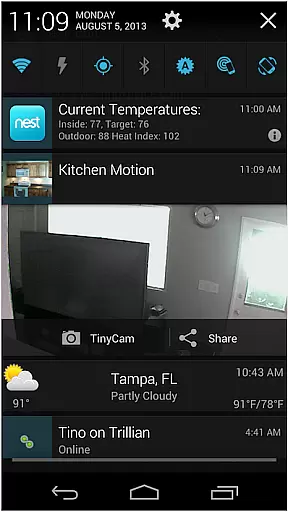
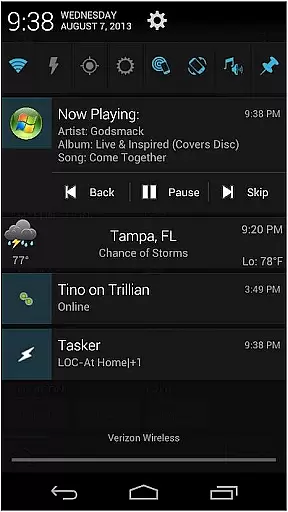
AutoNotification Unlock Key is a productivity-enhancing application that unlocks the full potential of AutoNotification. By purchasing this key, users gain access to advanced features for complete notification management on their Android devices.
This app allows you to customize notifications, automate responses, and integrate with other applications seamlessly. It's ideal for power users who need granular control over their device's notification system.
Whether you're a busy professional or an Android enthusiast, this tool helps streamline your notification workflow, making your device smarter and more efficient.
The key feature of AutoNotification Unlock Key is its ability to unlock premium functionalities in the main AutoNotification app. This includes advanced customization options such as wearable notifications, direct reply from notifications, and personalized notification filters.
Additionally, the app enables integration with automation tools like Tasker, allowing users to create complex notification workflows. These features work together to provide a comprehensive solution for managing Android notifications efficiently.
With regular updates and new feature additions, AutoNotification continues to offer innovative solutions for power users seeking maximum control over their mobile experience.
Task management is a cornerstone of productivity applications, enabling users to organize and prioritize their daily activities effectively. AutoNotification Unlock Key enhances this feature by integrating advanced notification handling into the task management process.
This application allows users to create complex notification-based triggers that automate routine tasks. For instance, it can automatically respond to messages or adjust settings based on the user's current context, streamlining workflows without manual intervention.
The benefit to users is significant time savings and increased efficiency. By automating responses and actions, users can focus on more critical tasks, knowing that their routine notifications are being handled intelligently in the background.
Ultimately, this functionality transforms a simple productivity app into a powerful digital assistant, capable of managing both simple reminders and complex automated workflows with ease.
In today's interconnected world, reliable cross-device synchronization is essential for maintaining productivity across multiple platforms. AutoNotification Unlock Key excels in this area by ensuring seamless data exchange between devices.
The application employs robust cloud-based infrastructure to sync notification preferences and automation rules across all linked devices. Whether switching from a phone to a tablet or vice versa, users experience consistent behavior and access to their customized settings without interruption.
This level of synchronization reliability provides peace of mind, as users can trust that their configurations will follow them wherever they go. It eliminates the need for repetitive setup processes and ensures continuity in task management.
By prioritizing synchronization accuracy and consistency, AutoNotification Unlock Key sets itself apart as a reliable tool for users who demand high performance and dependability in their productivity solutions.
Unlocks full features
Advanced customization
Seamless integrations
Regular updates
Wearable support
Separate purchase
Complex for beginners
Requires main app
No iOS support
Premium cost

When you Focus, so will your Bean in this cozy focus timer
 4.30
4.30
App Lock with fingerprint, password: Lock apps & hide photos with lock screens
4.60
Stay on top of your to-dos with Google Tasks, part of Google Workspace.
4.60
Activate Two Factor Authentication (2FA or Multi OTP), Password manager and more
4.10
A beautiful digital clock with autostart and many other functions
4.70
Quickly and easily keep track of your work shifts
4.70
Use powerful, industry-leading AI tools to generate visual charts from any data
4.80
Set up, print, and get support—in one place
4.20
Put a lock on your cloud: Take the security of your data into your own hands
3.70
Protect and view your important info on your phone and tablet with eWallet®
4.80
The long-awaited modern gallery app for your Nextcloud server
4.70
Secure, fast, open-source, Remote Desktop Client for Windows and Linux with SSH
4.60
The AI assistant that thinks with you - write, code, and solve complex tasks
4.60
Access, manage and transfer files on Android, PC, Mac, NAS and cloud storages.
4.30 4.20
4.20
Pwnagotchi companion app
4.20
Wake up & get tasks done! Add alarms & reminders on the Clock Launcher.
4.00
⏰ Finally a timer app which can run multiple timers simultaneously on your watch
3.90
Smart PDF reader & editor to view, organize and manage PDF documents easily.
3.70


User Reviews