
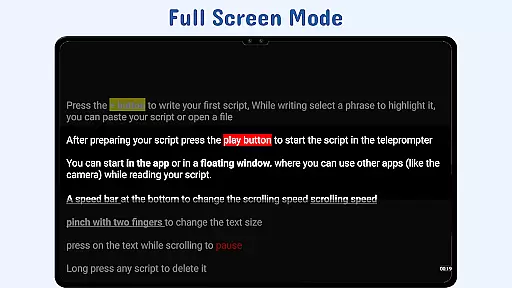
Nano Teleprompter is a versatile productivity tool designed to streamline the process of script management and delivery for video recording, live streaming, or public speaking. With its intuitive interface and robust features, this app ensures users can focus on their performance without distractions.
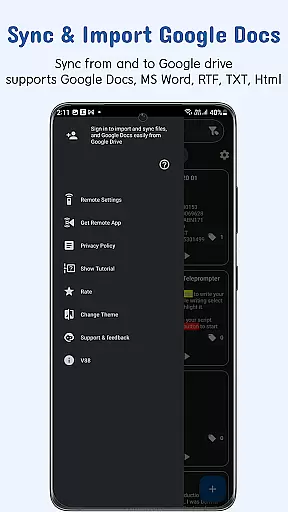
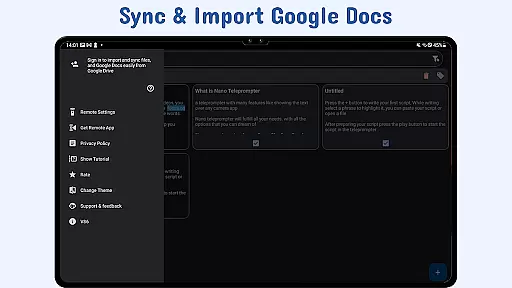
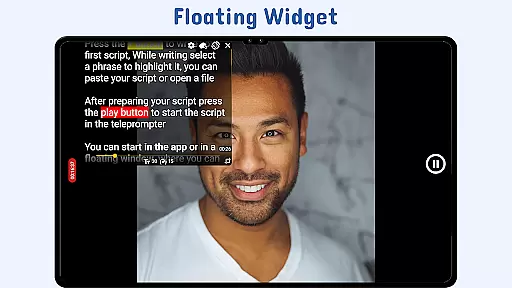
Key functionalities include seamless Google Drive integration, which allows real-time syncing of scripts created or edited in Google Docs, MS Word, RTF, TXT, or HTML formats. The floating teleprompter widget offers flexibility by enabling free movement and resizing during recordings, while customizable text settings enhance readability. Additionally, gesture controls and remote support provide hands-free operation, making Nano Teleprompter an indispensable tool for content creators and professionals alike.
Whether you're a YouTuber, educator, or business presenter, Nano Teleprompter's ability to sync across devices via Google Drive ensures your scripts are always up-to-date and accessible wherever you go.
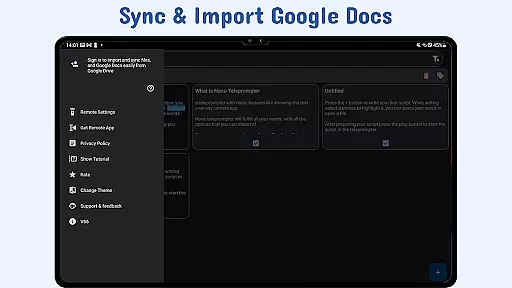
Nano Teleprompter stands out with its comprehensive feature set tailored to meet diverse teleprompting needs. One of its standout capabilities is the real-time Google Drive sync, allowing users to create, edit, and manage scripts directly from their preferred cloud storage platform. This ensures that any changes made to documents stored in Google Drive are automatically reflected within the app.
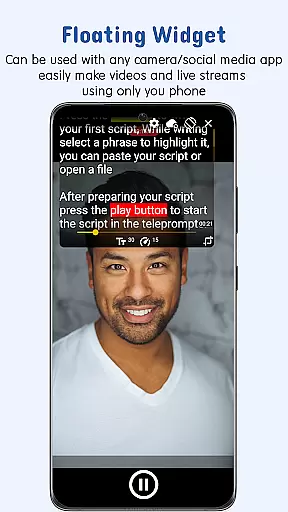
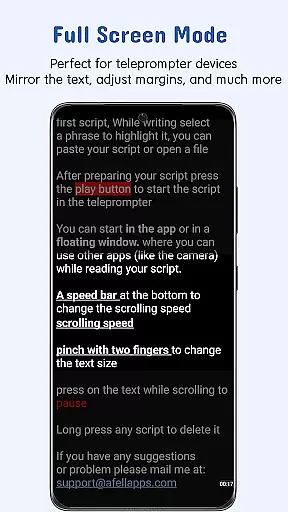
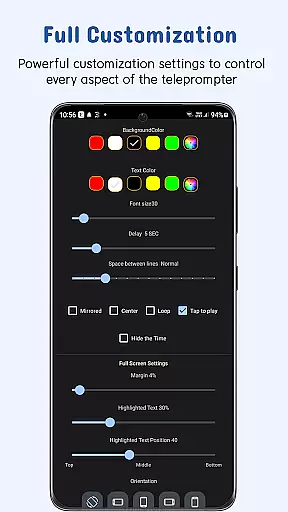
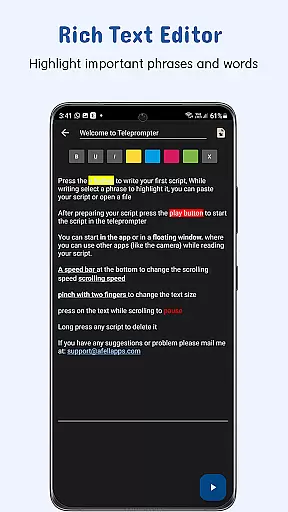
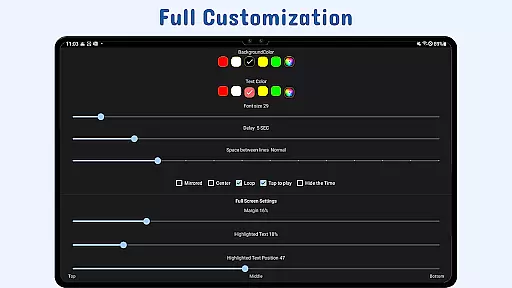
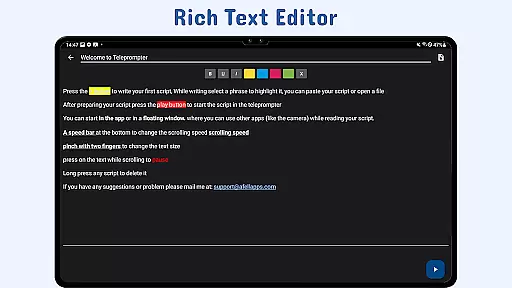
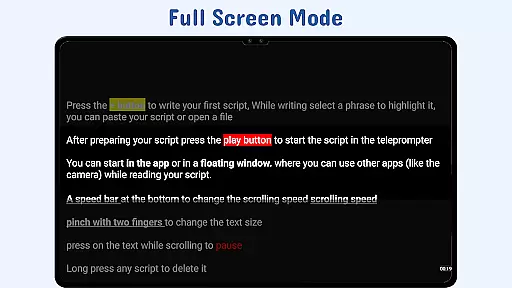
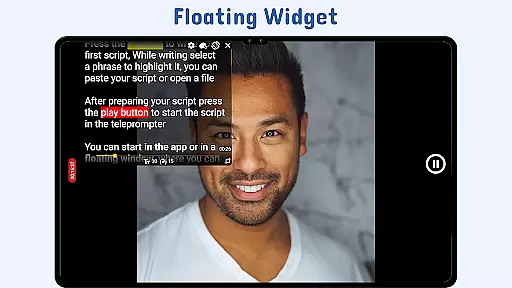
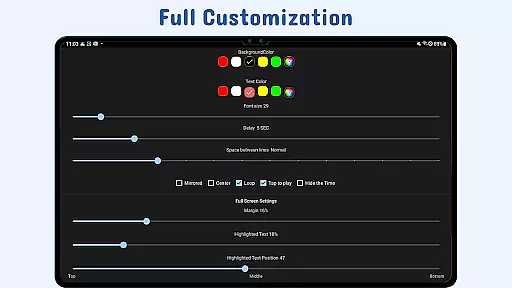
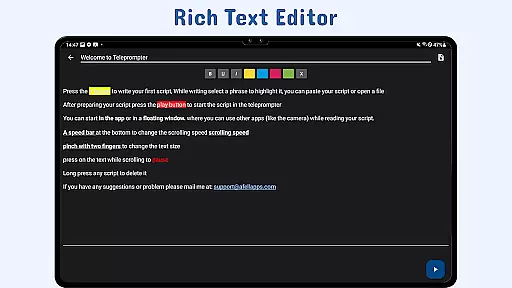
The app also includes a floating teleprompter widget that can be freely resized and positioned over any camera application, supporting both landscape and portrait orientations. Users benefit from customizable text attributes such as size, color, background opacity, margins, and line spacing, ensuring optimal visibility under various lighting conditions. Furthermore, the highlight key phrases feature helps emphasize critical points in the script, aiding delivery precision.
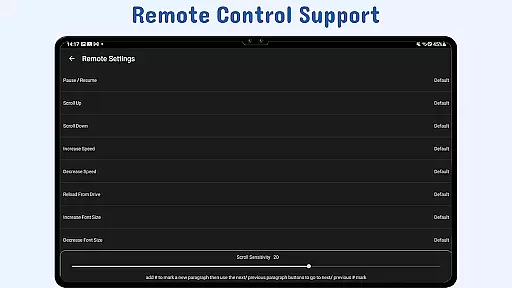
Additional features like gesture controls for zooming and resizing, adjustable scroll delay, and remote control support for hands-free navigation further enhance user experience. These tools collectively empower users to maintain complete control over their presentations while minimizing disruptions caused by manual adjustments.
At the heart of Nano Teleprompter lies its robust core task management system, designed to streamline your workflow. This feature allows users to create, edit, and manage scripts directly through Google Drive, ensuring that all content is up-to-date and readily accessible.
The app's real-time sync functionality means any changes made in Google Drive are instantly reflected within Nano Teleprompter. Whether you're working on a script from your desktop or collaborating with others, this seamless integration ensures everyone has access to the latest version.
Moreover, Nano Teleprompter supports various file formats such as Google Docs, MS Word, RTF, TXT, and HTML, making it versatile for different types of projects. This flexibility empowers users to maintain productivity without being constrained by format limitations.
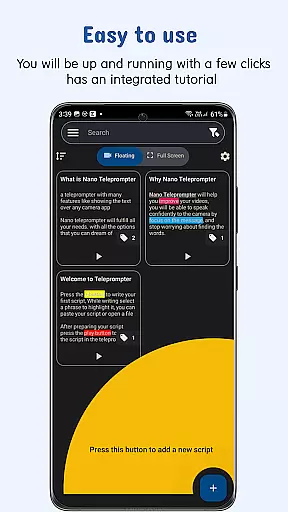
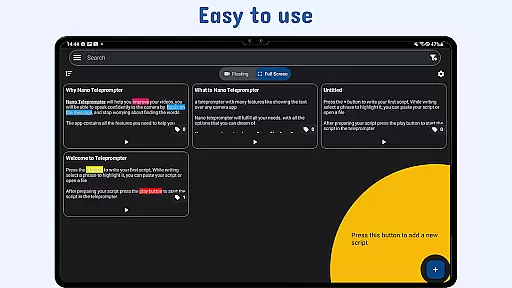
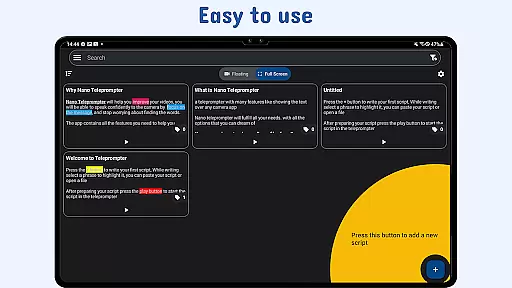
By providing quick script access and the ability to open text files directly from the file explorer, Nano Teleprompter enhances efficiency. Users can focus on delivering their best performance while the app takes care of organizing and presenting their scripts seamlessly.
Nano Teleprompter excels in cross-device synchronization reliability, ensuring that your scripts are always available wherever you go. By leveraging Google Drive, the app provides a secure and dependable way to back up and access your scripts across multiple devices.
This synchronization process is automatic and happens in real time, so you never have to worry about losing your work or accessing outdated files. Whether you switch between your phone, tablet, or computer, Nano Teleprompter keeps everything in sync.
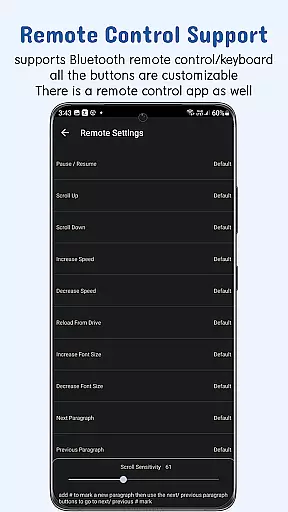
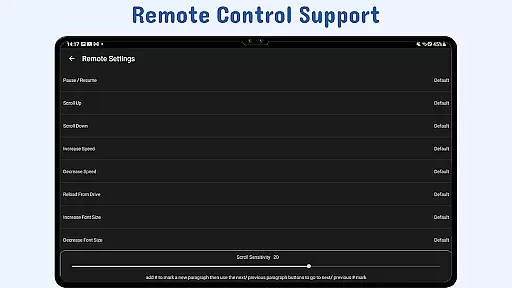
The app also offers customizable remote control options, allowing users to manage their scripts hands-free. With features like adjustable scroll delay and gesture controls, navigating through your script becomes effortless regardless of the device you're using.
Ultimately, Nano Teleprompteru2019s commitment to reliable cross-device functionality ensures that users can deliver their best performance consistently. This level of synchronization reliability makes it an indispensable tool for professionals who require seamless transitions between devices during critical moments.
User-friendly interface
Real-time cloud syncing
Customizable text options
Remote control compatibility
Cross-device accessibility
Limited offline functionality
Premium features require subscription
Occasional sync delays
Interface may overwhelm beginners
Dependent on third-party services

Auto-shutoff Alarm with Sunrise, Sunset & Fixed Options.
 3.50
3.50
Create study competitions, track your hours, and stay consistent with friends
4.3
Easily read and manage all your PDF files
4.10
Protect and view your important info on your phone and tablet with eWallet®
4.80
Make your handwriting beautiful, even more than pen on paper.
3.60
Remotely view listen control and record cameras.
3.70
Easiest event planning, volunteer signups & parent teacher conference scheduling
2.20
Code on-the-go with VScode for Android. Edit,debug and collaborate from mobile!!
3.10
Great calculator for Android named one of USA TODAY's "25 Essential Apps".
4.90
Native client for Forgejo and Gitea
5.00
8 custom complications. Custom Time Fonts. Beautiful color schemes. A++ Design.
5.00
Scientific calculator for Android - looks and operates like the real thing!
4.90
Use powerful, industry-leading AI tools to generate visual charts from any data
4.80
Simple notepad & memo. Take notes, to-do list, shopping list with reminders.
4.80
A simple Whisper AI keyboard for reliable speech transcription and rewording
4.60
This small app MUST BE INSTALLED after purchase, else license won't work
4.40
When you Focus, so will your Bean in this cozy focus timer
4.30
Font maker keyboard with your own handwriting
4.10
Ultimate Virtual AI Character for immersive Roleplay Chat. Perfect Companion
3.90


User Reviews