
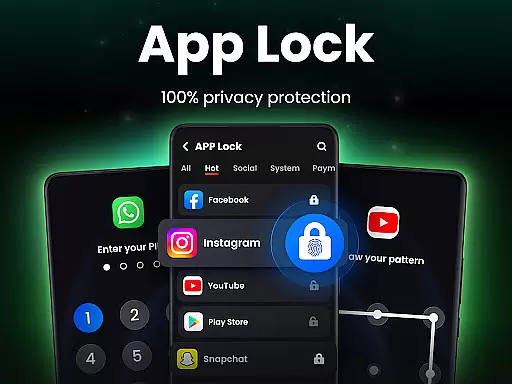
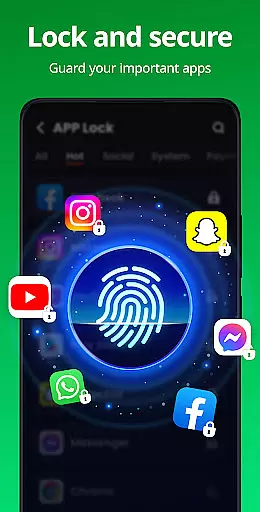
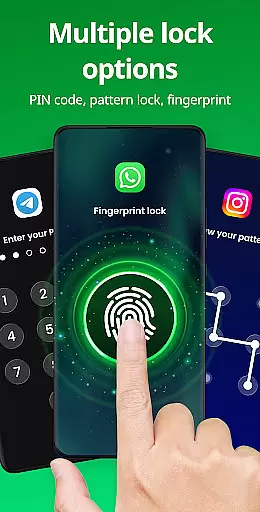
App Lock is a powerful productivity tool designed to protect your private data with one-click security. This app allows users to lock individual apps using PIN, pattern, or fingerprint authentication, ensuring complete privacy and protection from unauthorized access. Whether it's social media apps like WhatsApp and Instagram or sensitive content such as photos and messages, App Lock provides an essential layer of security.
In addition to locking apps, the application offers advanced features like Safe Vault for hiding private files, Intruder Selfie to capture unauthorized access attempts, and Disguise App functionality to conceal its presence. With customizable themes and additional protections like uninstall prevention, this app is ideal for users who prioritize both privacy and personalization.
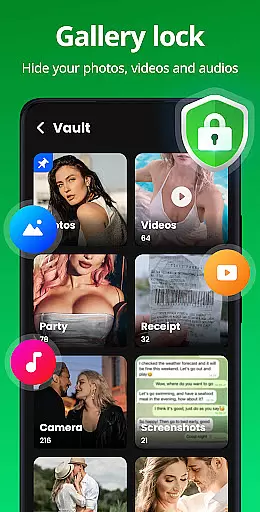
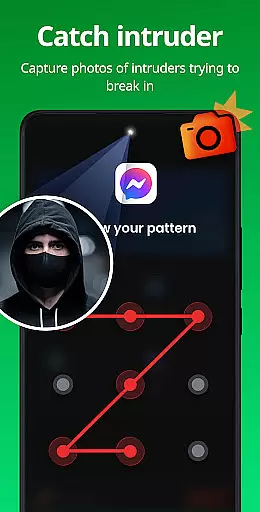
App Lock stands out with its comprehensive set of features tailored for maximum security and usability. The app supports multiple locking methods including PIN, pattern, and fingerprint, giving users flexibility in how they secure their devices. Its Safe Vault feature lets you hide private photos and videos, making them accessible only through the app, while Intruder Selfie automatically takes pictures of anyone attempting unauthorized entry.
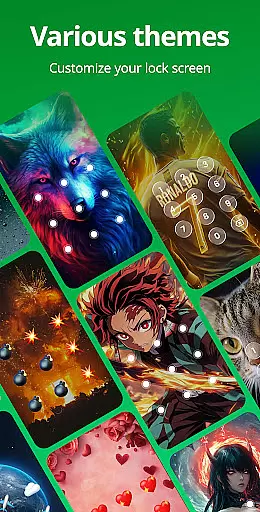
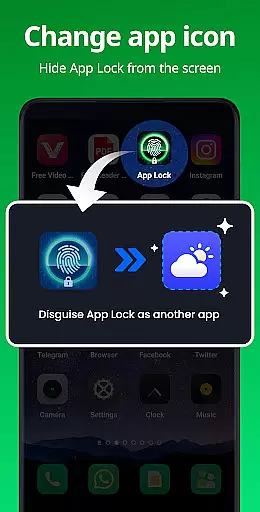
Other notable features include Disguise App, which masks the app’s icon to prevent detection by others, and Uninstall Protection to avoid accidental removal. Users can also customize their experience with various lock screen themes, randomize keyboards, and enable relock settings that automatically secure apps after use. These functionalities ensure that App Lock not only protects but also enhances user convenience.
Task management is a critical aspect of productivity applications, and App Lock excels in this area by offering users the ability to lock apps with a simple click. This functionality ensures that private data within social apps like WhatsApp, Instagram, and Facebook remains secure.
The app provides multiple locking methods including PIN, pattern, or fingerprint, allowing users to choose the most convenient option for their needs. By locking sensitive apps such as Google Pay and PayPal, users can prevent unauthorized transactions and accidental purchases, especially useful in households with children.
With features like Uninstall Protection, users are safeguarded against the loss of hidden files due to accidental uninstallation. This comprehensive approach to task management empowers users to maintain control over their digital environment, ensuring peace of mind and security.
Cross-device synchronization is essential for users who operate multiple devices and need consistent access to their security settings. While App Lock focuses primarily on single-device protection, its robust feature set lays a solid foundation for potential future cross-device capabilities.
Currently, the app offers reliable protection through features like Intruder Selfie, which captures a photo of anyone attempting to break in using the wrong password. Additionally, Disguise App allows users to mask the app's presence by changing its icon, adding an extra layer of security.
Looking ahead, App Lock could enhance its synchronization reliability by implementing cloud backup solutions. This would enable users to back up their data securely and restore it across devices, ensuring seamless protection regardless of where they access their accounts.
Easy-to-use interface
Multiple locking options
Advanced privacy features
Customizable themes
Intruder detection system
Requires many permissions
May slow down older devices
Frequent password requests
Limited free version
Occasional bugs reported

 4.20
4.20
A customizable calendar for your Wear OS watch
4.20
The long-awaited modern gallery app for your Nextcloud server
4.70
Total remote control for your Android device, PC and cloud services (IFTTT)!
4.20
Unlock AutoNotification
4.00
IP Camera Viewer - Android TV : RTSP Surveillance camera viewer for Android TV
4.1
Todo reminder
4.10
Stay on top of your to-dos with Google Tasks, part of Google Workspace.
4.60
The ultimate file manager for rooted devices. The original and still the best.
4.00
Native client for Forgejo and Gitea
5.00
Scientific calculator for Android - looks and operates like the real thing!
4.90
Android Wallet Password Manager
4.80
Use powerful, industry-leading AI tools to generate visual charts from any data
4.80
Subscribe to Webcal & .ics calendars and keep them up-to-date!
4.50
Access, manage and transfer files on Android, PC, Mac, NAS and cloud storages.
4.30
All in One PDF Reader: Manage, Read and Edit your Documents
4.20
Make apps & sites with natural language prompts
4.10
Cloud storage, automatic phone backup, and more.
4.10
A Revolutionary All-in-One Artificial Intelligence Tools
3.80


User Reviews