
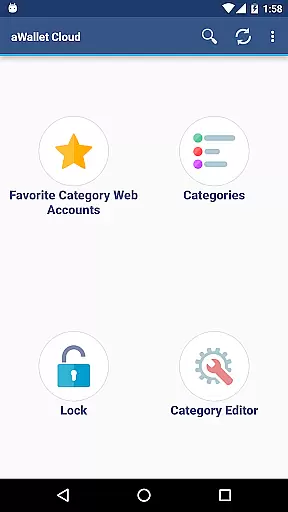
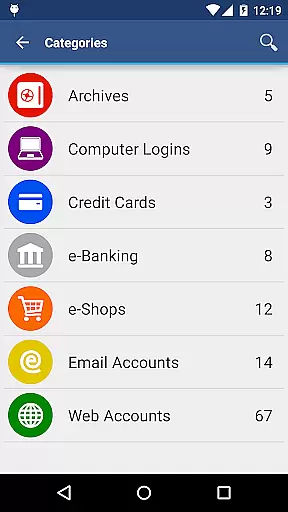
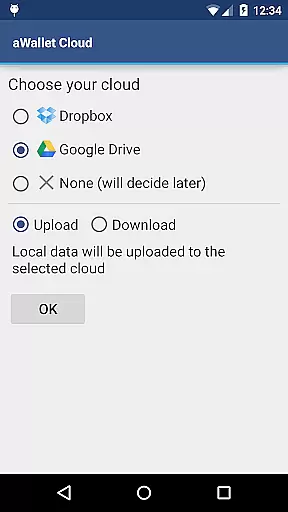
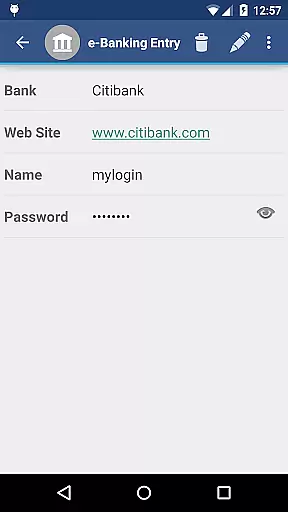
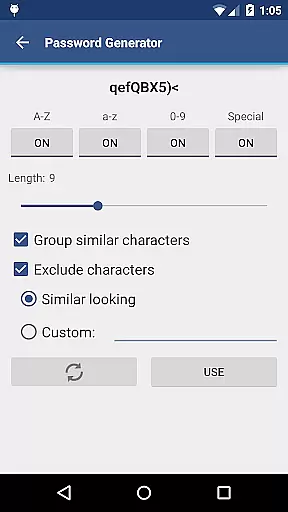
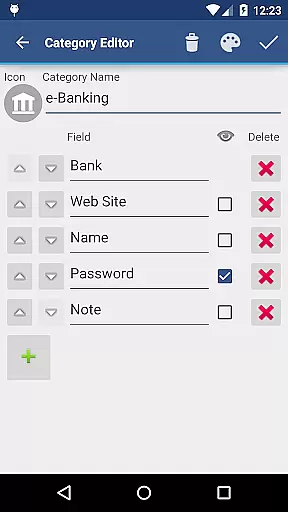
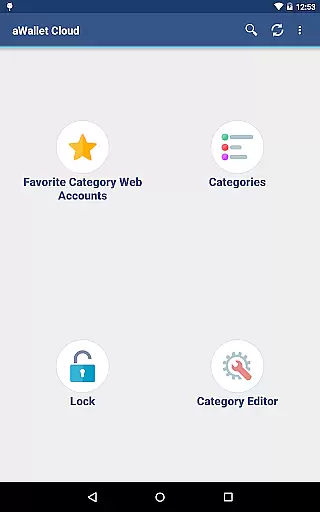
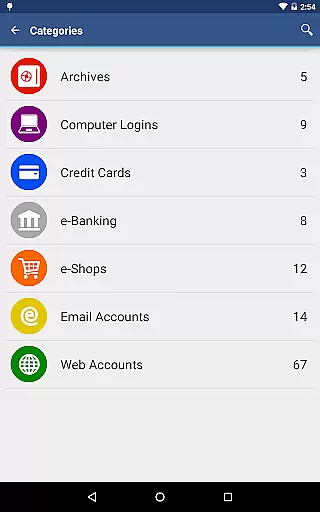
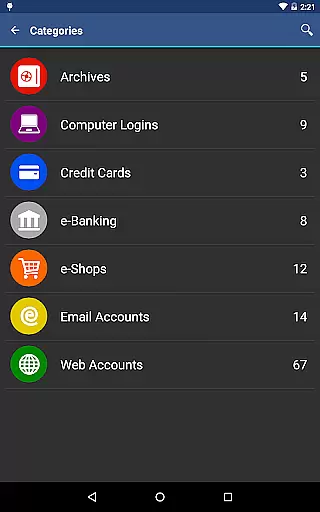
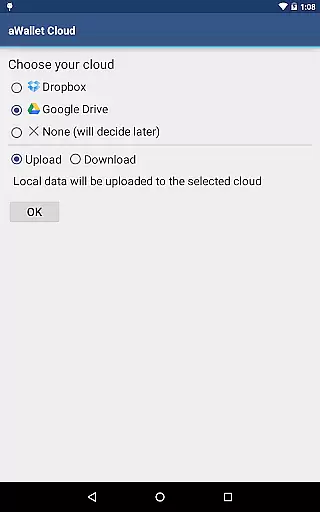
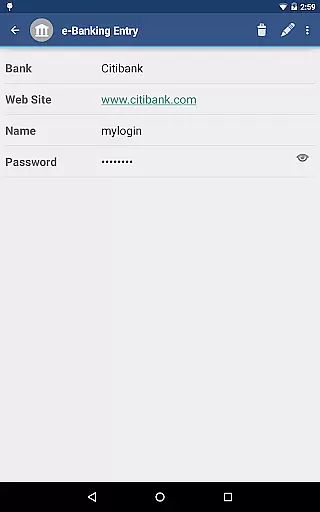
aWallet Cloud Password Manager is a robust productivity application designed to securely store sensitive information such as passwords, credit card details, and e-banking credentials. The app synchronizes encrypted data with your personal cloud storage accounts like Dropbox or Google Drive, ensuring that your information is accessible yet secure across all your devices.
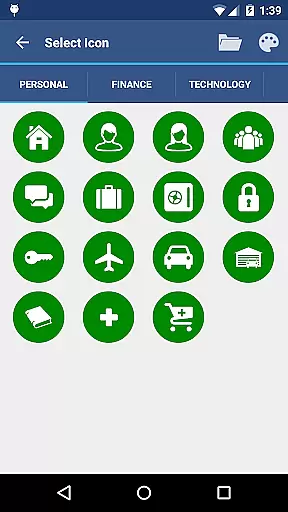
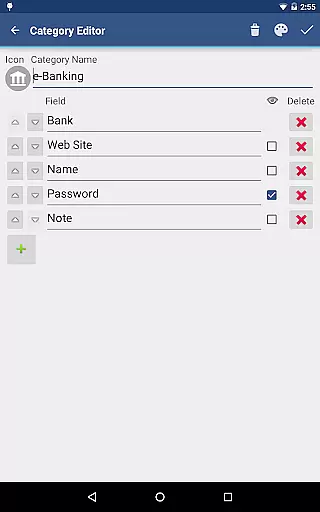
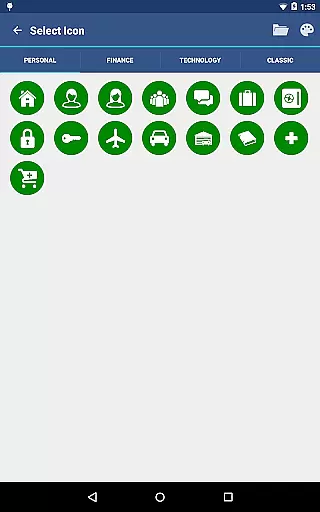
One of the standout features of aWallet is its ability to allow users to manage custom data categories with a built-in editor, complete with custom icons for easy identification. With added functionalities such as search within fields, auto-lock, and support for backup and restore options to an Android USB device, it ensures both convenience and security. Additionally, the app offers pro features like fingerprint and face unlock capabilities on compatible devices, enhancing accessibility without compromising on safety.
The app's comprehensive security measures make it ideal for users who prioritize data protection. It employs advanced encryption algorithms, making it nearly impossible for unauthorized access. Whether you're looking to keep your personal data safe or manage complex work-related credentials, aWallet provides a reliable solution tailored to meet modern security demands.
aWallet Cloud Password Manager stands out due to its extensive feature set tailored for both security and usability. One of its primary features is the synchronization of encrypted data with cloud services like Dropbox and Google Drive, allowing seamless access to critical information from any device while maintaining top-notch security protocols.
In addition to cloud sync, aWallet includes a powerful built-in editor that lets users customize data categories and assign unique icons for quick identification. This flexibility extends to its search functionality, which allows users to search within specific fields, thus streamlining the process of finding particular entries. The app also supports exporting unencrypted data in CSV format to a USB device, providing an extra layer of data management.
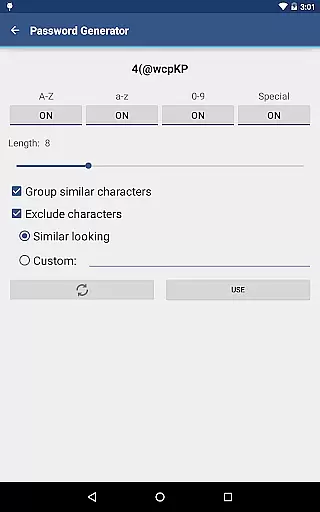
Security remains at the forefront of aWallet’s design. It uses AES or Blowfish encryption algorithms with key sizes up to 256 bits, combined with a randomly generated 'salt' to protect against off-line dictionary attacks. Furthermore, the app incorporates an auto-destruction feature that wipes data after several failed unlock attempts, ensuring that your information remains protected even if your device falls into the wrong hands.
aWallet Cloud Password Manager excels in core task management by offering a comprehensive suite of features designed to securely handle sensitive information. The app allows users to store various types of data, including passwords, credit card details, and e-banking credentials, all within a secure environment.
With its synchronization capabilities, users can seamlessly maintain an up-to-date backup of their encrypted data on cloud services like Dropbox or Google Drive. This ensures that even if a device is lost or damaged, the critical information is not compromised and can be restored on a new device with ease.
The inclusion of a built-in Editor for custom data categories adds another layer of personalization and control, allowing users to tailor the app to their specific needs. Additionally, features such as search functionality, auto-lock, and support for Android USB backups enhance the overall user experience by providing convenience and peace of mind.
Cross-device synchronization is a pivotal feature of aWallet Cloud Password Manager, ensuring that users' encrypted data is reliably updated across all their devices. By leveraging trusted cloud services such as Dropbox and Google Drive, the app provides a seamless way to access your data wherever you are.
This synchronization process is not only about convenience but also about maintaining top-notch security standards. All data is encrypted using robust algorithms like AES or Blowfish, with key sizes up to 256 bits, safeguarding your information during transfer and storage.
Furthermore, the app's ability to try multiple combinations of encryption algorithms and key sizes with the master password adds an extra layer of security against brute force attacks. This means that users can confidently sync their data without worrying about unauthorized access, knowing that their information remains protected at all times.
Highly secure encryption
User-friendly interface
Cloud synchronization
Customizable categories
No advertisements
Premium features cost extra
Complex setup for beginners
Limited free version
Occasional sync issues
Requires cloud account

A Revolutionary All-in-One Artificial Intelligence Tools
 3.80
3.80
Take control of your clipboard with Clipper!
3.90
Auto-shutoff Alarm with Sunrise, Sunset & Fixed Options.
3.50
Total remote control for your Android device, PC and cloud services (IFTTT)!
4.20
Absolutely the best CNC machinist speed and feed calculator around. fswizard.com
4.60
Customizable calendar widget for seamless event sync, planning & scheduling.
4.00
All in One PDF Reader: Manage, Read and Edit your Documents
4.20
Secure, open-source, SPICE and SSH Remote Desktop for QEMU KVM virtual machines
4.00
A beautiful digital clock with autostart and many other functions
4.70
Use powerful, industry-leading AI tools to generate visual charts from any data
4.80
Simple notepad & memo. Take notes, to-do list, shopping list with reminders.
4.80
All document reader, all in one file viewer read PDF, DOCX, XLS, PPT, TXT files.
4.60
Send files, sync SMS, notifications & clipboard across devices via local network
4.40
Professional calendar app for Google Calendar, MS Outlook & Exchange
4.20
Device's storage information in a simple and clear graphical form (infographics)
4.10
Mega cloud explorer plugin for Solid Explorer
3.80
Find and delete junk files & block unwanted notifications & manage files
3.70
Make your handwriting beautiful, even more than pen on paper.
3.60
The upgraded version of Name Wheel with AI and the power to add your own wheels.
4.3


User Reviews