
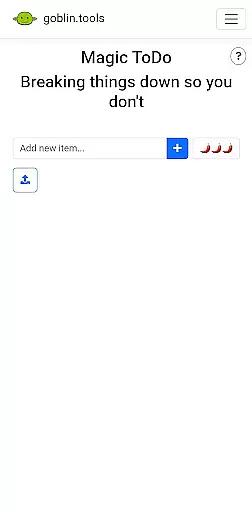
Goblin Tools is a productivity app designed to simplify everyday tasks through a collection of small, intuitive tools. Tailored especially for neurodivergent individuals, it offers solutions for challenges faced by those with ADHD, autism, and executive dysfunction. The app provides clever utilities like task breakdowns, tone adjustment for texts, mood sensing, and more, making it handy for everyone while keeping it ad-free.
With features such as Magic ToDo, Formalizer, Judge, Professor, Consultant, Estimator, Compiler, and Chef, Goblin Tools transforms complicated daily activities into manageable steps. Whether you need help organizing your thoughts or creating a meal from random ingredients, this app equips you with the necessary tools to navigate life's complexities with ease.
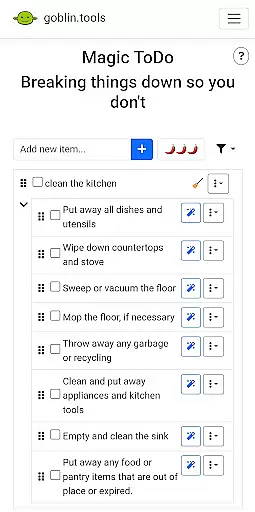
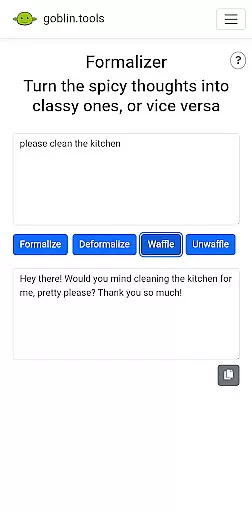
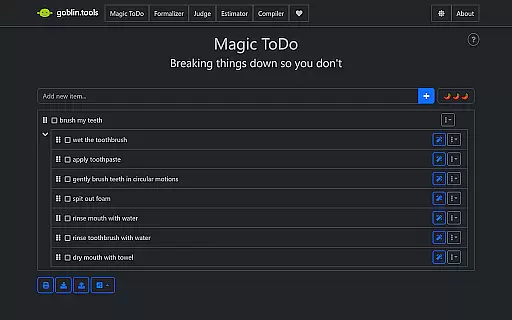
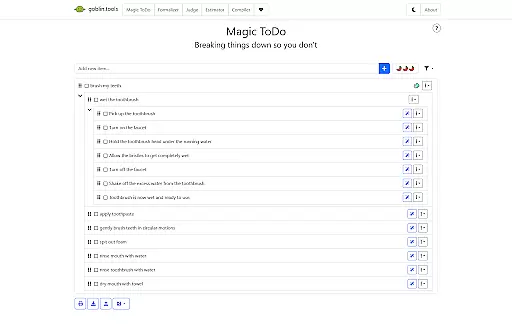
Goblin Tools stands out with its unique set of features crafted to assist users in overcoming various productivity hurdles. Magic ToDo helps break down any task into smaller, achievable steps, while Formalizer adjusts the tone of your text for better communication. Judge analyzes the emotion behind messages, and Professor simplifies complex information for any age group.
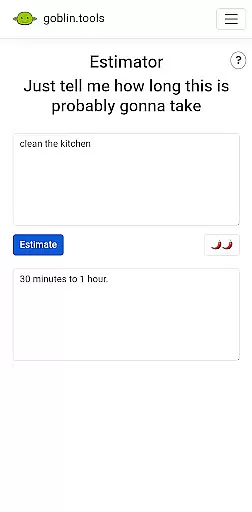
Additionally, Consultant aids in decision-making between options, Estimator provides rough time estimates for activities, Compiler organizes scattered thoughts into actionable plans, and Chef creates recipes from available ingredients. Each feature is designed to untangle the intricate aspects of daily life, offering support that enhances focus and efficiency for neurodivergent users and beyond.
At the heart of Goblin Tools lies its ability to simplify core task management, turning overwhelming responsibilities into manageable actions. This is particularly crucial for neurodivergent users who face unique challenges in organizing their day-to-day activities.
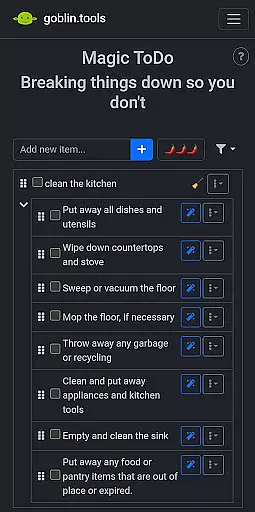
The Magic ToDo feature breaks down any daunting task into smaller, more digestible steps, making it easier to start and complete tasks without feeling overwhelmed. Meanwhile, the Compiler tool helps organize scattered thoughts into coherent action plans, streamlining the process from brainstorming to execution.
Users benefit from a structured yet flexible approach to task management that adapts to their individual needs. Whether it's handling work projects or personal errands, Goblin Tools provides a supportive framework that enhances productivity while reducing stress.
This innovative approach not only boosts efficiency but also empowers users by giving them greater control over their workflow. The app's thoughtful design makes task management accessible and achievable for everyone, regardless of their cognitive style.
In today's interconnected world, reliable cross-device synchronization is essential for maintaining productivity across different platforms. Goblin Tools excels in this area by ensuring seamless data transfer and consistency between devices.
Whether you're switching from your phone to a tablet or desktop, all your information remains up-to-date and accessible. This includes your carefully crafted to-do lists, brain-dumps, and even recipe creations from the Chef feature, allowing you to pick up right where you left off.
The app's robust synchronization system guarantees that no data is lost or delayed during transfers, providing peace of mind for users who rely on constant access to their productivity tools. This reliability is especially valuable for those managing complex schedules or juggling multiple responsibilities.
By prioritizing synchronization accuracy and speed, Goblin Tools ensures that users can focus on their tasks rather than worrying about technical inconsistencies. This commitment to seamless integration across devices sets the app apart in the productivity category.
User-friendly design
Versatile toolset
Supports neurodivergence
Ad-free experience
Practical utilities
Limited advanced features
Not for complex projects
Few customization options
Basic interface
Small user base

Auto-shutoff Alarm with Sunrise, Sunset & Fixed Options.
 3.50
3.50
Create study competitions, track your hours, and stay consistent with friends
4.5
Smart PDF reader & editor to view, organize and manage PDF documents easily.
3.70
Pwnagotchi companion app
4.20
Todo reminder
4.10
The AI assistant that thinks with you - write, code, and solve complex tasks
4.60
Tally and goal counter for Wear OS & mobile
4.50
Seamlessly read, manage, and organize all your PDF files solution in one place
4.40
Browse and view your photos and videos from the phone with photo & video hide.
4.10
Native client for Forgejo and Gitea
5.00
Secure, fast, open-source, VNC and SSH Remote Desktop for Windows, Linux and Mac
4.70
A beautiful digital clock with autostart and many other functions
4.70
Quickly and easily keep track of your work shifts
4.70
Planet Free VPN - The best Fast Unlimited and Secure VPN Without Logs
4.50
When you Focus, so will your Bean in this cozy focus timer
4.30
Wake up & get tasks done! Add alarms & reminders on the Clock Launcher.
4.00
Take control of your clipboard with Clipper!
3.90
⏰ Finally a timer app which can run multiple timers simultaneously on your watch
3.90
Ultimate Virtual AI Character for immersive Roleplay Chat. Perfect Companion
3.90


User Reviews