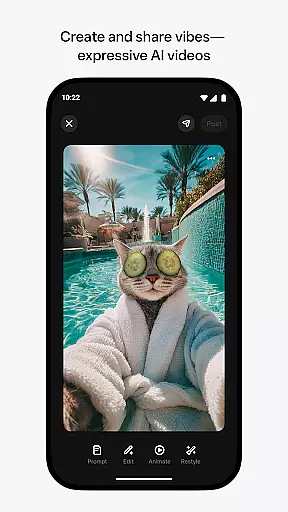
Meta AI is a productivity app that allows users to create and share AI-generated videos with custom animations, music, and more. The app provides tailored answers and inspiration on-the-go, making it an ideal tool for creative professionals and hobbyists alike. With the ability to pair and manage AI glasses, Meta AI offers a unique hands-free experience. Whether you're looking to generate creative content or get quick answers, Meta AI has you covered.
The app's standout feature is its industry-leading AI models that enable users to create expressive videos by simply describing their vision. Users can also explore and remix content from other creators, fostering a collaborative community. Available in select countries and languages, Meta AI is constantly evolving with new features being rolled out gradually.
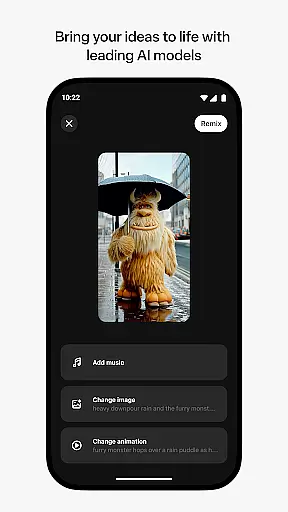
Meta AI stands out with its powerful AI-driven video creation tools. Users can generate videos by providing simple descriptions, choosing from various animations, music tracks, and styles. This flexibility allows for endless creative possibilities. The app also includes a voice and text assistant for personal AI assistance throughout the day, enhancing productivity.
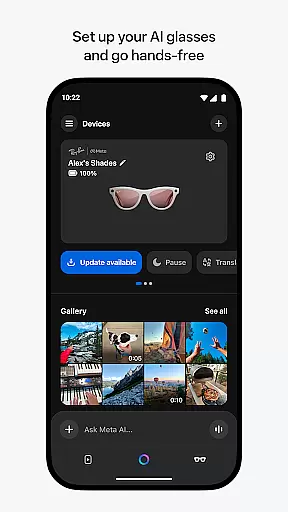
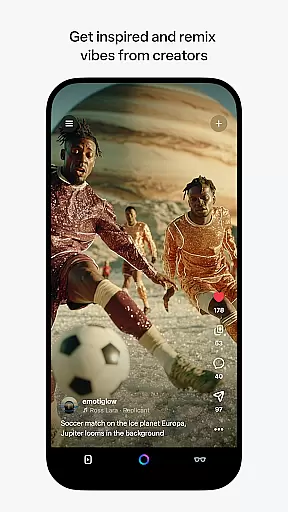
Another key feature is the ability to pair with Meta AI glasses, offering a hands-free experience for managing media and more. The app serves as the essential companion for these glasses, allowing users to import and share media seamlessly. With a vibrant feed of content from other AI creators, users can discover new ideas and instantly remix them into their own creations.
Meta AI offers a robust platform for creating and managing AI-generated content, making it an essential tool for productivity. The app's core task management revolves around its ability to generate tailored videos with custom animations and music based on user input.
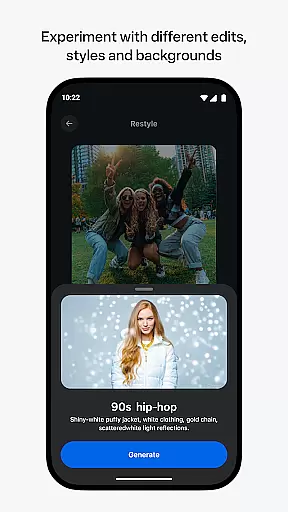
Users can describe their desired video concept, and Meta AI brings it to life with various edits and styles. This feature streamlines the creative process by allowing users to focus on the vision while the app handles the technical execution.
The app also enables remixing of existing content from other creators, fostering a collaborative environment where ideas can be shared and built upon. This functionality not only enhances individual productivity but also encourages community engagement and innovation.
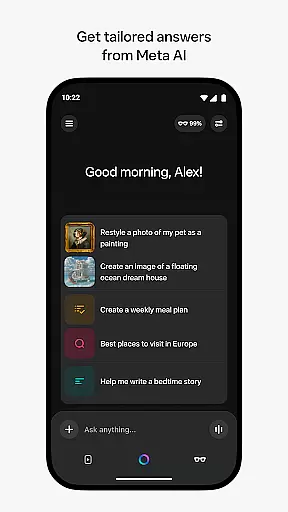
By integrating voice and text assistance, Meta AI ensures that users can receive personalized help throughout their day, further enhancing task management capabilities. This comprehensive approach makes the app a versatile companion for both creative and organizational tasks.
Cross-device synchronization is a critical aspect of Meta AI, ensuring that users can seamlessly manage their AI glasses and other devices. The app serves as the central hub for pairing and controlling Meta AI glasses, providing a reliable connection for hands-free operation.
Through the Meta AI app, users can import and share media across devices without interruption. This synchronization capability allows for a smooth transition between creating content on the app and capturing real-world moments with AI glasses.
The app maintains consistent performance even when rolling out new features gradually across different regions and languages. This deliberate approach ensures that all users experience stable and dependable synchronization regardless of location.
For any issues encountered, the intuitive feedback system - activated by simply shaking the phone - guarantees prompt reporting and resolution. This commitment to reliability establishes Meta AI as a trustworthy solution for cross-device management in productivity scenarios.
User-friendly interface
Powerful AI models
Versatile video creation
Collaborative community
Hands-free experience
Limited language support
Feature rollout delays
Requires AI glasses
Premium features cost
Country restrictions

Seamlessly integrate data and reports to build your presentation to impress
 4.80
4.80
Ads Free App! Editor, Hide File, Copy, Move, Delete and Rename.. all facility av
1.70
A simple, portable logger for POTA, SOTA, Field Day, and more
4.4
CalenGoo is a very flexible and feature-rich calendar app
4.40
PDF scanner & converter for files, photos, lottery, QR codes. One swipe away!
4.50
Enjoy classic gameplay with customizable features and retro-style graphics.
4.30
To do list widget with a notebook organizer, checklist, simple shopping list
4.60
AT&T Internet customers can use this app to personalize their Wi-Fi network.
4.40
Put a lock on your cloud: Take the security of your data into your own hands
3.70
Scientific calculator for Android - looks and operates like the real thing!
4.90
Android Wallet Password Manager
4.80
Understand anything with a personalized AI research assistant
4.80
Quickly and easily keep track of your work shifts
4.70
Subscribe to Webcal & .ics calendars and keep them up-to-date!
4.50
Todo reminder
4.10
All in one sketching tool. Technical and General drawing. Online Maps support.
3.70
Remotely view listen control and record cameras.
3.70
Make your handwriting beautiful, even more than pen on paper.
3.60
Easiest event planning, volunteer signups & parent teacher conference scheduling
2.20


User Reviews