

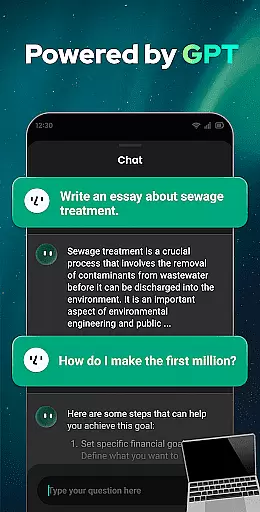
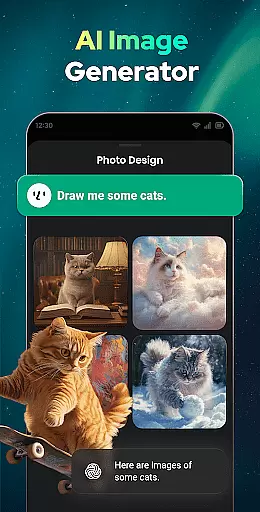

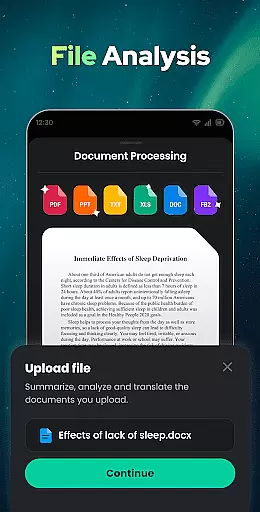

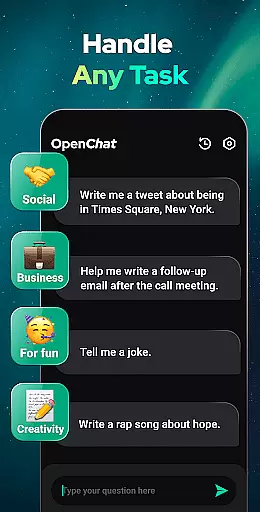
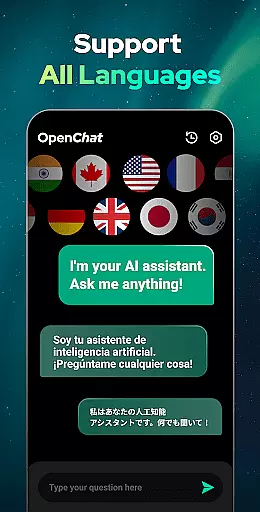
Open Chat is a cutting-edge AI chatbot application that leverages the latest advancements in artificial intelligence to deliver an unparalleled conversational experience. As the leading AI assistant app powered by ChatGPT, it offers users the ability to engage in meaningful dialogue, receive human-like text responses, and access assistance across various domains.
This productivity-focused app supports continuous dialogue, handles any task with ease, and provides features like night mode for comfortable usage. Whether you need help with writing essays, stories, or even translations in multiple languages, Open Chat is designed to be your reliable companion for both personal and professional use.
Open Chat stands out with its industry-leading features that cater to diverse user needs. The app is equipped with GPT-4 technology, enabling it to answer questions from any field, assist with creative writing tasks, and even act as a grammar checker. Its multilingual support allows users to communicate in their preferred language, making it an inclusive tool for global audiences.
One of the key highlights is the continuous dialogue feature, which remembers chat history and learns from interactions to provide more personalized responses over time. Additionally, the simple and elegant UI ensures a seamless user experience, while the chat history functionality allows users to revisit past conversations at their convenience.
At the heart of Open Chat's productivity features is its robust core task management system. This AI chatbot leverages the latest in ChatGPT technology to assist users with organizing their tasks efficiently. Whether it's drafting essays, creating social media content, or managing daily schedules, Open Chat provides continuous support.
The app's intelligent interface allows for seamless interaction, enabling users to assign tasks, set deadlines, and track progress effortlessly. With industry-leading capabilities, it generates human-like text responses that make task delegation feel like collaborating with a knowledgeable colleague.
Users benefit from the app's ability to handle any writing task in multiple languages, making it an indispensable tool for international teams or multilingual individuals. Its adaptability ensures that whether you're planning a project or refining your resume, Open Chat is equipped to assist with precision and ease.
By integrating advanced grammar checking and spell correction powered by GPT-4, Open Chat guarantees that all written communications are not only organized but also polished and professional. This comprehensive approach to task management sets a new standard for productivity apps.
Open Chat excels in providing reliable cross-device synchronization, ensuring that your data remains consistent across all platforms. Powered by the latest ChatGPT technology, this feature allows users to transition smoothly between devices without losing any information or functionality.
The app automatically saves chat history, enabling users to pick up conversations where they left off, regardless of the device being used. This continuity is vital for professionals who need to stay connected and productive, whether they're on a smartphone, tablet, or desktop computer.
With night mode and a simple, elegant UI, Open Chat offers a comfortable user experience around the clock. The synchronization process is seamless, allowing users to enjoy uninterrupted service as they switch between devices throughout their day.
This level of reliabilityu5f3au5316u4e86u7528u6237u5bf9u5e94u7528u7684u4fe1u4efbuff0cu786eu4fddu5728u4e0du540cu8bbeu5907u95f4u5207u6362u65f6uff0cu4ed6u4eecu7684u5de5u4f5cu6d41u7a0bu4e0du4f1au88abu6253u65adu3002u901au8fc7u8fd9u79cdu65b9u5f0fuff0cOpen Chatu4e0du4ec5u63d0u9ad8u4e86u751fu4ea7u529buff0cu8fd8u4e3au7528u6237u63d0u4f9bu4e86u5b89u5fc3u7684u4f7fu7528u4f53u9a8cu3002
User-friendly interface
Multilingual support
Advanced AI capabilities
Continuous dialogue feature
Comprehensive writing assistance
Limited offline functionality
Dependent on internet connection
Premium features require subscription
Occasional response latency
Privacy concerns with chat history

Seamlessly integrate data and reports to build your presentation to impress
 4.80
4.80
Smart PDF reader & editor to view, organize and manage PDF documents easily.
3.70
The Pro Version of Android's tiniest Notepad app. Just 0.3MB but feature-packed!
4.60
IP Camera Viewer - Android TV : RTSP Surveillance camera viewer for Android TV
4.0
Activate Two Factor Authentication (2FA or Multi OTP), Password manager and more
4.10
The AI assistant that thinks with you - write, code, and solve complex tasks
4.60
Use powerful, industry-leading AI tools to generate visual charts from any data
4.80
Lightweight PDF, Word, Excel reader.
4.60
AT&T Internet customers can use this app to personalize their Wi-Fi network.
4.40
Native client for Forgejo and Gitea
5.00
Understand anything with a personalized AI research assistant
4.80
Scan paperwork into PDF/JPG, generate your own e-signature and send fax or email
4.70
Secure your apps with lock screens, use custom themes and different features.
4.40
Total remote control for your Android device, PC and cloud services (IFTTT)!
4.20
Todo reminder
4.10
Wake up & get tasks done! Add alarms & reminders on the Clock Launcher.
4.00
Take control of your clipboard with Clipper!
3.90
⏰ Finally a timer app which can run multiple timers simultaneously on your watch
3.90
Remotely view listen control and record cameras.
3.70


User Reviews