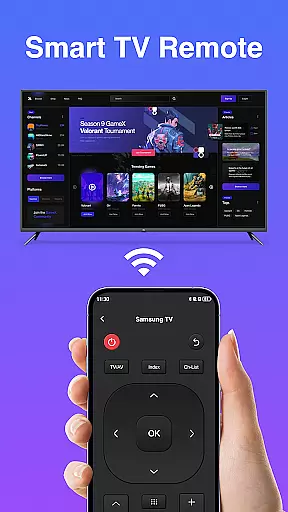
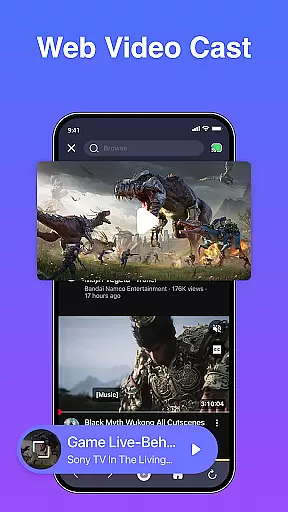
The Remote Control App For All TVs is a versatile productivity tool designed to replace traditional TV remotes. With this app, users can seamlessly control all types of TVs, including adjusting volume, switching channels, powering on/off, and accessing the TV menu directly from their smartphones. This app transforms your phone into a universal remote, making it easier than ever to manage your television experience.
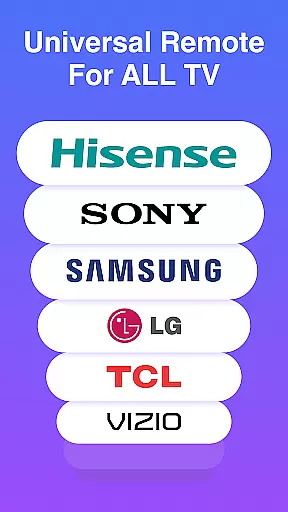
Designed for convenience, the app supports a wide range of TV brands and models, ensuring compatibility with most devices. Whether you're at home or in the office, the Remote Control App provides a reliable solution for controlling your TV without the need for multiple remotes. Its intuitive interface allows users to quickly adapt and enjoy a streamlined TV management experience.
The Remote Control App offers a comprehensive set of features that enhance TV control capabilities. One of its standout features is the ability to adjust volume and switch channels effortlessly through an intuitive touch interface. Users can also power their TVs on and off remotely, eliminating the hassle of manually turning the device on or off.
In addition to basic controls, the app provides access to advanced TV settings via the menu option. This feature allows users to fine-tune their viewing experience by adjusting picture settings, sound preferences, and input sources directly from their phones. The app's compatibility with various TV brands ensures a consistent and reliable performance across different devices.
Another notable feature is the app's support for customizable buttons, enabling users to create personalized shortcuts for frequently used functions. This flexibility enhances user convenience and saves time when managing TV operations. Overall, the Remote Control App combines essential TV controls with innovative customization options to deliver a superior user experience.
Core task management in the Remote Control App For All TVs ensures seamless control over your TV's essential functions. This feature allows users to manage basic operations such as power, volume, and channel switching effortlessly.
The app provides an intuitive interface where each remote function is easily accessible, ensuring that users can perform tasks without any hassle. The design prioritizes efficiency, letting you navigate through different controls swiftly.
By integrating advanced connectivity options, the app guarantees reliable performance. Users will experience minimal latency, making their interaction with the TV smooth and responsive.
This functionality is crucial for those who wish to streamline their TV controlling tasks into one app, enhancing both productivity and convenience while offering a modern solution to traditional remote controls.
Cross-device synchronization reliability is a standout feature of the Remote Control App For All TVs, allowing it to maintain consistent performance across various devices. This ensures that whether you're using an Android phone or tablet, the app delivers stable and dependable service.
The app employs sophisticated syncing technology that updates your control settings in real time. Any change made on one device reflects immediately on others, providing a unified controlling experience no matter which device you use.
Users benefit from this reliable synchronization by enjoying uninterrupted access to their TV controls. Whether at home or away, they can trust the app to keep their devices in sync, eliminating inconsistencies and potential control conflicts.
This level of synchronization not only boosts user confidence in the app but also significantly enhances the overall user experience by ensuring that every device offers the same high level of control and responsiveness.
User-friendly interface
Wide device compatibility
Customizable button shortcuts
Reliable remote functionality
Convenient mobile access
Limited to smartphone users
Requires initial setup
Dependent on phone battery
No physical remote backup
Potential connectivity issues

Experience real multitasking on your Android!
 4.00
4.00
Wake up & get tasks done! Add alarms & reminders on the Clock Launcher.
4.00
Protect and view your important info on your phone and tablet with eWallet®
4.80
Make your handwriting beautiful, even more than pen on paper.
3.60
Cloud storage, automatic phone backup, and more.
4.10
All document reader, all in one file viewer read PDF, DOCX, XLS, PPT, TXT files.
4.60
A beautiful digital clock with autostart and many other functions
4.70
Okta MFA
4.70
Browse and view your photos and videos from the phone with photo & video hide.
4.10
Scientific calculator for Android - looks and operates like the real thing!
4.90
A simple Whisper AI keyboard for reliable speech transcription and rewording
4.60
App Lock with fingerprint, password: Lock apps & hide photos with lock screens
4.60
A Pixel Art watchface inspired by other iconic 90s designs for Wear OS devices!
4.40
This small app MUST BE INSTALLED after purchase, else license won't work
4.40
Enjoy classic gameplay with customizable features and retro-style graphics.
4.30
A customizable calendar for your Wear OS watch
4.20
Total remote control for your Android device, PC and cloud services (IFTTT)!
4.20
Mega cloud explorer plugin for Solid Explorer
3.80
Auto-shutoff Alarm with Sunrise, Sunset & Fixed Options.
3.50


User Reviews