
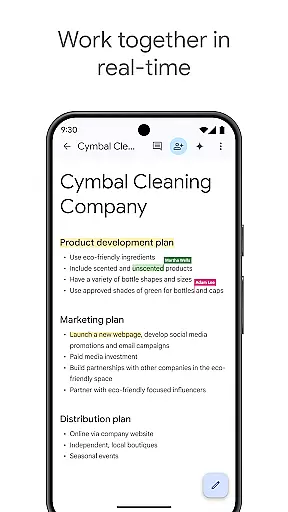
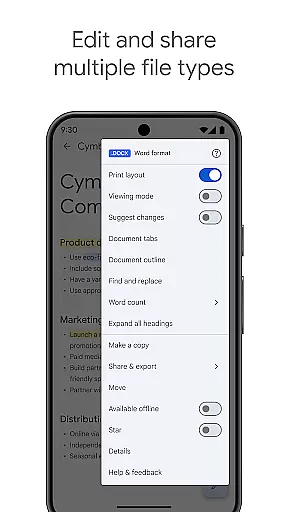
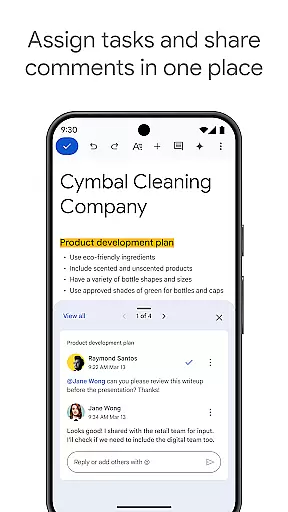
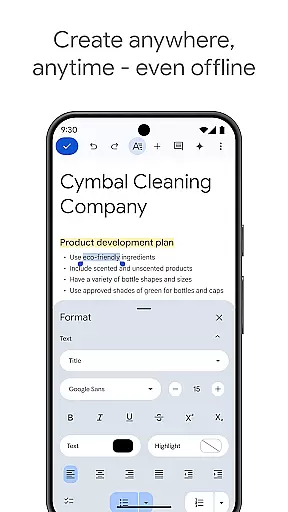
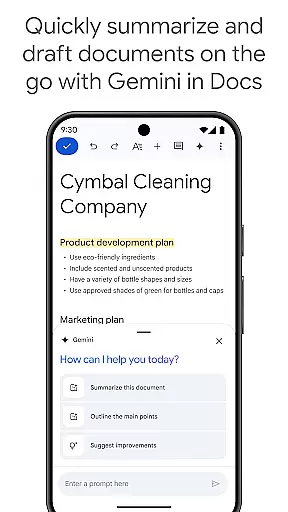
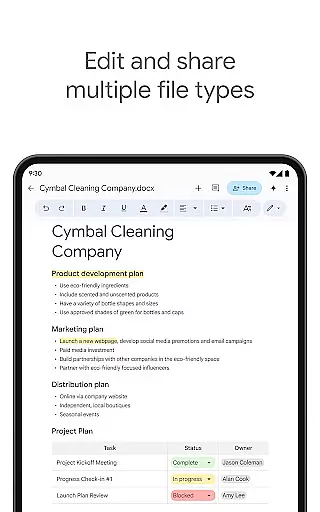
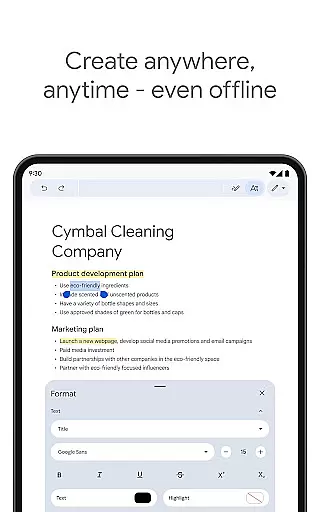
Google Docs is a powerful productivity app that allows users to create, edit, and collaborate on documents directly from their Android devices. The app supports real-time collaboration, enabling teams to work together seamlessly by sharing documents, editing content, leaving comments, and assigning action items without any delays. With its intuitive interface, Google Docs ensures you can work from anywhere, even offline, while offering professional templates to enhance your document's quality.
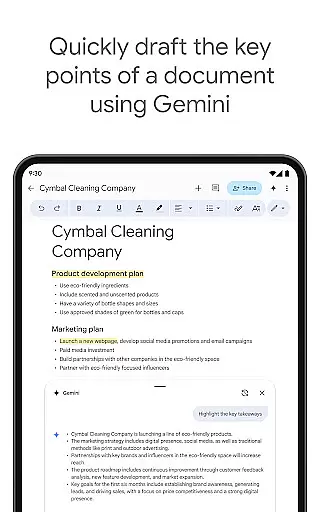
In addition to supporting multiple file types, including Microsoft Word files, the app provides effortless conversion and exporting options. For Google Workspace subscribers, advanced features powered by AI, such as Gemini in Docs, help streamline drafting, improve writing, and customize documents with unique images. Whether for personal or professional use, Google Docs delivers an efficient, flexible solution for document management and teamwork.
Google Docs offers a comprehensive set of features designed to maximize productivity. One standout capability is its real-time collaboration functionality, which allows multiple users to edit and comment on documents simultaneously. This feature is particularly valuable for remote teams who need to stay aligned and productive regardless of location. Additionally, the app supports offline mode, ensuring users can continue working even without an internet connection.
The app also includes seamless compatibility with various file formats, such as Microsoft Word, making it easy to import, edit, and export files across platforms. Subscribers of Google Workspace gain access to exclusive AI-powered tools like Gemini, which assists in drafting outlines, blog posts, and more. These innovations not only save time but also enhance the overall quality of your documents, making Google Docs a versatile tool for both individual and team-based projects.
Task management is a cornerstone of productivity applications, and Google Docs excels in this area by offering users the ability to create, edit, and collaborate on documents seamlessly. This functionality is crucial for individuals and teams looking to maintain organization and efficiency in their projects.
Google Docs allows real-time collaboration, enabling multiple users to work on the same document simultaneously. This feature supports core task management by allowing team members to share documents, make edits, leave comments, and assign action items instantly. Such capabilities ensure that everyone is on the same page and can contribute effectively, regardless of their physical location.
For users, this means enhanced productivity and streamlined workflows. Whether it's drafting reports, creating presentations, or managing spreadsheets, Google Docs provides an intuitive platform where tasks can be managed efficiently. The ability to work offline further extends this utility, ensuring that productivity doesn't halt due to lack of internet connectivity.
The true value lies in its integration with Google Workspace, which offers additional features for paid subscribers. These include AI-powered writing suggestions and the use of Gemini in Docs for rapid content creation. Such tools not only simplify task management but also enhance the quality and creativity of the work produced, making Google Docs an indispensable tool for modern professionals.
Cross-device synchronization is vital for users who operate across multiple devices and need their data to be consistently updated and accessible. Google Docs addresses this need by providing reliable synchronization that ensures all your documents are up-to-date, no matter which device you use.
This reliability stems from Google's robust cloud infrastructure, which automatically saves and syncs documents in real time. Whether you're switching from your Android phone to a tablet or a desktop computer, you can be confident that your latest changes are reflected across all platforms. This seamless transition is particularly beneficial for users who are always on the move and need to access their documents anytime, anywhere.
Moreover, Google Docs supports offline mode, allowing users to continue working even without an internet connection. Once reconnected, all changes are synced automatically, maintaining the integrity and consistency of your documents. This feature is invaluable for maintaining workflow continuity and ensuring that no productivity is lost due to connectivity issues.
In addition to basic synchronization, Google Workspace subscribers enjoy advanced features like easy-to-use templates and AI-powered suggestions, which further enhance the cross-device experience. By integrating these sophisticated tools, Google Docs not only maintains synchronization reliability but also enriches the overall user experience, setting a high standard for productivity applications.
User-friendly interface
Real-time collaboration
Offline mode available
AI-powered suggestions
Cross-platform support
Limited advanced formatting
Requires internet for full features
Occasional sync issues
Fewer templates than competitors
Basic free version

Client for Nextcloud Deck
 4.60
4.60
The long-awaited modern gallery app for your Nextcloud server
4.70
Smart PDF reader & editor to view, organize and manage PDF documents easily.
3.70
Device's storage information in a simple and clear graphical form (infographics)
4.10
Cloud storage, automatic phone backup, and more.
4.10
Multilingual translator for text, voice, and image translation!
4.90
A simple Whisper AI keyboard for reliable speech transcription and rewording
4.60
Quickly and easily keep track of your work shifts
4.70
Set up, print, and get support—in one place
4.20
Seamlessly integrate data and reports to build your presentation to impress
4.80
Use powerful, industry-leading AI tools to generate visual charts from any data
4.80
aCalendar+ makes your day, week and month
4.70
Absolutely the best CNC machinist speed and feed calculator around. fswizard.com
4.60
Secure, fast, open-source, Remote Desktop Client for Windows and Linux with SSH
4.60
Translate text/voice/photos in 150+ languages. Offline & fast translator app.
4.50
Share files & memories safely. Keep your photos and videos secure.
4.40
Make apps & sites with natural language prompts
4.10
Ultimate Virtual AI Character for immersive Roleplay Chat. Perfect Companion
3.90
ID.me Authenticator is a simple and free Two Factor Authentication solution
3.50


User Reviews