
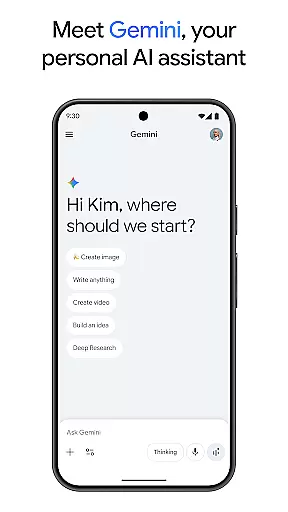
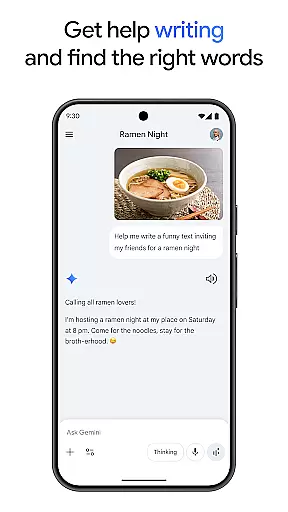
Gemini is a powerful AI assistant developed by Google, designed to enhance both creativity and productivity. This application provides direct access to Google's advanced family of AI models on mobile devices, enabling users to brainstorm ideas, simplify complex topics, and rehearse for important events through live conversations. With features like Canvas, users can bring their ideas to life by creating apps, games, web pages, infographics, and more.
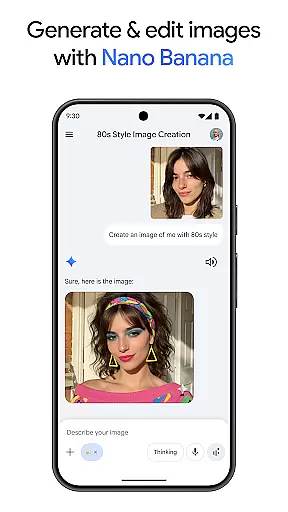
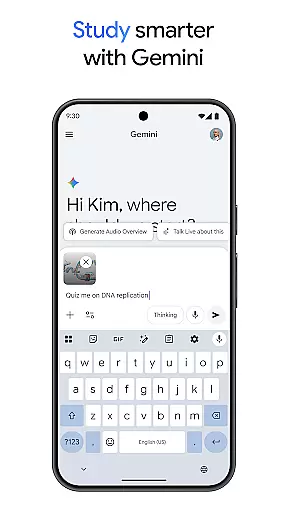
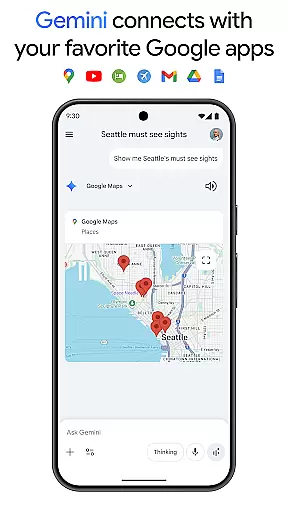
Additionally, Gemini integrates seamlessly with popular Google applications such as Search, YouTube, Google Maps, and Gmail, enhancing the user experience across these platforms. It supports educational activities by offering quiz and flashcard creation, interactive visuals, and real-world examples, making studying more effective. Users can also transform any file into a podcast, create stunning images from simple text descriptions, and plan trips efficiently.
The app offers various subscription plans, including Pro and Ultra, which provide enhanced capabilities such as a 1M token context window, access to advanced models like 3 Pro, and exclusive features like video generation with Veo 3.1 Fast. These features make Gemini an invaluable tool for tackling complex tasks and projects, ultimately boosting productivity and creativity.
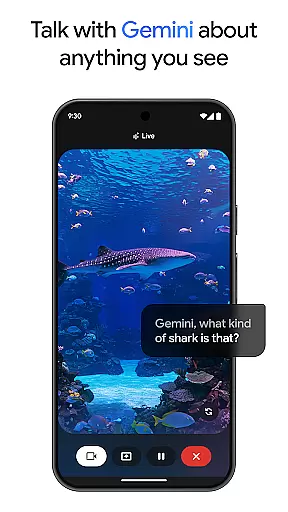
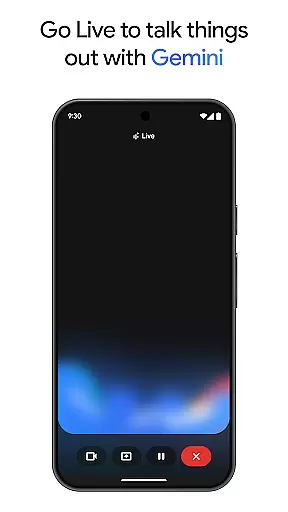
Gemini stands out with its comprehensive suite of features tailored to boost productivity and creativity. One of its key functionalities is Gemini Live, which allows users to engage in live conversations, sharing their camera or screen to discuss anything they see. This feature is particularly useful for brainstorming sessions and rehearsing important moments. Another standout feature is Canvas, which enables users to create prototypes of apps, games, web pages, infographics, and even audio overviews, facilitating the transformation of ideas into tangible outputs.
Integration with favorite Google apps like Search, YouTube, Google Maps, and Gmail further enhances the user experience by providing seamless connectivity and functionality across these platforms. Educational tools within Gemini, such as quiz and flashcard creation, interactive visuals, and real-world examples, support effective learning and exploration of various topics. Additionally, the ability to turn files into podcasts and create stunning images from text descriptions adds versatility to the app's capabilities.
For users seeking advanced functionalities, upgrading to the Pro or Ultra plans unlocks industry-leading features such as a 1M token context window, access to the most capable model 3 Pro, and exclusive features like video generation with Veo 3.1 Fast. These premium features ensure that users have the highest level of access to Google’s most powerful AI models, enabling them to tackle complex tasks and projects with ease.
Gemini by Google redefines core task management by integrating advanced AI capabilities into everyday workflows. The app allows users to brainstorm ideas, simplify complex topics, and rehearse for important moments through its Gemini Live feature. This ensures that productivity is not just about completing tasks but enhancing the quality of work with real-time collaboration and idea generation.
With dedicated tools like Canvas, Gemini enables users to bring their ideas to life by creating apps, games, web pages, infographics, and more. This functionality supports a seamless transition from conceptualization to prototype, making project management more efficient and creative. Users can easily manage multifaceted projects within a single platform, streamlining their workflow significantly.
The integration with favorite Google apps such as Search, YouTube, Google Maps, and Gmail further enhances task management. By centralizing these services, Gemini offers a cohesive ecosystem where users can study smarter, plan trips, and generate summaries or deep dives on topics. This interconnectedness ensures that all necessary tools are at the user's fingertips, improving both speed and efficiency in managing tasks.
Cross-device synchronization is a cornerstone of Gemini's productivity suite, ensuring that users have reliable access to their data across multiple devices. Whether switching between a phone, tablet, or desktop, users can expect consistent performance and availability of their information. This reliability is crucial for maintaining workflow continuity and ensuring that productivity is not hindered by device transitions.
Geminiu2019s synchronization extends to features like turning any file into a podcast, creating and editing images, and generating interactive visuals. These functionalities ensure that regardless of the device being used, users can access and manipulate their content seamlessly. Such robust cross-device support empowers users to be productive anytime, anywhere, without worrying about data loss or inconsistencies.
For those who upgrade to the Pro or Ultra plans, the synchronization capabilities are further enhanced with industry-leading 1M token context windows and higher access to powerful models like 3 Pro. These premium features provide even more reliable and sophisticated synchronization options, allowing users to tackle complex tasks with confidence. Overall, Gemini ensures that whether you're working on a simple note or an intricate project, your data remains synchronized and accessible across all your devices.
Enhances productivity
Seamless Google integration
Advanced AI models
Versatile creative tools
Premium subscription benefits
Subscription costs
Complex setup
Limited free features
High system requirements
Privacy concerns

Experience Reading - Night Mode for Documents
 4.40
4.40
Ads Free App! Editor, Hide File, Copy, Move, Delete and Rename.. all facility av
1.70
We're working to become the best machining app on the market! www.cncdirt.com
4.80
Secure, fast, open-source, Remote Desktop Client for Windows and Linux with SSH
4.60
Customizable calendar widget for seamless event sync, planning & scheduling.
4.00
Pwnagotchi companion app
4.20
Find and delete junk files & block unwanted notifications & manage files
3.70
Activate Two Factor Authentication (2FA or Multi OTP), Password manager and more
4.10
Access your phone's notifications, calls, apps, photos & texts on your PC
3.90
App lock - lock apps with fingerprint, password, pin or pattern, protect privacy
4.70
Stay on top of your to-dos with Google Tasks, part of Google Workspace.
4.60
A simple Whisper AI keyboard for reliable speech transcription and rewording
4.60
Tally and goal counter for Wear OS & mobile
4.50
A Pixel Art watchface inspired by other iconic 90s designs for Wear OS devices!
4.40
Device's storage information in a simple and clear graphical form (infographics)
4.10
Font maker keyboard with your own handwriting
4.10
Make your handwriting beautiful, even more than pen on paper.
3.60
ID.me Authenticator is a simple and free Two Factor Authentication solution
3.50
Easiest event planning, volunteer signups & parent teacher conference scheduling
2.20


User Reviews